Category: Digital Signals

Locating an Interfering Signal with Radio Direction Finding and the RTL-SDR

The people at the MIT Haystack Observatory discovered recently that someone was transmitting an interfering signal on their licensed radar band. The interferer was effectively jamming the radar, preventing them from carrying out any experiments.

After checking for local causes of interference and finding nothing, they decided that the interferer must be coming from further away. To find the location of the jamming signal they did some radio direction finding. This involved driving around with Yagi and magnetic loop antennas and RTL-SDR and USRP N200 SDRs and then measuring the signal strength at various points.

For the software they used a custom GNURadio block which calculated the power spectra using the FFTW C library, and averaged the results to disk. They then post processed the data to calculated the RFI power, and correlated the data with GPS coordinates recorded on his phone.

After all the data was processed, they discovered that the interference originated from an FM radio tower which had a faulty FSK telemetry link. They notified the engineer responsible who then replaced the link and the interference disappeared.
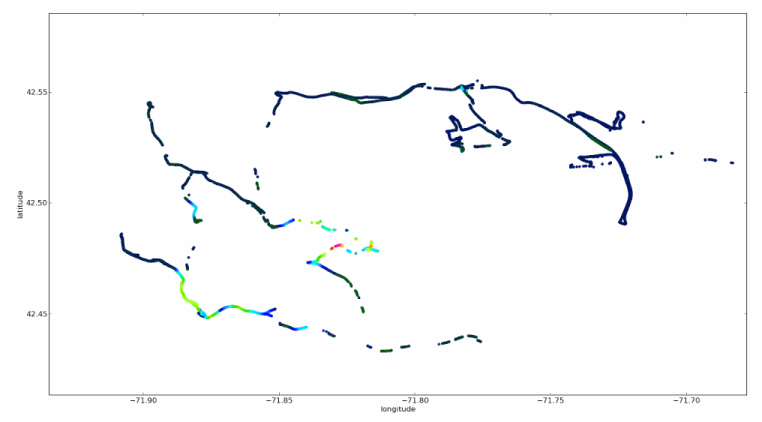
RFI strength at various geographic locations

Receiving the Chinese Yutu Moon Rover with the RTL-SDR

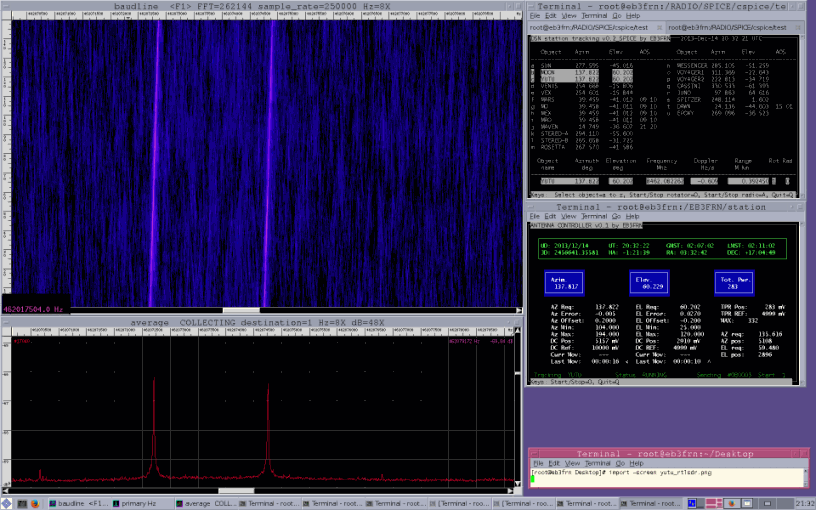
Amateur radio hobbyist EB3FRN was able to use his RTL-SDR to receive the telemetry signal from the recently landed Chinese Yutu moon rover. The Yutu rover transmits at 8462.08000 MHz, which is outside of any RTL-SDRs frequency range, so he used a downconverter with a local oscillator at 8 GHz to convert the signal to 462 MHz.

For the software he used Baudline and rtl_fm as the receiver. He has posted a short audio clip of the received signal on his blog as well.

Chinese Yutu Moon Rover Received with RTL-SDR and Baudline

ADS-B Decoder for the RTL-SDR now available for Android

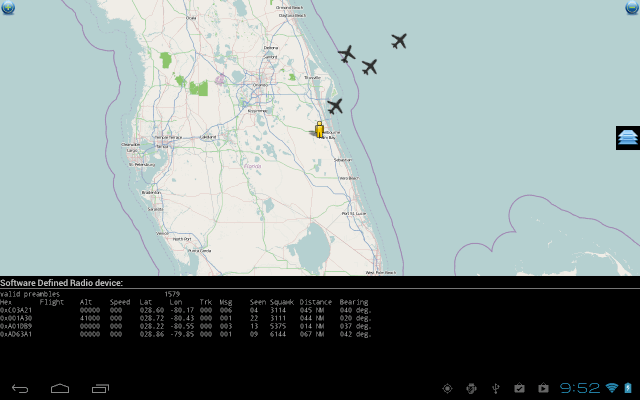
A (beta version) of an ADS-B decoder and display app for the RTL-SDR dongle for Android has been released. This app allows you to receive the ADS-B radio signals emitted by modern aircraft, which contain information such as flight number, latitude, longitude and altitude, essentially giving you a live portable aircraft radar.

To use the app, you will need an Android device that supports USB OTG, which most Android devices on Android 4.0+ should support. You will also need a USB OTG cable, and an RTL-SDR dongle. You may want to consider a USB OTG cable that has a second port for external charging capabilities, as the RTL-SDR can drain the battery quickly.

The app is cheaply priced at under $2, so give it a try!

ADS-B Decoding on Android

Using the RTL-SDR to listen to the Funcube Satellite

Recently, the FUNcube-1 satellite was successfully launched. The FUNcube is a CubeSat (a low cost miniature 10cm cube sized satellite) which is intended mainly for educating young people about radio, space, physics and electronics, but has also piqued the interest of amateur radio hobbyists.

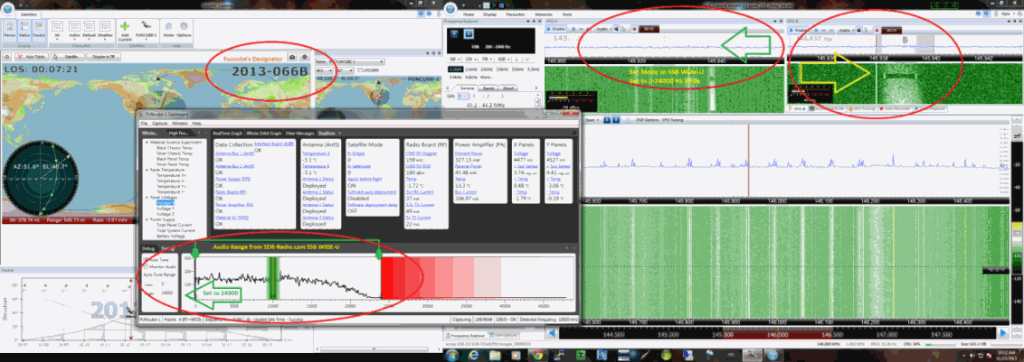
Amateur radio hobbyist N4JTC’s has shared on his blog his experiences with receiving the FUNcube-1’s telemetry using his RTL-SDR dongle. By using the RTL-SDR to receive the telemetry beacon as the satellite passes overhead, he was able to use the FUNcube Dashboard software to record and decode and view the satellites telemetry data.

Receiving the FUNcube-1 Satellite

Demo of Osmocoms ‘Phosphor’ Spectrum Visualizer

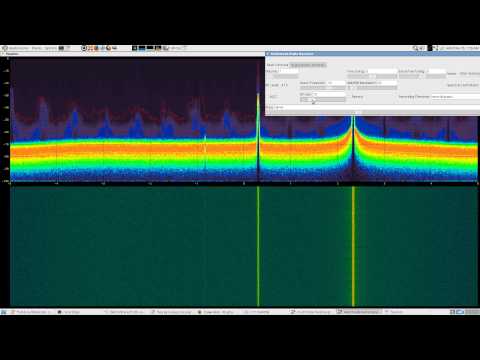
Over on YouTube, user superkuh2 has posted a video showing off osmocoms gr-fosphor GNU Radio block which shows a real time spectrum visualization using the GPU. He combines gr-fosphor with multimode for visualizing the ISM and pager bands with his RTL-SDR.

osmocom's fosphor with patchvonbraun's multimode looking at ISM + FLEX pager bands with rtlsdr

Visualizing Broadcast Satellite Signals with the RTL-SDR

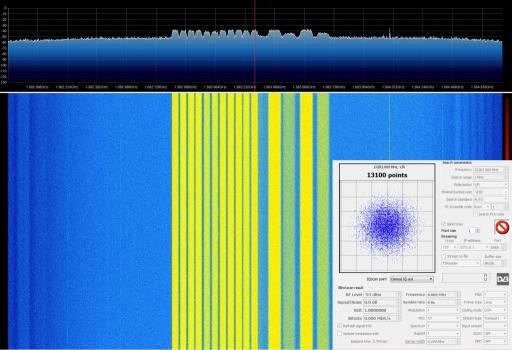
Over on Gough’s Tech blog, Lui Gough has posted about his experiences with visualizing broadcast satellite signals with the RTL-SDR. In his post he shows how to receive broadcast satellite signals by using a LNB, or low noise block downconverter, which allows the RTL-SDR to receive satellite frequencies which are typically out of the range of the RTL-SDR.

Later in the post he also shows what several broadcast satellite signals look like on the waterfall, as well as some of their telemetry signals.

Visualizing Satellite Signals

Transmitting Data with a Raspberry Pi and RTL-SDR

Hackaday brings to attention a simple hack where hacker Marc uses an antenna connected to a general purpose I/O (GPIO) pin on his Raspberry Pi to wirelessly transmit a wav file via AFSK modulation to his RTL-SDR. He uses a program called minimodem to encode the wav on the Raspberry Pi and then on the PC to decode the data received by the RTL-SDR.

Using this method, it is claimed that a signal can be transmitted up to 50m away, even through walls.

Raspberry Pi Transmitter
Raspberry Pi Transmitter Received with RTL-SDR

Receiving, Decoding and Decrypting GSM Signals with the RTL-SDR

A while back we did a small write up on receiving and analyzing cellular GSM signals with the RTL-SDR. Now blogger Domi has taken it further and has done an excellent big write up on his blog showing how to receive, decode, and also decrypt your own cell phone GSM signals with the RTL-SDR.

Domi’s big write up is split into four posts. It starts with an introduction to GSM, then focuses on setting up the environment and required software, then uncovering the TMSI (step to be released later), and then finally shows how to actually receive and decrypt your cell phone data such as voice and SMS messages.

GSM Decoding with Airprobe and Wireshark and RTL-SDR
GSM Decoding with Wireshark