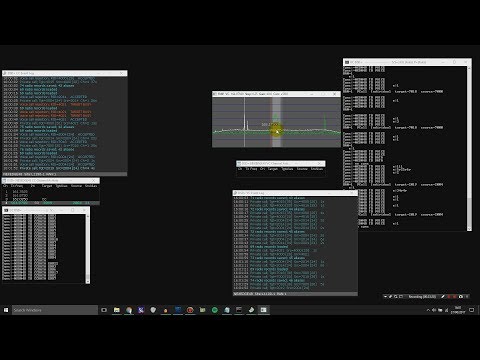
Over on YouTube user radiosification has uploaded a video tutorial that shows how to decode, follow and listen to NXDN/IDAS trunking radio signals. NXDN/IDAS is a narrowband digital voice protocol commonly used with handheld radio terminals.
In the tutorial radiosification explains how to set up DSDPlus and its frequencies text file to automatically listen to and track conversations using the control channel. SDR# is initially used to find the NXDN control and voice channels, which are then entered into the text file. Using this method only DSDPlus and its corresponding receiver FMP is used. Trunking software like Unitrunker is not needed.
Radiosification also notes that the method he presents can also be used for other digital trunking systems such as P25 as well.
All electronic devices emit some sort of unintentional RF signals which can be received by an eavesdropping radio. These unintentional signals are sometimes referred to as TEMPEST, after the NSA and NATO specification which aims to ensure that electronic devices containing sensitive information cannot be spied upon through unintentional radio emissions, sounds or vibrations. TEMPEST can also refers to the opposite, which is spying on unsecured electronic devices by these means.
In their experiments they set up an AES implementation on an FPGA, and used a simple wire loop antenna and RTL-SDR to measure and record the RF emissions. By then doing some analysis on the recorded signal they are able to fairly easily extract the AES encryption key, thus defeating the encryption.
Further testing in an anechoic chamber showed that with a discone antenna they were able to recover the keys from up to a meter away. A directional antenna could probably reach even further distances.
In the past we’ve seen a similar attack using a Funcube dongle, which is an SDR similar to the RTL-SDR. In that attack they were able to remotely recover encryption keys from a laptop running GnuPC. Also, somewhat related is Disney’s EM Sense which uses an RTL-SDR to identify electronic devices by their RF emissions.
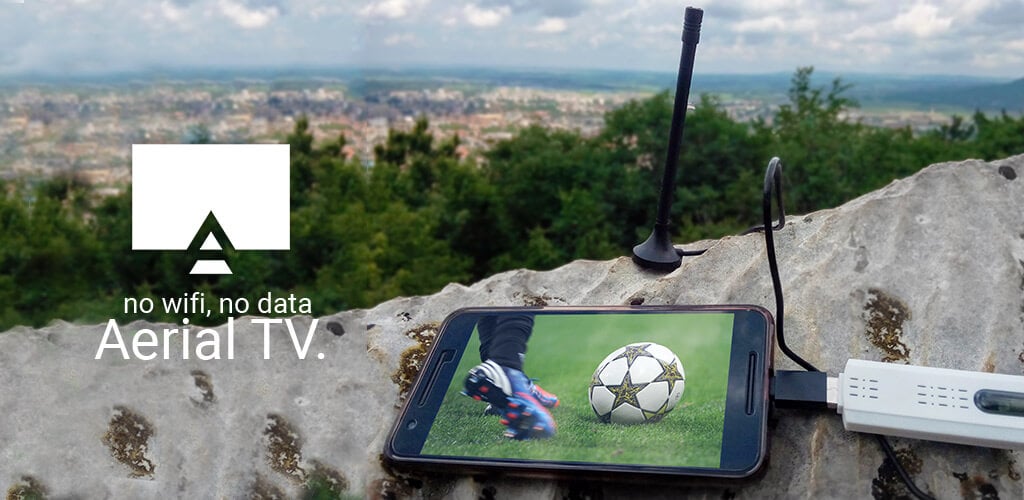
Aerial TV is an Android app that allows you to watch DVB-T TV with an RTL-SDR on a mobile device. We posted about Aerial TV back in April and it was available on the Google Play store back then. Unfortunately Aerial TV has recently been banned from the Google Play store as apparently the app can be used to display copyrighted material from TV. The author writes the following on a Facebook post:
Google Play has suspended Aerial TV due to “[Aerial TV] claims to provide copyrighted contents from TV channels”. According to Google apps that display live TV are of “questionable nature”. I am trying to clarify what they mean. I would like to apologize to all affected users. If you have any concerns, feel free to get in touch with Google directly.
This is quite odd and probably a mistake. But if you are looking for Aerial TV it is now available on the Amazon app store with a current 35% discount. If you bought the app on the Google Play store then to get new updates you will need to uninstall it, contact the developer for a refund, and then purchase it again on the Amazon store. More info about that is available on the Facebook page. Updates about it’s availability will always be provided on the official website at aerialtv.eu.
Amazon Echo is a smart home device which is essentially a hands free speaker that responds to voice commands in a similar way to ‘Okay Google’ and Siri does on your phone. With voice commands you can ask it to do things like play music, make a call or send a message, answer any question, control smart home devices like fans and locks and order items from Amazon.
The Echo skill gathers the live local ADS-B plane data via dump1090’s json output which runs on a networked Raspberry Pi with RTL-SDR dongle attached. The data is loaded into a database, which is then queried for the closest plane to the Echo’s location. Finally the program scrapes the closest flights departure and arrival data from FlightRadar24 before speaking it through the Echo’s speaker. Nicks code is freely available over on his GitHub page.
Alexa Plane Spotting Skill
This project reminds us of a previous post where we posted about Simon Aubury’s work in creating a Raspberry Pi and RTL-SDR based aircraft camera tracking system. Simon’s system used live ADS-B data to point a camera directly at aircraft as they passed over his house.
It also reminded us of this British Airways video billboard that was popular a few years ago. The ad featured a young boy who would point directly at passing aircraft with text displaying the flight information. They used a commercial networked ADS-B device to gather live ADS-B data (internet based ADS-B data from sites like flightradar24.com has a time lag, so it is not suitable for time sensitive applications like this), and whenever a passing British Airways aircraft was detected the ad would play.
Cannes Lions Grand Prix 2014 Direct Lion British Airways Magic of Flying Ogilvy One, London
Over on his YouTube channel user Corrosive has uploaded a set of videos that show how to install and get started with an RTL-SDR or HackRF with SDR-Console V3. The video series starts from the very beginning with installing the drivers via zadig, and then goes on to show how to download, install and use SDR-Console V3.
In one of his later videos Corrosive also shows how to optimally configure the settings in SDR-Console V3 and SDR# for optimal reception and viewing.
In a newer video he also shows how he uses the HackRF as a spectrum analyzer to find his cellphone signal. Regarding this video, Corrosive wrote in to us and said the following:
For a while now I’ve been trying to find the frequency of my cell phone, looking frequencies up online and trying to find an app that would tell me my current frequency. None of these things seem to work and scanning the band manually I always came up dry because I wasn’t 100% sure where I needed to look.
Further videos on his channel also show how to receive ADSB data with an RTL-SDR and Android phone, and how he repurposed a rabbit ears antenna into a V-dipole antenna for receiving Satcom pirates.
Corrosive has done a good job putting out SDR and radio related videos over the past couple of weeks so it may be a channel to subscribe to if you are interested in this type of content.
Over on his blog Dave Venne has been documenting his attempts at using National Weather Service (NWS) broadcasts for forward scatter meteor detection with an RTL-SDR. Forward scatter meteor detection is a passive method for detecting meteors as they enter the atmosphere. When a meteor enters the atmosphere it leaves behind a trail of highly RF reflective ionized air. This ionized air can reflect far away signals from strong transmitters directly into your receiving antenna, thus detecting a meteor.
Typically signals from analog TV and broadcast FM stations are preferred as they are near the optimal frequency for reflection of the ionized trails. However, Dave lives in an area where the broadcast FM spectrum is completely saturated with signals, leaving no empty frequencies to detect meteors. Instead Dave decided to try and use NWS signals at 160 MHz. In the USA there are seven frequencies for NWS and they are physically spaced out so that normally only one transmitter can be heard. Thus tuning to a far away station should produce nothing but static unless a meteor is reflecting its signal. Dave however does note that the 160 MHz frequency is less than optimal for detection and you can expect about 14 dB less reflected signal from meteors.
So far Dave has been able to detect several ‘blips’ with his cross-dipole antenna, RTL-SDR and SDR#. He also uses the Chronolapse freeware software to perform timelapse screenshots of the SDR# waterfall, so that the waterfall can be reviewed later. Unfortunately, most of the blips appear to have been aircraft as they seem to coincide with local air activity, and exhibit a Doppler shift characteristic that is typical of aircraft. He notes that the idea may still work for others who do not live near an airport.
A possible meteor detection in SDR#.Aircraft detection doppler
We note that if you are interested in detecting aircraft via passive forward scatter and their Doppler patterns, then this previous post on just that may interest you.
Back in November of last year we posted about Doug Haber’s gqrx-ghostbox which is software that turns your RTL-SDR into an electronic voice phenomenon (EVP) tool, or in other words a ‘ghost box’ or ‘spirit box’. A ghost box is essentially a device that rapidly tunes between broadcast radio stations, creating mismashed audio of multiple stations. Paranormal researchers believe that such a tool can be used to communicate with ghosts or spirits. Over on Amazon commercial ghost boxes/spirit boxes seem to retail for anywhere from $70 USD to $140 USD so an RTL-SDR can be a budget way to get into paranormal research.
Over on her blog paranormal investigator shielaaliens has uploaded a post and video demonstrating an RTL-SDR based ghost box in action. Sheila actually doesn’t use the grqx-ghostbox software, but instead she just uses SDR# with a frequency scanner plugin set to rapidly scan through the broadcast band. In the video she asks the SDR# ghost box a few control questions such as “can you say kitty cat” and “can you say Nantucket”. In response the SDR# ghost box appears to respond with those exact words. Her Facebook post with the video can be found here.
Of course this might all sound pretty far fetched for most readers of this blog, but it is an application that the RTL-SDR is now being used for nonetheless!
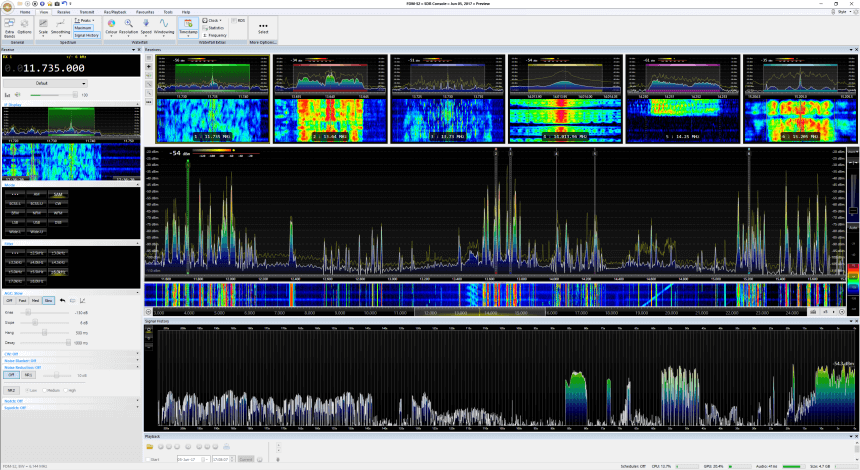
SDR-Console is a popular RTL-SDR compatible multi purpose SDR software package which is similar to programs like SDR#, HDSDR and SDRuno. Currently SDR-Console V2 is the stable version and SDR-Console V3 is in a beta state. A few days ago SDR-Console V3 Preview 6 was released. It comes with some very interesting new features including a built in Airspy server, a recording scheduler, a new feature called signal history and a new receivers pane.
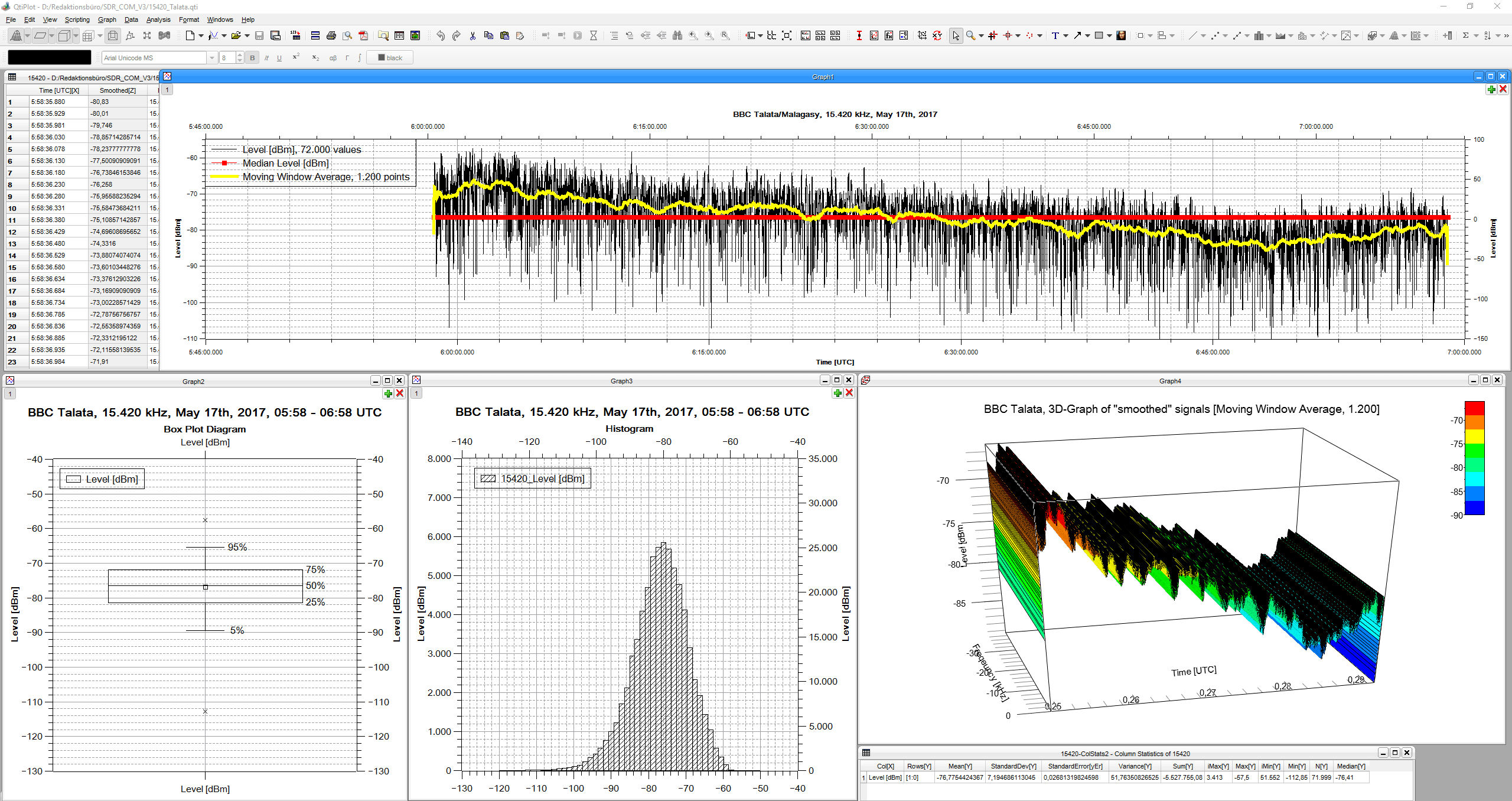
“Signal History” takes the signal strength of the given bandwidth each 50 milliseconds, which can be saved in a CSV file. It is also shown in three different speeds on a display.
“Receivers’ Pane” shows up to six combos of spectrum/spectrogram of the complete up to 24 parallel demodulators (they additionally can be shown in the Matrix, as in former versions).
“Signal History” offers many applications, to name just three:
analyze fading and its structure with an unsurpassed time resolution of 50 ms
document fade-in and fade out
measure signal-to-noise ratio of signals
In addition Nils has also uploaded a very useful 19 page PDF where he writes step by step instructions and shows numerous examples of the new signal history tool.
DK8OK’s SDR-Console V3 P6 Screenshot. Showing multiple receiver panes and the new signal history feature.DK8OK’s screenshot of the signal history toolbox.