Over on YouTube OLHZN High Altitude Balloons has posted a very entertaining video showing how to use an RTL-SDR and small grid dish antenna to track and recover a fallen weather balloon and its radiosonde. OLHZN writes:
The US National Weather Service (#NWS) launches over 200 weather balloons everyday carrying an LMS-6 #radiosonde / rawinsonde made by Lockheed Martin to an altitude of over 100,000 ft. and you can track & follow the flights from home and even find the landing site and pick them up! This is a fun #DIY project that you can do yourself from home and I'll show you how to do it here along with some tips so you can go find yourself a weather balloon & radiosonde!
How to track & recover a NWS weather balloon & radiosonde 🎈🎈 Ham Radio DIY
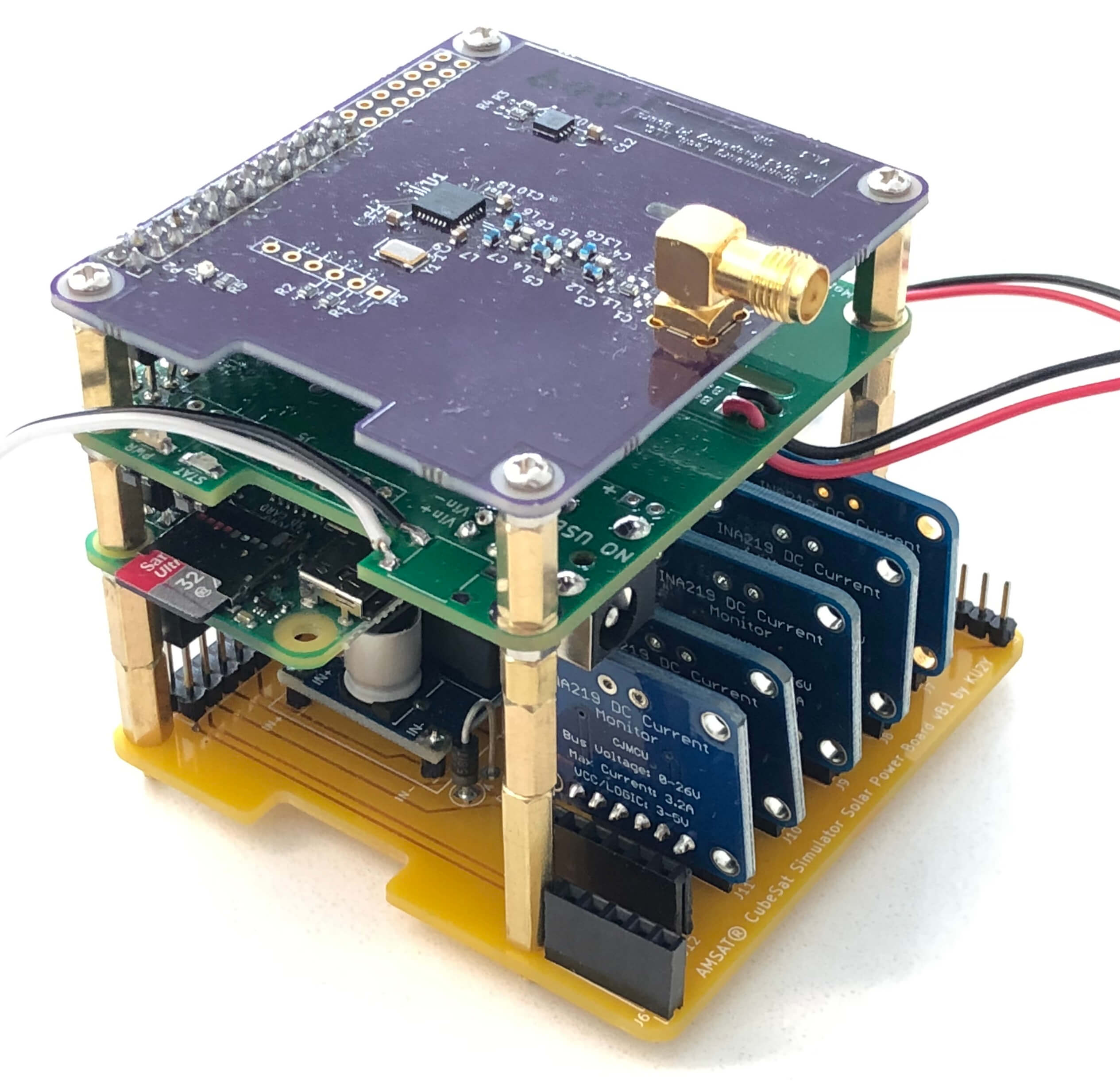
CubeSats are small and light satellites that can these days be built and launched into orbit by almost anyone with a small budget of roughly $40,000. They are a great way for schools and other organizations to get into a space based technology project. A "simulated" CubeSat is one that is not designed to be really launched into space, and is made from low cost hardware. The idea is that simulated CubeSats can be used as tools to help demystify the inner workings of satellites to the public and help CubeSat builders get experience and competence before building the real thing.
A Simulated CubeSat made from a Solar Panel board, Pi Zero, UPS and Transceiver.
— Alan B. Johnston, PhD (@alanbjohnston) June 5, 2019
If you're interested in the CubeSat simulator hardware itself, there was a presentation held back in 2018 that may be of interest to you. According to the presentation somewhere between 30% - 50% of CubeSats fail as soon as they're deployed, so building competence with simulated hardware is a good goal.
2018 AMSAT William A. Tynan W3XO Memorial Space Symposium - Saturday Sessions
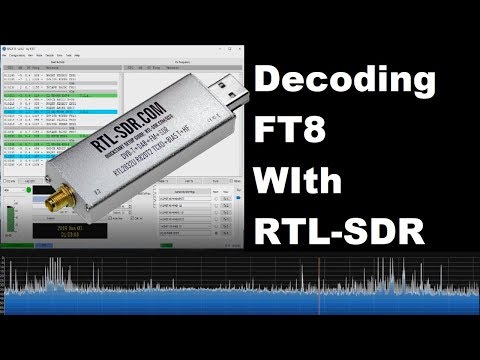
Over on YouTube user ModernHam has uploaded a useful tutorial showing how to use our RTL-SDR Blog V3 dongles for FT8 monitoring. The RTL-SDR Blog V3 has a built in direct sampling circuit which allows for reception of HF signals without the need for any upconverter. FT8 is an amateur radio weak signal digital communications mode which can be received all around the world even with low transmit power.
In his setup he uses SDR# and Virtual Audio Cable to pipe audio to the WSJT-X decoder. His video goes through all the steps and settings that need to be set and then shows a demo of some signals being received. ModernHam also has another video uploaded a few days earlier which is a more general introduction to FT8 decoding.
If you're interested we uploaded a tutorial last year that shows how to set up a Raspberry Pi 3 based FT8 decoding station with a V3 dongle.
Decoding FT8 with a RTL-SDR (Software defined Radio)
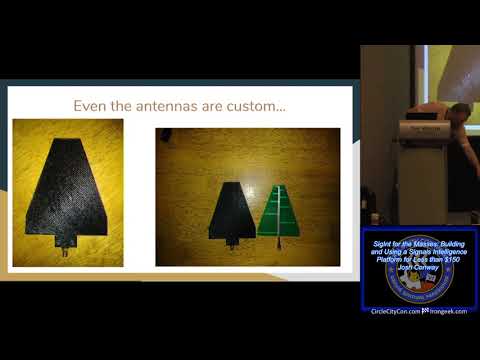
Circle City Con is a yearly conference that focuses on information security talks. At this years conference Josh Conway presented an interesting talk titled "SigInt for the Masses Building and Using a Signals Intelligence Platform for Less than $150". Josh's talk introduces his "RadioInstigator" hardware which is a combination of a Raspberry Pi, CrazyRadio and an RTL-SDR all packaged into a 3D printed enclosure with LCD screen. The idea behind the RadioInstigator is to create a portable and low cost Signals Intelligence (SIGINT) device that can be used to investigate and manipulate the security of radio signals.
The RadioInstigator makes use of the RPiTX software which allows a Raspberry Pi to transmit an arbitrary radio signal from 5 kHz up to 1500 MHz without the use of any additional transmitting hardware - just connect an antenna directly to a GPIO pin. Connected to the Pi is a CrazyRadio, which is a nRF24LU1+ based radio that can be used to receive and transmit 2.4 GHz. And of course there is an RTL-SDR for receiving every other signal. Josh has made the plans for the RadioInstigator fully open source over on GitLab.
In his talk Josh introduces the RadioInstigator, then goes on to discuss other SDR hardware, antenna concepts and software installed on the RadioInstrigator like RPiTX, GNU Radio, Universal Radio Hacker, Salamandra, TempestSDR and more.
Due to various human activities causing the environmental destruction of it's habitat, the Orangutan is now classed as a critically endangered species. In addition to being endangered, Orangutans face another problem in that they are often captured and sold as pets due to their intelligence and cuteness.
To combat these problems, NGOs, charities and rescue centers have been using RF tags on rehabilitated Orangutans that have released back into the wild. The RF tag regularly transmits a data-less pulse at VHF frequencies which is then typically tracked using direction finding equipment such as a directional Yagi antenna. The range is only approximately 200-400m.
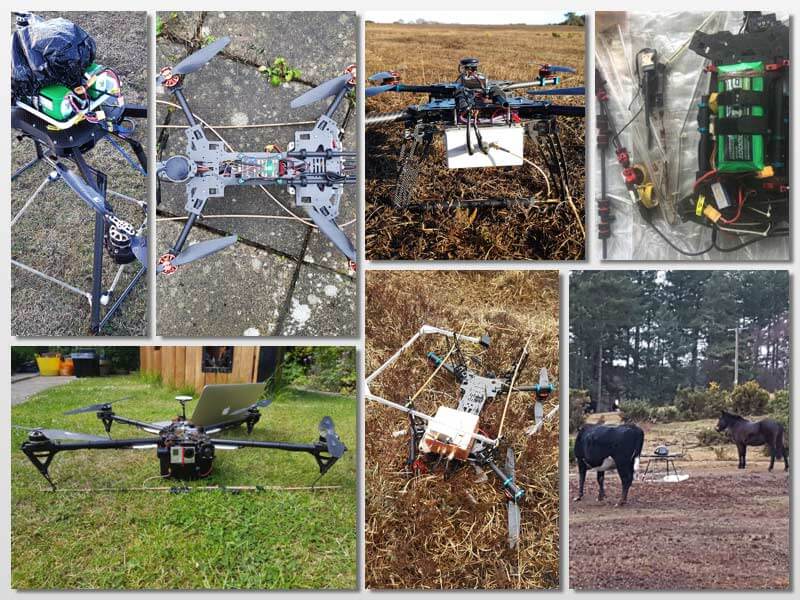
In order to try and alleviate the range issue Dirk Gorissen has been working on creating a drone based system that could detect the VHF transmission and create a heatmap of Orangutan positions. The first iteration of his system uses an RTL-SDR, Odroid and lightweight loop antenna. A simple Python script then monitors the spectrum and logs the drones current location, altitude, speed and heading when a pulse is detected. Tests confirmed that the signal was able to be detected from the sky, but unfortunately the drone was eventually crashed and lost before it could be properly used.
In his second try a few years later, Dirk used a larger drone and switched SDRs to an Airspy Mini with preamp. The pulse detection code was also improved by using GNU Radio to create a DSP algorithm combining peak detection, cross correlation with a known template of the signal, and a phase locked loop. Visualization and data transfer is achieved through react.js and a Flask web server running on the drones WiFi hotspot. This time with the new drone and system Dirk was able to successfully detect and locate several Orangutan's on various flights, despite noting that some RF tags appeared to be glitchy.
Orangutan Detected with Drone, Airspy Mini and GNU Radio.Drone used in the experiment
Over on YouTube Andreas Spiess has been helping his friend create a pressure monitoring system for his home brew beer bottles. In order to do this, Andreas uses an externally mounted after market wireless tire pressure sensor whose data can be received with an RTL-SDR and the rtl_433 decoder software. Modern vehicle tires contain a TPMS (tire pressure monitoring system) sensor, which keeps track of tire pressure, temperature and acceleration. The data is wirelessly transmitted via 433 or 315 MHz to the cars dashboard and computer for safety monitoring.
In the first video Andreas discusses tire pressure monitors and how they could be used for other non-tire applications, talks a bit about the wireless protocol used, and how to reverse engineer it. He notes that the author of rtl_433 was able to implement his particular tire pressure sensor brand's protocol into the rtl_433 database, so now anyone can decode them. Finally in this video he also shows that he can easily spoof a flat tire signal using a HackRF and GNU Radio which might cause a modern high end car to refuse to move.
The second video shows how to continuously monitor that TPMS data for the home brew set up. Andreas uses an RTL-SDR and Raspberry Pi running rtl_433, which outputs it's data into Mosquitto, Node-Red, InfluxDB and the Grafana. These programs help to read, manage, log and graph the data. The rtl_433 program is also monitored by Supervisord which automatically restarts rtl_433 if the program crashes.
NOAA weather satellites broadcast an Automatic Picture Transmission (APT) signal, which contains a live weather image of your area. With an RTL-SDR and antenna they can be received and downloaded every time one of the satellite's passes overhead which could be multiple times a day.
Our standard NOAA weather satellite tutorial makes use of SDR#, audio piping and the WXtoIMG to receive NOAA satellite images. Martin's guide and software might be slightly easier for newbies as it only involves recording an audio WAV file, then loading it up into his software. The disadvantage is that the image is not colorized, and not displayed in real time as it is in WXtoIMG.
As you may already know, the old standard software in NOAA image decoding, WXtoIMG, is now considered abandonware, and the only place to get it is from a third party mirror rehosting the now defunct WXtoIMG website. As WXtoIMG is closed source no further development can occur on it. Martin's NOAA-APT still misses a lot of the advanced features of WXtoIMG but it is fully open source and multiplatform, and so it is a very promising program.
Receiving NOAA satellite images with noaa-apt and SDR#
Over on YouTube Corrosive from the SignalsEverywhere channel has uploaded a new video showing us how to set up P25 trunking and decoding with DSDPlus Fastlane and only a single RTL-SDR.
Normally two dongles are required to follow a P25 trunking system. One dongle continuously receives the trunking channel, and a second tunes to the voice channel chosen by the trunking channel. However, the latest DSDPlus Fastlane has a feature that allows one only dongle to be used. It works by tuning back and forth between the control and voice channel. The disadvantage is that trunking information could be missed while tuned to a voice channel, so some calls could be missed.
RTL SDR Setup P25 Trunking With 1 SDR and DSDPlus FastLane