Salamandra is a tool to detect and locate spy microphones in closed environments. It find microphones based on the strength of the signal sent by the microphone and the amount of noise and overlapped frequencies. Based on the generated noise it can estimate how close or far away you are from the mic.
Salamandra can either be used in live mode, or can use data recorded from rtl_power. It seems that the software simply attempts to detect peaks in the spectrum that look like analog audio, and print out their frequencies.
We’ve also seen this somewhat related piece of software called rtlsdr-wwb-scanner which can be used with an RTL-SDR to scan for microphones as well. However, this software is mostly intended to be used with the Shure Wireless Workbench which is a professional program for managing multiple microphones used in conferences, theatre performance, concerts etc.
Bitcoin is the worlds first and most popular digital currency. It is steadily gaining in value and popularity and is already accepted in many online stores as a payment method. In order to use Bitcoin you first need to download a large database file called a ‘blockchain’, which is currently at about 152 GB in size (size data obtained here). The blockchain is essentially a public ledger of every single Bitcoin transaction that has ever been made. The Bitcoin software that you install initially downloads the entire blockchain and then constantly downloads updates to the blockchain, allowing you to see and receive new payments.
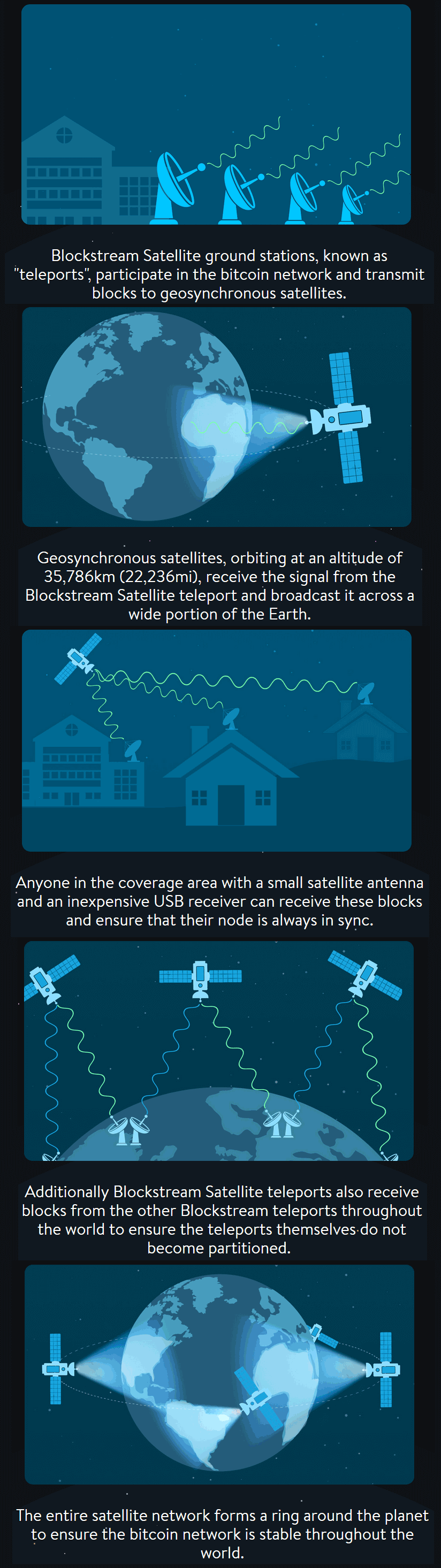
Blockstream is a digital currency technology innovator who have recently announced their “Blockstream satellite” service. The purpose of the satellite is to broadcast the Bitcoin blockchain to everyone in the world via satellite RF signals, so that even in areas without an internet connection the blockchain can be received. Also, one problem with Bitcoin is that in the course of a month the software can download over 8.7 GB of new blockchain data, and there is also the initial 152 GB download (although apparently at the moment only new blocks are transmitted). The satellite download service appears to be free, so people with heavily metered or slow connections (e.g. 3G mobile which is the most common internet connection in the third world/rural) can benefit from this service as well.
The service appears to be somewhat similar to the first iteration of the Outernet project in that data is broadcast down to earth from satellites and an R820T RTL-SDR is used to receive it. The blockstream satellite uses signals in the Ku band which is between 11.7 to 12.7 GHz. An LNB is required to bring those frequencies back down into a range receivable by the RTL-SDR, and a dish antenna is required as well. They recommend a dish size of at least 45 cm in diameter. The signal is broadcast from already existing satellites (like Outernet they are renting bandwidth on existing satellites) and already 2/3 of the earth is covered. The software is based on a GNU Radio program, and can be modified to support any SDR that is compatible with GNU Radio. They write that the whole setup should cost less that $100 USD to purchase and set up.
To set it up you just need to mount your satellite antenna and point it towards the satellite broadcasting the signal in your area, connect up your LNB and RTL-SDR and then run the software on your PC that has GNU Radio installed.
More details can be found on the Blockstream Satellite website, and technical details about the software and hardware required can be found on their GitHub page.
How the Blockchain satellite works (From blockstream.com/satellite/howitworks/)
Some may wonder what’s the point if you can’t transmit to the service to make payments with it. Over on this Bitcoin Reddit thread user “ideit” explains why it’s still useful in this nice quote.
You sell goats in a small village. A customer wants to buy a goat, but you have no banks so people have put their money into bitcoin. Your customer goes to the village center which has a few computers hooked up to the internet. He sends you payment then comes to get his goat. You don’t have internet near your goat farm, but you’re connected to the satellite so you can see he sent you payment and you give him his goat.
Or, you live in an area that caps your bandwidth. You want to run a full node, but downloading blocks eats away at your cap. Connecting to a satellite reduces your bandwidth usage.
Or, you’re using an air gapped laptop to sign transactions from your wallet for security reasons. You can now connect that laptop to the satellites so your laptop can generate its own transactions without connecting to the internet.
Or, your internet connection is terrible. You can usually broadcast transactions since they’re small, but downloading blocks and staying in sync with the blockchain is literally impossible. Connect to a satellite and now it’s simple.
Manuel a.k.a ‘Tysonpower’ has been using his RTL-SDR (and his Baofeng) to listen in on ARISS contacts from the International Space Station (ISS). ARISS stands for Amateur Radio on the ISS, and is a program often used by schools to allow students to contact and ask questions to astronauts on the ISS with a ham radio. It is possible for anyone to listen in on the downlink (astronaut speech) if the ISS is over your location while transmitting. The uplink however may not be able to be heard as the signal is directed upwards towards the station.
For his first try he used a Baofeng (cheap Chinese handheld) and a DIY Carbon Yagi. For the second contact he used his RTL-SDR V3, an FM Trap and an LNA4ALL on a V-Dipole antenna placed on the roof of his car. With this set up he was able to receive the downlink transmissions from 1.6 degrees to 1.3 degrees elevation.
Paolo Nespoli ARISS Kontakt mit VCP-Bundeszeltplatz - 1. August 2017
Paolo Nespoli ARISS Kontakt mit FOFM / Moon Day - 5. August 2017
Lightning produces fairly wideband bursts of RF energy, especially down in the VLF to HF frequencies. Detecting these bursts with custom radio hardware is how lightning detection websites such as blitzortung.org work.
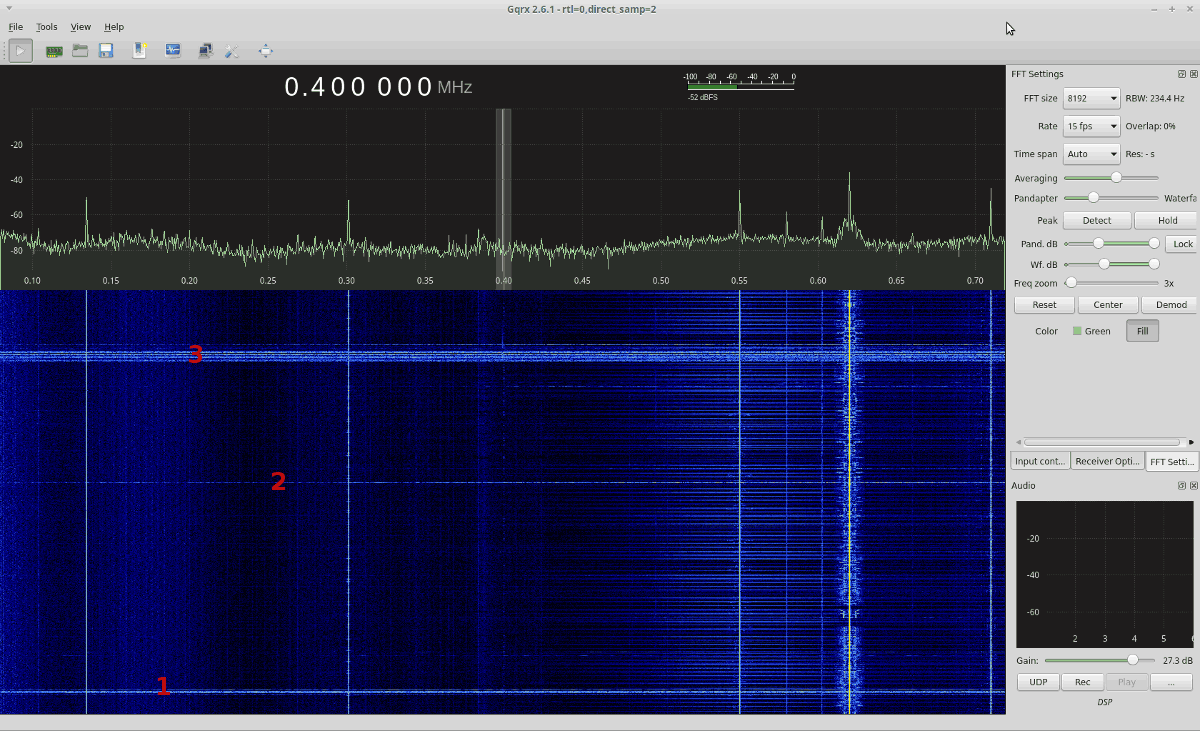
It is also possible to detect lightning using an RTL-SDR that can tune to to HF and lower, such as the RTL-SDR V3, or an RTL-SDR with an upconverter. Over on his blog Kenn Ranous (KA0SBL) has uploaded a short post showing what lightning bursts look like on an RTL-SDR waterfall. He uses an RTL-SDR V3 to tune down to the LF – MW frequency bands and looks for wideband pulses of noise which indicate lightning.
It would be interesting to see if this type of detection could be automated with DSP so that a similar service to Blitzortung.org could be created.
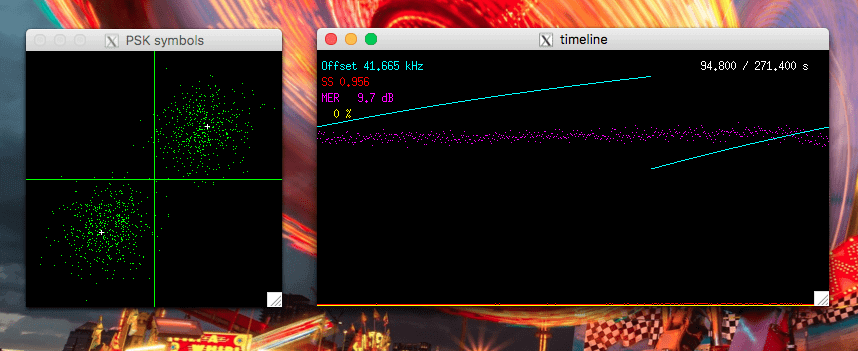
Recently Luigi Freitas wrote in to us and wanted to share his fairly unique Outernet setup which is based on a Grid dish antenna, low cost SPF-5189 LNA, C.H.I.P mini single board computer generic RTL-SDR, and the open source LeanDVB decoder software.
Last month we made a post about LeanDVB, a lightweight DVB-S decoder, which with a few configuration changes can be used to also demodulate the Outernet signal. Luigi places his 2.4 GHz WiFi grid antenna (which still works for the 1.5 GHz Outernet signal) on a tripod and points it towards the Outernet satellite in his area. He connects the antenna up to a SPF-5189 based LNA, which is a 50 – 4000 MHz LNA that is very cheaply found on eBay for about $7 USD. Then a cheap generic no-TCXO $8 RTL-SDR is used together with the LeanDVB software.
In his post Luigi shows how to set up the LeanDVB software for decoding the Outernet signal by piping the output of rtl_sdr into it, and getting all the settings correct. To get the final files he then shows how to pipe the decoded packets in the Skylark decoder, and then the files can be accessed from the regular Outernet web GUI.
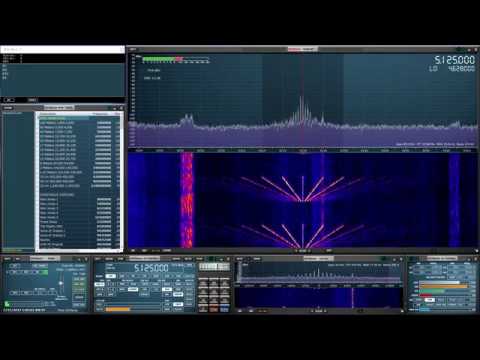
During July 24-31 the large Arecibo Radio Observatory in Puerto Rico (the big dish antenna that you may be familiar with from the movie ‘Contact’) ran an Ionospheric heating experiment which involves transmitting 600kW of net power up into the Ionosphere. This type of experiment is used for researching plasma turbulence in the ionosphere and upper atmosphere.
“The new Arecibo ionosphere HF heater nominally transmits 600 kW net power and has a unique Cassegrain dual-array antenna design that increases gain of three crossed dipoles for each band, using the signature 1000-foot spherical dish reflector,” explained Chris Fallen, KL3WX, a researcher at the University of Alaska-Fairbanks HAARP facility. He has reported that Arecibo would use 5.125 or 8.175 MHz, depending upon ionospheric conditions, but emphasized that these are estimates and frequencies may be adjusted slightly. On July 25, Arecibo was transmitting on 5.095 MHz.
Over on YouTube Mike L. used his SDRplay RSP1 together with our BCAM HPF to record some transmissions from the observatory.
During July 20 – 24, 2017 the ISS (International Space Station) was transmitting SSTV (Slow Scan Television) images down to earth in celebration of the ARISS (Amateur Radio on the ISS) 20th Anniversary. The ISS transmits SSTV images on celebratory occasions several times a year. More information about upcoming ARISS events can be found on their website ariss.org.
Despite Laptop and PC troubles, he was able to capture several images. He also notes that he was able to use a Baofeng and Yagi antenna to receive the signal indoors.
Note that Tysonpower’s YouTube video is narrated in German, but there are English subtitles available if you turn on YouTube’s closed captions which should be on by default on this video.
[EN subs] ISS SSTV Event Juli 2017 - Empfang von drinnen und V-Dipole
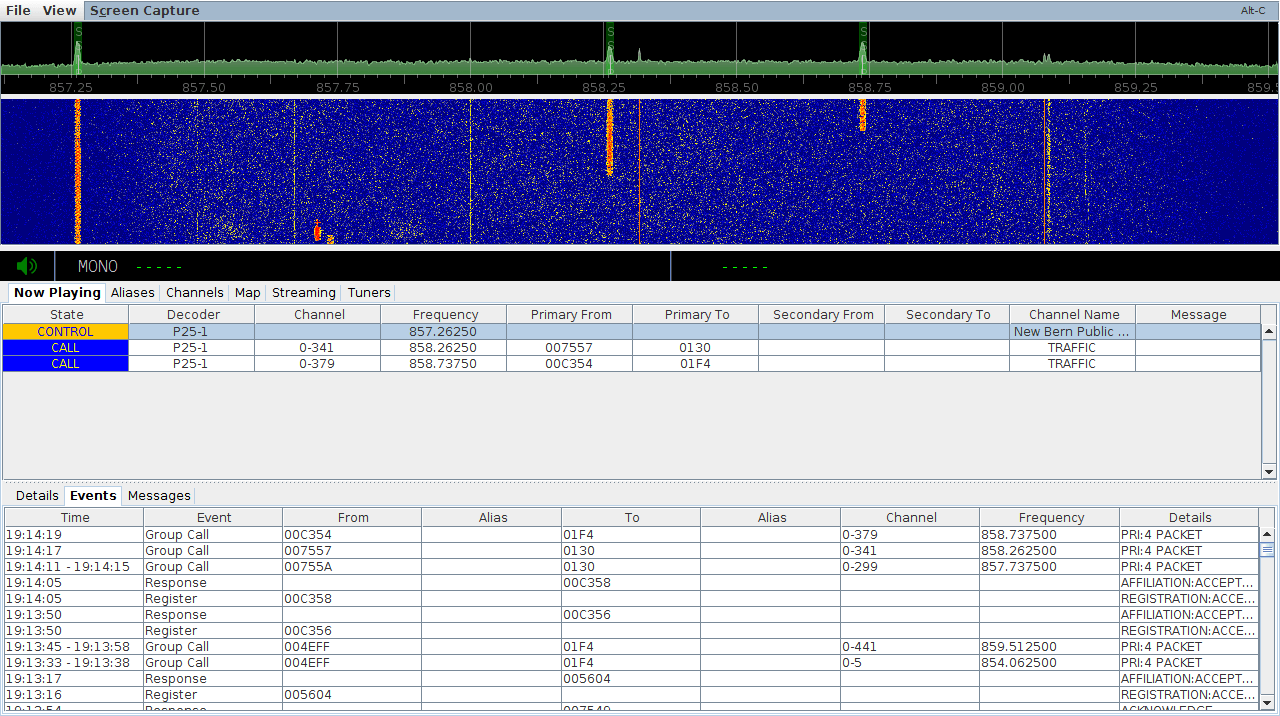
Over on his blog John Hagensieker has uploaded a tutorial that shows how to set up SDRTrunk with RTL-SDR dongles. SDRTrunk is an application that allows you to follow trunked radio conversations, and decode some digital voice protocols such as P25 Phase 1. It is similar to Unitrunker and DSDPlus combined into one program. It is also Java based so it is cross platform and so can be used on Linux and MacOS systems as well.
John’s tutorial contains many useful screenshots, so it should be great for a beginner. He starts from the beginning, with finding trunking frequencies over on radioreference.com, then goes on to the installation and use on Linux. He also later explains how the Airspy can be used instead of multiple RTL-SDR to cover 10 MHz of bandwidth so that multiple systems can be monitored.
SDRTrunk Running and decoding a P25 Phase 1 System


![[EN subs] ISS SSTV Event Juli 2017 - Empfang von drinnen und V-Dipole](https://www.rtl-sdr.com/wp-content/plugins/wp-youtube-lyte/lyteCache.php?origThumbUrl=https%3A%2F%2Fi.ytimg.com%2Fvi%2FSTmvu34O610%2F0.jpg)