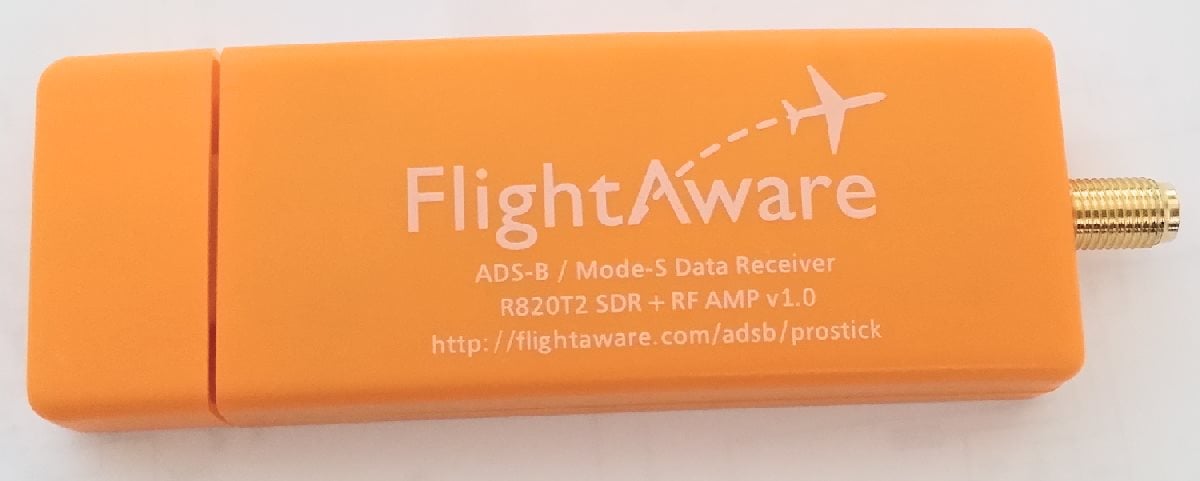
Recently FlightAware released a new RTL-SDR dongle sold at zero profit at $16.95 USD. It’s main feature is that it comes with an ADS-B optimized low noise amplifier (LNA) built directly into the dongle. FlightAware.com is a flight tracking service that aims to track aircraft via many volunteer ADS-B contributors around the world who use low cost receivers such as the RTL-SDR. In this post we will review their new dongle and hopefully at the same time provide some basic insights to LNA positioning theory to show in what situations this dongle will work well.
FlightAware Dongle Outside
A good LNA has a low noise figure and a high IIP3 value. Here is what these things mean.
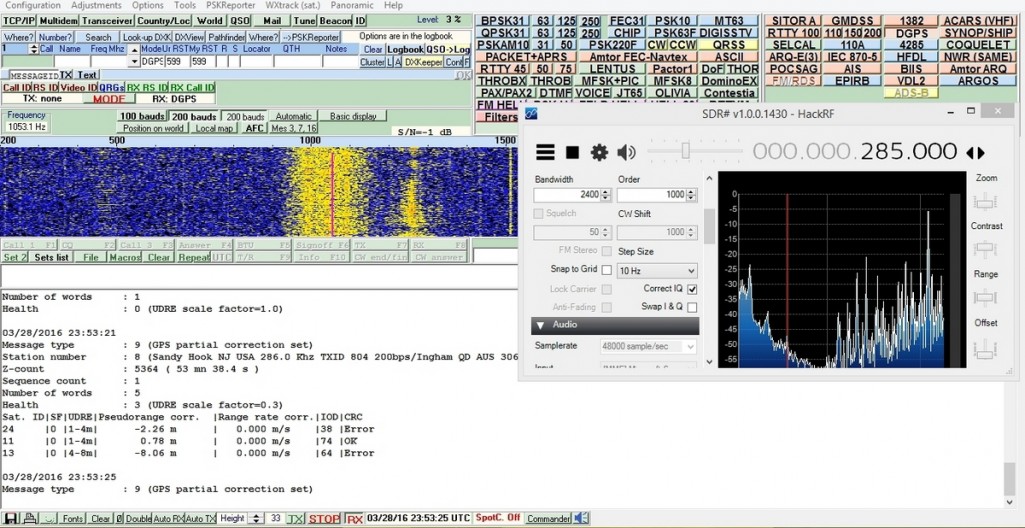
Differential GPS (DGPS) are signals that exist between 285 – 325 kHz and are used to enhance the accuracy of GPS receivers. The system can improve GPS accuracy from 15m down to 10cm in some cases. It works using a network of ground stations at a very accurate known location that continuously measure the GPS error they receive. They then broadcast this error to DGPS capable receivers. The receiver can then use this error knowledge to correct their own readings.
Over on the SDRGPS blog Philip Hahn and fellow aerospace engineer Paul Breed have been working together to try and use an RTL-SDR to help get accurate GPS data for tracking small high powered rockets. They write that their end goal is to be able to “track high power rockets in high acceleration / speed / altitude environments”.
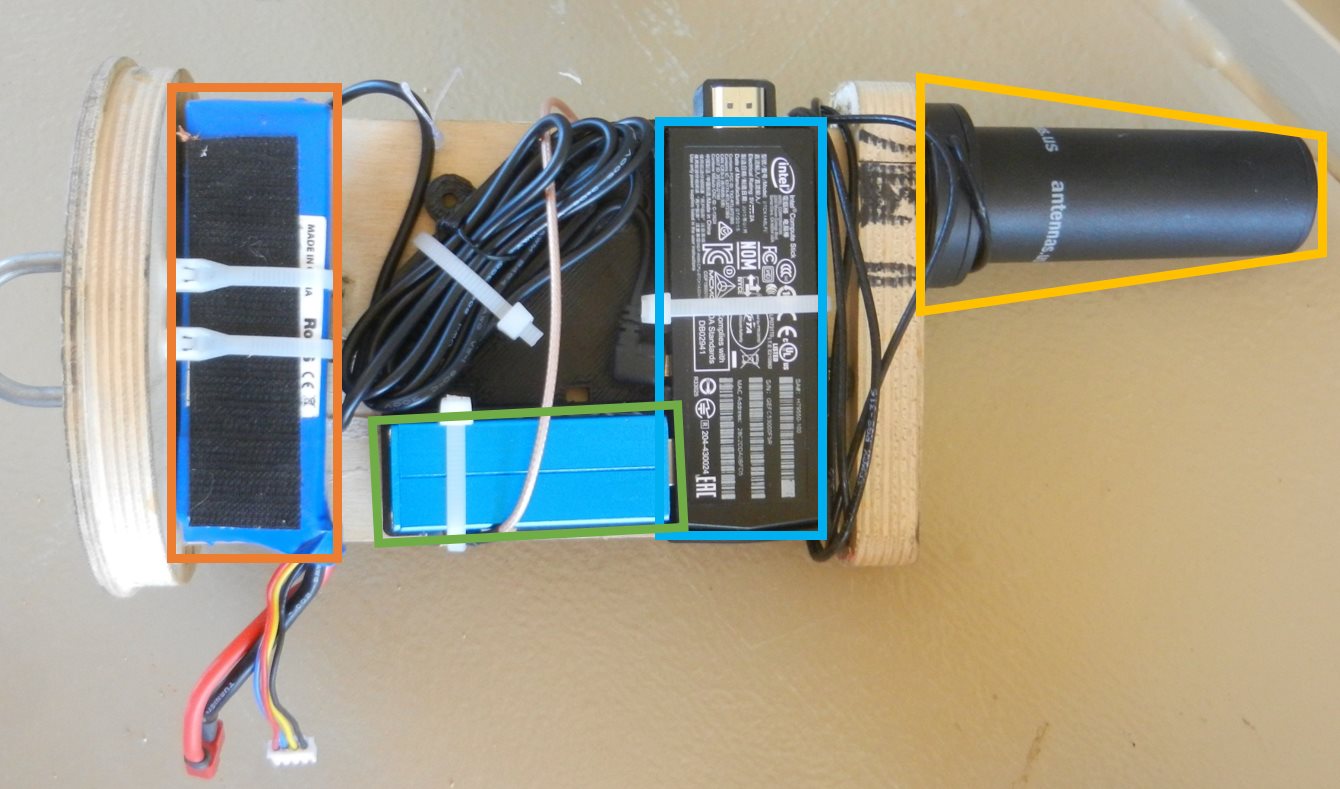
In their latest attempt they launched a rocket with an RTL-SDR on board with it capturing GPS data to be later processed with GNSS-SDR. The goal was to get a GPS fix throughout the flight. Unfortunately they found that a good fix was only obtained while the rocket was on the ground, and not much data was obtained while it was in the air. They write that they suspect that the fault lies in the vibration in the rocket which can affect the frequency stability of the crystal oscillator, or in the GPS satellite tracking loop algorithm.
They still hope to be able to get some usable information from the flight by trying other algorithms on the data, but they are also seeking advice from anyone who might know how to help them, so please contact them if you know anything that may help.
Recently Marek Sebera of ITDS Consulting wrote in to let us know about two new TETRA decoders that they have released. TETRA is a trunked radio communications system that stands for “Terrestrial Trunked Radio”. It is used heavily in many parts of the world, except for the USA.
The first piece of software released is called TETRA Listener and is from the Brmlab hackerspace in Prague. They write that Tetra-Listener is a new program (based on osmo-tetra) that can decode unencrypted voice and data traffic. They also write that it is very easy to set up and install since it uses Vagrant, which is a system that can be used to automatically set up a VMWare or VirtualBox Virtual Machine that has everything set up and ready to go. The instructions for using the software can then be found in the readme of the main tetra-listener page on GitHub.
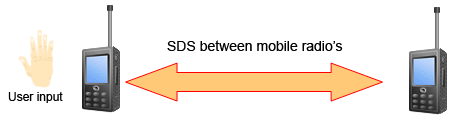
The second software they have written is what they believe is the world’s first open source TETRA Multiframe SDS decoder. SDS stands for short data service and is the TETRA equivalent to SMS text messages used on a GSM network. They write that their solution can assemble long multiframe SDS messages.
Previously we showed how unencrypted TETRA messages could be listened to using telive in our tutorial. It is good to see alternative solutions now coming out, and in the future we hope to test this new software out.
JAERO is a program by Jonti that was released late last year which allows us to use a SDR such as an RTL-SDR to receive L-band and C-Band AERO messages. AERO is essentially the satellite based version of ACARS, and the L-band signals contains short ground to air messages with things like weather reports and flight plans intended to be transmitted to aircraft. The C-band signals are the air to ground portion of AERO and more difficult to receive as they require an LNB and large dish. However they are much more interesting as they contain flight position data, like ADS-B.
If you enjoy JAERO, please remember consider donating to Jonti.
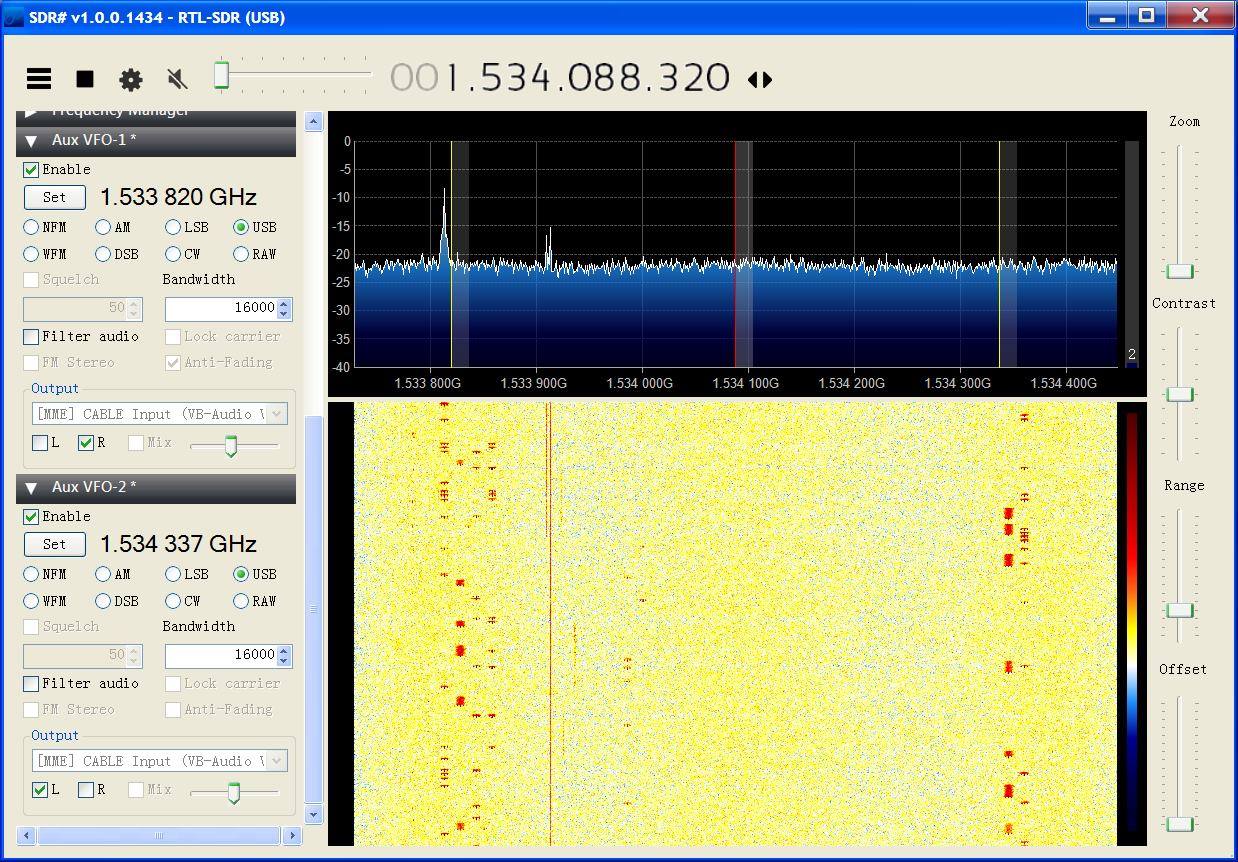
Plotting flight positions that are out of regular ADS-B range. Demodulated from C-Band AERO signals with JAERO.Monitoring two C-Band channels in SDR# with the AUX VFO plugin.
The rtl_power program allows you to use the RTL-SDR to perform a power scan over an arbitrarily large portion of the frequency spectrum (within the RTL-SDR’s supported frequency range) by hopping over ~2 MHz swaths of bandwidth. The updated rtl_power_fftw software was originally written by Klemen Blokar and Andrej Lajovic and is an update over the regular rtl_power program. It uses a faster FFT processing algorithm and has several other enhancements that make it more useful for radio astronomy purposes.
-e param for session duration this allows to specify the recording duration in sec, mins… etc just like it was possible with rtl-power
-q flag to limit verbosity this will allow the various printouts to happen only the first time and not on every scan
-m param to produce binary matrix output and separate metadata file this will get a file name (no extension) and use it to store the power values in binary format within a .bin file + a metadata text file with .met extension
Summary of my requirements:
I wanted to leverage the ability of rtl-power-fftw to specify N average values to integrate for less than 1 second when needed. Plus running multi-MHz scans and storing for several minutes.
I wanted to use a binary format instead of the .csv one in order to obtain the smallest possible size since I’m logging all the night long (CSV’s blank delimiters and decimal dots were wasting my precious microSD space)
keep high the precision on decimal digits saving float values (could be important for other usages)
obtain a complete stream of binary values representing all the bins for each scan, one scan after the other, in a matrix like organization
…that would allow me to plot the waterfall extremely fast with gnuplot
…and then add specific annotations and file properties/metadata in a more convenient way using python
Example rtl_power_fftw output: A scan of Jupiter’s radio emissions.
The FlightAware team have today announced the release of the "ProStick", an RTL-SDR dongle that they write has been modified for improved ADS-B reception. The new FlightAware RTL-SDR's main defining feature is that it comes with a built in low noise amplifier (LNA) on the front end. The built in LNA is optimized for the ADS-B frequency of 1090 MHz and has 19 dB of gain with a 0.4 dB noise figure and an OIP3 of +39dB. They claim that the new unit will give a 20-100% performance boost in terms of range for Mode S reception when compared to a standard RTL-SDR.
As the increased gain and amplifier non-linearities can cause overload and intermodulation to more easily occur, the FlightAware team stresses that you must use the new device with a 1090 MHz filter, such as their FlightAware filter. In a previous post we reviewed the FlightAware filter and antenna and found that they performed very well and are great value for money.
So far we haven't seen any circuit photos or news about which LNA chip has been used, but we intend buy a unit and do a review when it arrives.
One criticism about this unit that we can already see is that it should be understood that good RF design teaches us to always place the LNA as close to the antenna as possible to overcome cable loss and keep the noise figure low. Placing the LNA at the antenna vs at the receiver makes a huge difference in performance, depending on how long and lossy your coax cable run is. Furthermore, integrating an LNA into the receiver ruins the system for optimal performance with an LNA placed by the antenna due to the reduced linearity caused by the additional internal LNA. The post at http://ava.upuaut.net/?p=836 explains optimal LNA placement very well. We think that perhaps selling an external LNA and bias tee module would have been a significantly better idea to optimize ADS-B reception. However, the additional LNA should help to reduce the noise figure of the dongle by a few dBs which will result in improved ADS-B reception as long as signal saturation does not occur.
The new FlightAware ADS-B optimized RTL-SDR.The new FlightAware dongle running on a PiAware Raspberry Pi system (actual unit uses SMA).
In most parts of the world the DVB-T standard is used to air digital HDTV. In the USA the ATSC standard is used, and in China DTMB is used instead. In other countries such as Brazil, Peru, Argentina, Chile, Honduras, Venezuela, Ecuador, Costa Rica, Paraguay, Philippines, Bolivia, Nicaragua and Uruguay a third standard called “ISDB-T International” is used which is based on the Japanese ISDB-T standard.
Digital broadcast standards used in each country.
Recently a team from Uruguay has been working on creating a ISDB-T receiver in GNU Radio. With this decoder ISDB-T signals can be received with a wide bandwidth SDR (needs to be 6MHz or larger) and then decoded into a video file. Because ISDB-T is so similar to DVB-T they have based much of their code on gr-dvbt which is a GNU Radio based DVB-T decoder.
In addition to the ISDB-T decoder, they have also implemented a 1-seg decoder. 1-seg is a mobile HDTV service that exists in Japan, Argentina, Brazil, Chile, Uruguay and Peru. It runs on the ISDB-T system, and is called “1-seg” because it’s data occupies 1-segment of the 13-segment based ISDB-T bandwidth. It is used in small mobile TV receivers, many of which are now built directly into mobile phones sold in countries that use ISDB-T. Due to it’s much lower bandwidth requirement the 1-seg decoder can be used with an RTL-SDR dongle, and has already been tested to work.
A typical 1-seg capable Japanese mobile phone receiving digital mobile TV. With the GNU Radio 1-seg decoder these transmissions can be received with an RTL-SDR.