Category: Applications

Setting RF Based Atomic Clocks via Computer Speakers

Over on YouTube, Jeff Geerling has uploaded an interesting video showing how RF-based atomic clocks can be set via signals generated from a computer speaker. In the USA, RF-based atomic clocks typically receive their atomic time signal from the WWVB 60 kHz longwave radio station, operated near Fort Collins, Colorado. In other countries, different time signal transmitters operate on different frequencies. However, these time signals cannot be received everywhere due to interference or geographic limitations, making RF atomic clocks useless in these situations. 

As Jeff points out, a Time Station Emulator program can be used to locally emulate the WWVB or other time signals, which, while not providing atomic time accuracy, could still make these clocks useful again.

Most interestingly, the emulator program requires no special RF transmission hardware. Instead, it simply uses your computer speakers to broadcast the time signal.

By carefully crafting a waveform at a specific audio frequency (out of normal human hearing range), the digital-to-analog converter will generate higher frequency RF harmonics, and one harmonic will match the time signal frequency required by the RF-based atomic clock. The wires running to the speakers, and the speakers themselves, will act as antennas, leaking these harmonics into the surrounding environment. This means that cheaper unshielded speakers, such as those found in phones and tablets, tend to work better.  

In the video, Jeff uses a HydraSDR and an upconverter to receive the time signal generated by the speakers. While the time signal cannot be seen on the spectrum itself, in the demodulated audio, you can hear the signal's pulses.

Van Eck Phreaking time to atomic clocks

Pocket 25: An Android P25 Phase 1 Digital Voice Radio Decoder

Thank you to reader "EN53" for submitting news about a newly released open source Android app called Pocket 25. Pocket 25 is an Android-based APCO Project 25 (P25) phase 1 digital voice decoder based on the DSD-Neo decoder engine. It was developed by Sarah Rose (aka SignalsEverywhere), whose other software we have posted about in the past.

APCO P25 phase 1 trunked digital voice systems are commonly used in the United States, Canada, Australia, and other countries by emergency services. As long as the P25 network is unencrypted, it is commonly decoded to audio with an RTL-SDR and decoding software such as DSDPlus or SDRTrunk.

Pocket 25 allows users to now decode P25 signals on portable Android devices. An RTL-SDR can be connected to an Android device via a USB-OTG cable, or a remote networked RTL-SDR can be used via an rtl_tcp connection. The app also supports RadioReference accounts, automatic GPS site hopping, smart filtering, and logging.

In the readme, Sarah also notes that, because Pocket 25 is based on the DSD-Neo engine, it supports additional digital voice protocols, including DMR, NXDN, and others. However, the interface is designed around P25, so non-P25 systems may show incorrect metadata.

The software is open source and code can be found on the GitHub. There is also an active discussion about the app on RadioReference.

Pocket25 | Running DSD-Neo on Android!

Telive osmo-tetra-sq5bpf: An Experimental TETRA Decoder that Enables Voice Decryption (If You Have the Key)

Thank you to Jacek / SQ5BPF for letting us know that he's recently released a modified version of the Telive TETRA decoder for Linux. The modification allows the user to listen to TEAx-encrypted voice signals if they have the decryption key. Typically, if a TETRA signal is encrypted, there is no way to listen to it, unless you have obtained the decryption key from the network operator, or extracted it from TETRA keyloader hardware.

But because the TEA1 encryption was broken due to a backdoor being discovered in 2023, he has also added support for using the 32-bit short key directly, which can be automatically recovered from TETRA traffic using his other software called teatime. TEA1 encryption is being phased out, but many deployments still use it.

The software is designed for advanced users to compile and run, so very little documentation is provided. However, there is a blog post here that explains the overall steps. Some additional information can be found on SQ5BPF's RadioReference post here.

TETRA Decoding (with telive on Linux)

Web-Spectrum: Web-Based Spectrum Analyzer and GPS Signal Analyzer with RTL-SDR Support

Over on GitHub we've recently seen a new open source program release called "web-spectrum". Web-spectrum is a multi-purpose browser-based tool. One interesting feature is that it allows you to view the GNSS spectrum (via a connected RTL-SDR or SDRplay with an appropriate antenna), decode it to a position, and also analyze the signal for jamming. It uses gnss-sdr or Gypsum as the backend GNSS processing tool.

The tool can also be used as a real-time spectrum analyzer, and for this, it supports RTL-SDR and SDRplay as well as the tinySDR Ultra spectrum analyzer.

Finally, in addition to GPS decoding, it also supports ADS-B and ISM band decoding.

Web-Spectrum: A Browser based tool for spectrum analyzer, GNSS analysis, and ADS-B and ISM band decoding.

Open.Space: An Open Source SDR Based Phased Array for Bouncing Signals off the Moon

Open.space is an upcoming open-source project aiming to unlock affordable earth-moon-earth (EME) bounce communications for the amateur radio public. To achieve this, they have designed a software-defined radio-based tiling system that allows people to easily create phased arrays.

EME (Earth–Moon–Earth) bouncing is a part of the amateur radio hobby that typically involves using (~1m - 3m diameter) high-gain dish antennas to transmit a signal toward the Moon, reflect it off the Moon’s surface, and have it received by a distant contact on Earth with similar hardware.

A phased array consists of a grid or lattice of many small antennas working together in sync. By applying tiny delays between elements and combining their signals, the array can make radio waves add up in one chosen direction and cancel in others. This lets software steer the receive/transmit beam electronically (no motors or moving parts), improving sensitivity and reducing interference. Compared to a dish antenna, it can scan and track targets much faster, form multiple beams if needed, and is compact and low-profile without physically turning. A common phased-array antenna many may have used before is a Starlink antenna.

A single open.space tile consists of a 4x4 MIMO SDR and four antennas. The SDR's frequency range covers 4.9 - 6.0 GHz, and it has 40 MHz of bandwidth via an 8-bit ADC. The tiles can be used on their own as a general SDR, for radio direction finding, as an Open-Wi-Fi router, as a 4G/5G basestation, or for drone HD links and robotics communications.

Multiple tiles can also be combined in a lattice shell to form the "Mini" starter phased array, which consists of 18 tiles. With the Mini phased array, you can achieve 60 degrees of beam steering, up to 34 dBi of gain, and 52.6 dBW of EIRP transmit power. The Mini is not large enough for EME, but upgrading to "Moon", which consists of 60 tiles, makes EME possible. "Moon" gets you 60 degrees of beam steering, up to 39.3 dBi gain, and 63.1 dBW transmit power.

This sounds expensive, but each tile is actually slated to cost only US$49-US$99. The Mini is priced at US$899 - US$1499, and the "Moon" at US$2,499 - US$4,999.

The Open.space hardware has not yet been released for sale, but the website indicates March 2026 as the expected shipping date. You can sign up to their email list on their website for updates.

Open Space. Left: EME Concept, Middle: Single Tile, Right: Moon Phased Array consisting of 60 tiles.
Left: EME Concept, Middle: Single Tile, Right: Moon Phased Array consisting of 60 tiles.

Tech Minds: Testing Out A New Signals Intelligence Tool Called Intercept

Over on the Tech Minds YouTube channel, Matt has uploaded a video where he tests out 'Intercept', a new tool for RF signals intelligence with RTL-SDRs and other wireless devices. It is open source with code available on GitHub and can be installed on Linux and OSX devices.

Intercept is a tool that combines multiple external decoder tools into one easy-to-access web interface. It is capable of the following:

  • Pager Decoding - POCSAG/FLEX via rtl_fm + multimon-ng
  • 433MHz Sensors - Weather stations, TPMS, IoT devices via rtl_433
  • Aircraft Tracking - ADS-B via dump1090 with real-time map and radar
  • Listening Post - Frequency scanner with audio monitoring
  • Satellite Tracking - Pass prediction using TLE data
  • WiFi Scanning - Monitor mode reconnaissance via aircrack-ng
  • Bluetooth Scanning - Device discovery and tracker detection

We note that features like WiFi and Bluetooth scanning will require a separate WiFi and Bluetooth adapter to be connected. In terms of supported SDR hardware, Intercept supports RTL-SDRs, as well as any SDR supported by SoapySDR.

In the video Matt shows how to install Intercept, and shows it decoding data from the various supported signal types.

Intercept Radio Signals For Intelligence Gathering With An RTL SDR

Echo – A Native iOS Client for KiwiSDR & OpenWebRX

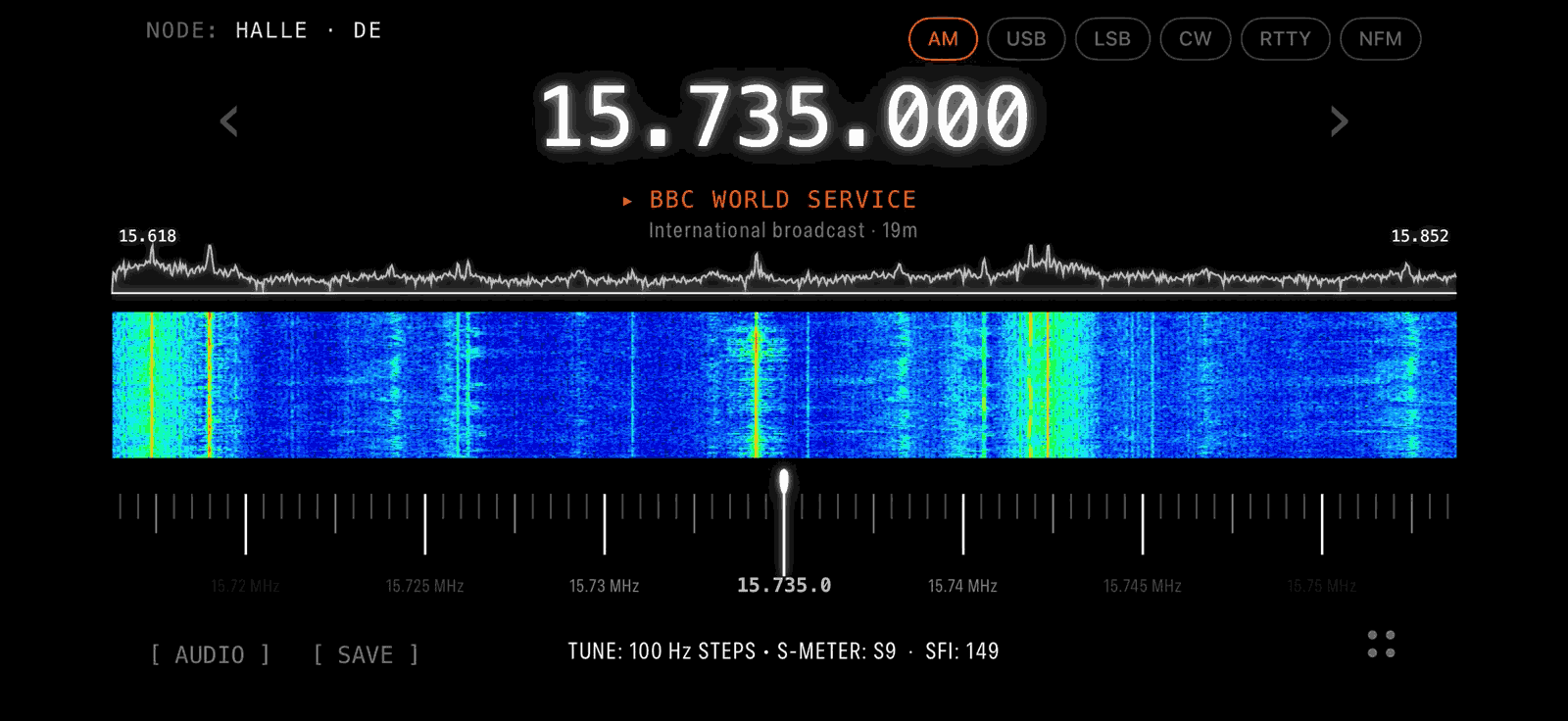
Thank you to Mark Garrison Jr. for writing in and sharing with us a new iOS app he's developing called "Echo". Echo is an app designed to provide a streamlined mobile companion for the KiwiSDR and OpenWebRX ecosystems. Note that the app is currently not yet released, but Mark is planning a TestFlight beta in February. Follow his Twitter/X @SDRecho for updates, and sign up to the beta tester waiting list if you are interested.

OpenWebRX is a piece of server software that allows you to access and share SDRs over a network connection, such as the internet, via a web browser interface. OpenWebRX is a core component of the KiwiSDR, an SDR designed to operate as a shared receiver over a network connection. Around the world, many people have set up public KiwiSDR, RTL-SDR, and other SDR systems that can be accessed via OpenWebRX. Echo is designed to make searching for and viewing public OpenWebRX receivers easy on iOS devices.

Mark writes:

[Echo] is a native iOS app built entirely in SwiftUI, designed to provide a streamlined mobile companion to the KiwiSDR and OpenWebRX ecosystems.

The goal is to offer a modern interface optimized for iPhone, making it easier to explore the spectrum on the go.

Key Features:

Global Connectivity: Access any public KiwiSDR or OpenWebRX server via a live global map with 500+ active stations.

Smart Scans: Station scanner with presets for Shortwave, Ham, and Military bands.

Audio Intelligence: Integrated recording with speech-to-text transcription for logging signals.

Native Performance: 100% SwiftUI for smooth waterfall rendering and low battery impact.

The app is currently in active development. I am sharing progress updates and will be announcing the upcoming TestFlight beta over on Twitter at @SDRecho. I’m planning to launch a beta in February.

Echo iOS App for KiwiSDR and OpenWebRX
Echo for iOS: The Native SDR Experience

Guglielmo FM and DAB Receiver Software Updated to Version 0.7

Thank you to Marco for letting us know that his Guglielmo software has recently been updated to Version 0.7.

Guglielmo is an FM and DAB receiver for Linux, Windows and MacOS. It supports all major SDRs, including RTL-SDR, Airspy, SDRplay, HackRF, and LimeSDR. It is designed to be easy to use for media users rather than hobbyist technical users.

Version 0.7 adds the following features:

  • Raspberry PI appimage
  • UI improvements
  • Basic skins support
  • Logo handling

The new Raspberry Pi appimage, and binaries for other platforms can be found on the GitHub Releases page. Just expand the "assets" tab.

Guglielmo: Screenshot of the DAB Interface