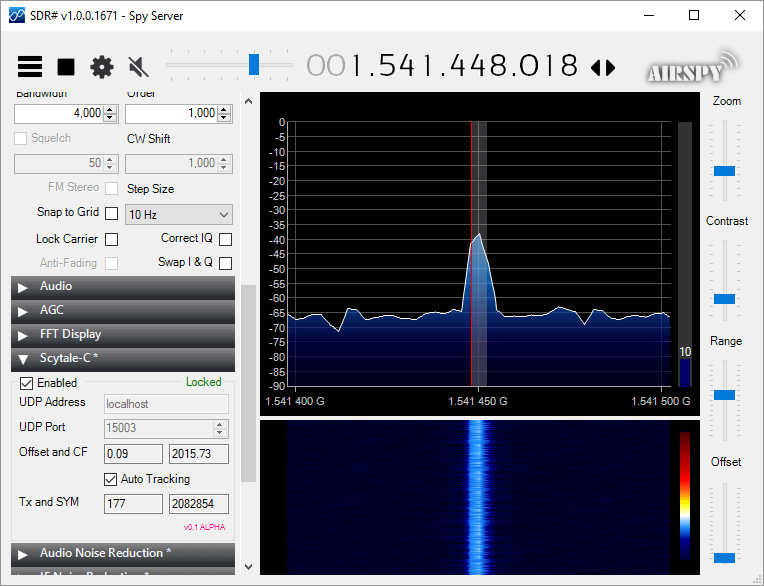
Microp11, the programmer of Scytale-C a standalone Inmarsat decoder has just released a new Inmarsat decoder SDR# plugin. The plugin is currently in the "pre-alpha" stages, so is still missing some functionality and may be buggy. However, it does appear to be functional at this point in time. It can be used with RTL-SDRs, and any other SDR# compatible SDR including units running on remote SpyServers. Microp11 writes:
I ran it with SDR# version v1.0.0.1761.
If it crashes you SDR# I apologize in advance.
The auto-tracking (default on) will alter your SDR# frequency and follow the signal’s CF. When the SNR is very low, please disable it and manually tune the SDR# to try to get the CF as close to 2000 as possible.The demodulator still has plenty ideas of its own.
Use USB mode with 4000 Hz bandwidth.
For now the interface is missing the usual scatter plots.
UDP Address and UDP Port are for sending the decoded frames to the Scytale-C UI.
Offset and CF are the difference from zero error and the CF frequency of the demodulated BPSK signal.
Tx and SYM are the transmitted over UDP frames and SYM is showing the number of demodulated symbols.
A bunch of libraries are attached as extra files. Please be gentle and accept the package as it. Will clean-up in the future.
Use in conjunction with the Scytale-C UI from the archive: “x64-UI1.6-Decoder1.4.zip” (link below)
The magic line is included in the archive: “SDRSharp.ScytaleC-1.0-alpha.zip”
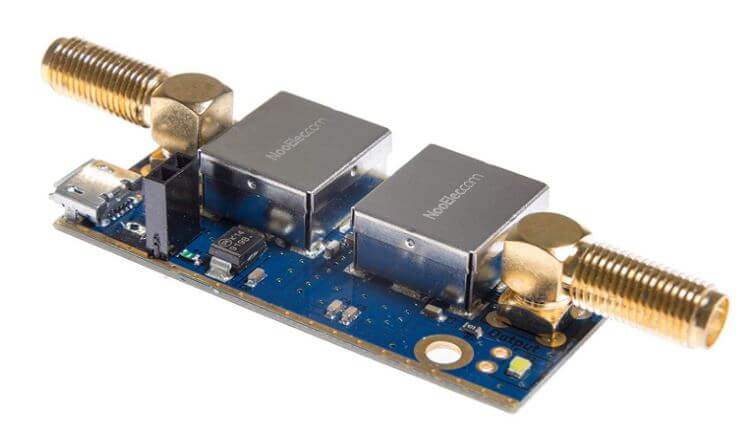
NooElec has just released their new "SAWbird" GOES LNA for sale. This is an LNA and filter combination designed to help receive GOES weather satellite images. On the PCB is a 1688 MHz SAW filter and a low noise amplifier. It can be powered with 3V - 5.5V connected directly or via bias tee. The SAWbird is currently available on Amazon and their store for US$34.95. They also have a version for Inmarsat and Iridium, so make sure you choose the correct one.
GOES 15/16/17 are geosynchronous weather satellites that beam high resolution weather images and data. In particular they send beautiful 'full disk' images which show one side of the entire earth. As GOES satellites are in a geosynchronous orbit, the satellite is in the same position in the sky all the time, so no tracking hardware is required and images can be constantly pulled down throughout the day without having to wait for a satellite to pass over.
However, compared to the more familiar and easier to receive low earth orbit satellites such as NOAA APT and Meteor M2 LRPT, geosynchronous satellites like GOES are quite a bit further away, and transmit at 1.7 GHz. So to receive the signal you'll need a dish antenna that you can accurately point, a good low noise figure LNA and possibly a filter. So setting up a receiver is a bit more difficult when compared to receivers for NOAA and Meteor satellites. The SAWbird should help however, by providing a ready to use LNA+Filter combination.
Over the past few months several testers have already received engineering samples of the SAWbird and have been successful at receiving GOES images. From the results of several experimenters, it appears to be possible to use a cheap 2.4 GHz WiFi grid antenna with some minor modifications as a GOES satellite antenna. Get one with at least a one meter long width and bend the feed as described here or here to tune reception for the 1.7 GHz GOES frequency. Pieter Noordhuis has also shown that it's possible to use an RTL-SDR to receive GOES images, so an entire GOES system can be built on a budget.
NooElec SAWbird LNA + Filter for GOES reception.GOES Full Disk Image of the Earth
Over on GitHub an interesting project that involves using an ultrasound transducer and RTL-SDR to create a low cost 2D ultrasound imager has been uploaded. Ultrasound imagers transmit acoustic sound waves with a transducer at frequencies between 1 - 5 MHz, and then listens for the audio reflections from objects in the audio waves path. This technique is commonly used in the medical field for imaging inside the body without using damaging ionizing radiation like with x-rays.
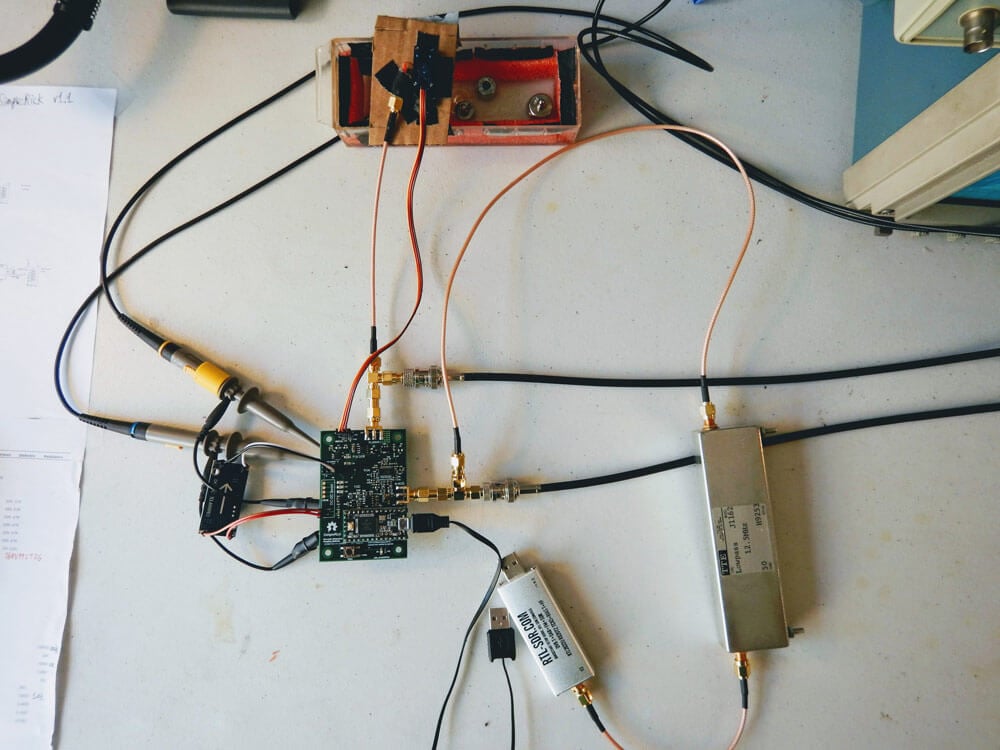
The project by wlmeng11 is based on the open un0rick hardware, which is an open source ultrasound imager. wlmeng11's idea is to simplify and lower the cost of the un0rick hardware by replacing some expensive components like the FPGA and ADC with a computer and RTL-SDR. The simplified hardware is called "SimpleRick" and PCB and firmware files are also available on GitHub.
The rtl_ultrasound setup
Regarding his choice to use SDR and RTL-SDR he writes:
Why SDR?
The analog signal produced by a B-mode ultrasound (ie. 2D imaging) is essentially an Amplitude Modulated (AM) signal. The signal's envelope (ie. amplitude) corresponds to boundary information in the physical media, and the signal's carrier frequency is equal to the resonant frequency of the transducer.
Most ultrasound systems take one of two approaches for data acquistion:
Direct sampling of the ultrasound signal: This method preserves the original signal in the time domain, accomodates any transducer frequency, and offers the best flexibility for post-processing and analysis. Both amplitude and phase information can be extracted the signal, so it is useful for both B-mode and Doppler mode imaging. However, this method requires a high sample rate ADC, as well as high bandwidth and storage for the digital data.
Envelope detection with analog hardware: Perform Amplitude Demodulation (typically with a diode-based rectifier and low pass filter) to yield an envelope signal, then acquire the envelope signal at a lower sample rate. This method reduces the bandwidth and storage requirements for the digital data, but there are a number of drawbacks:
Unless the low pass filter is adjustable, this method cannot accommodate different transducer frequencies.
The non-linearity of the diode may produce harmonic distortion.
All phase information in the signal is lost, rendering it useless for Doppler mode imaging.
It has been demonstrated by Peyton et al that quadrature sampling can be used to reduce bandwidth requirements in an ultrasound imaging system.
It turns out that quadrature modulation is essential to Software Defined Radio (SDR) because any type of amplitude modulation, frequency modulation, phase modulation, or combination of these can be expressed as a special case of quadrature modulation. Therefore, many of the software and hardware techniques used in SDR can be applied to ultrasound imaging.
Why RTL-SDR?
The RTL2832U chip in the RTL-SDR takes a hybrid approach for data acquisition. It employs a high sample rate ADC (28.8 Msps), followed by a software-configurable Digital Down Converter (DDC) that produces IQ data at a lower sample rate (up to 2.56 Msps), thus reducing bandwidth and storage requirements. We can then perform envelope detection in software.
Plus, the RTL-SDR is really cheap (under $25 on Amazon in the United States)! As such, there is a lot of software support and a large community for the RTL-SDR.
With a few software tweaks, it should be possible to substitute the RTL-SDR with a more expensive SDR (eg. AirSpy HF+, LimeSDR) for use cases that require better ADC resolution and SNR.
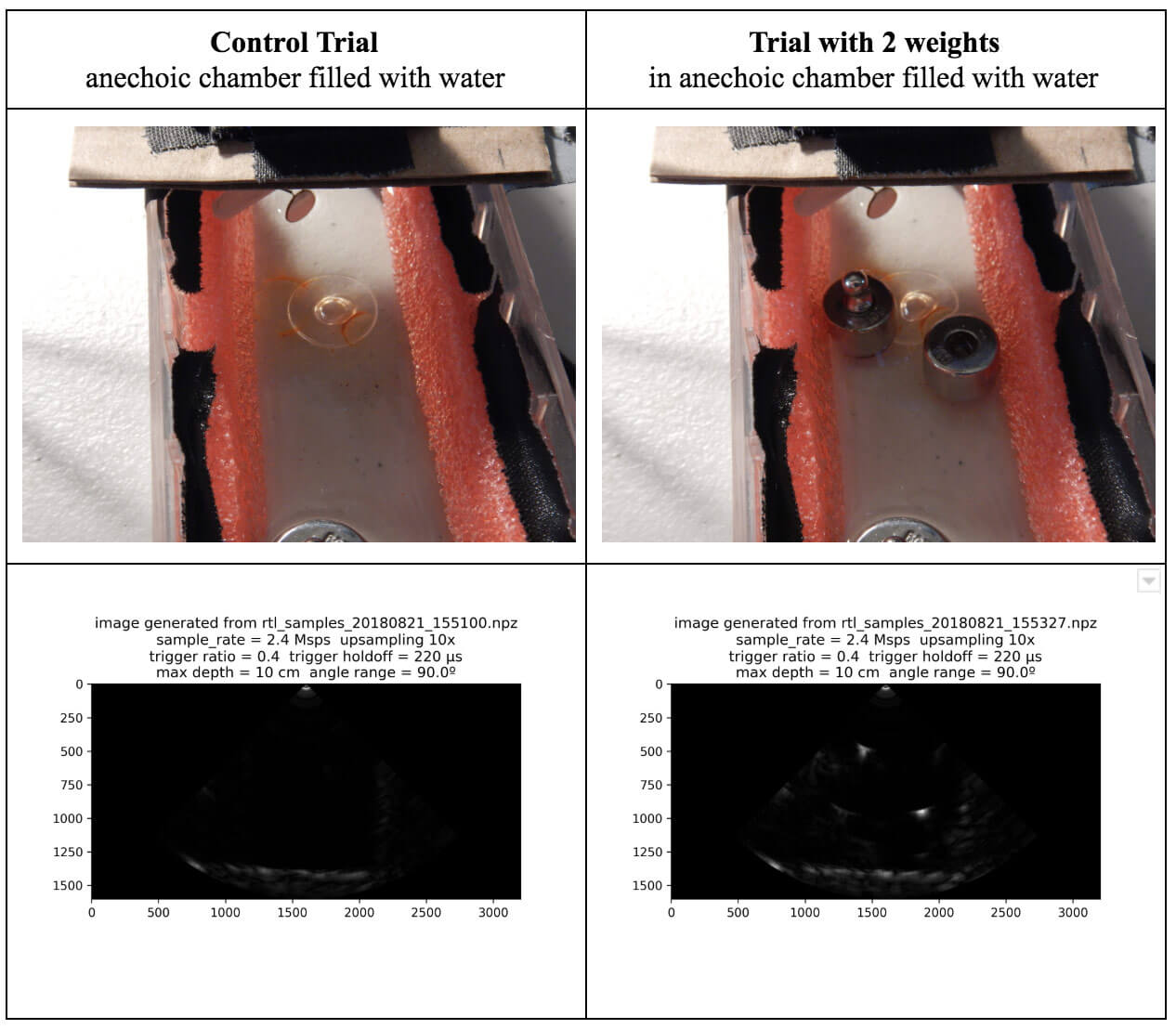
Some of his test results are available in his August 21 writeup. His test involves a pseudo-anechoic chamber with some steel balls to reflect the ultrasound wave. The ultrasound transducer is swept through the chamber using a servo. The results so far have been successful in reliably and repeatedly resolving imaging on objects that are about 1 cm in size.
rtl_ultrasound results
If you're interested in the combination of acoustic transducers and SDRs, then this previous post shows using a piezo to detect ultrasound echolocation sounds from bats.
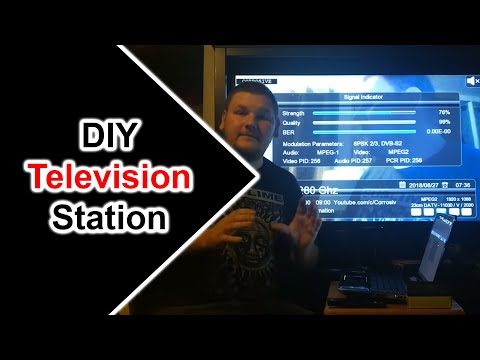
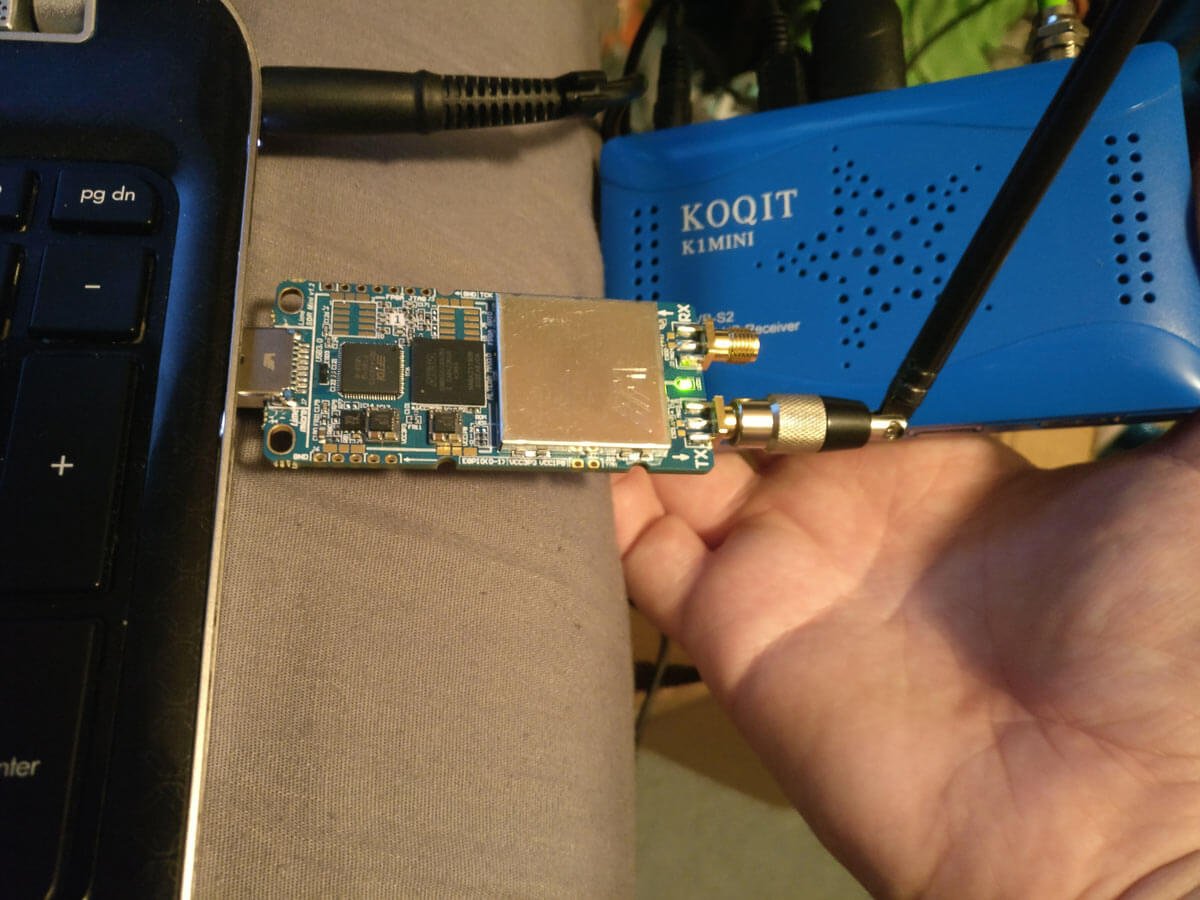
Over on YouTube user Corrosive has uploaded a video showing how he can use the recently updated DATV Express software to transmit Digital Amateur TV (DATV) with a LimeSDR Mini, and receive it with a cheap US$20 DVB-S satellite set top box that he's modified with a custom firmware update. Corrosives work is excellent as it allows anyone to get started in DATV amateur radio cheaply. He writes:
Last week I noticed the windows DATV express software for windows had been updated to include several SDR platforms [appears to now support the LimeSDR and LimeSDR Mini, as well as the PlutoSDR] https://www.datv-express.com/CustomPage/Downloads
Using my new LimeSDR Mini I wanted to try this out. I went online and purchased a cheap DVB-S Satellite set top box on eBay branded as a KOQIT K1Mini.
In order to allow the KOQIT K1Mini DVB-S set top box to receive DATV frequencies, Corrosive has released a firmware update on GitHub that removes all satellites listed in the receiver, and replaces it with six DATV channels for amateur television use. He writes:
I decided to split the 3 23cm ATV frequencies into 6 at half the bandwidth for digital.
The receiver with my firmware configures the device to see a 9750LO LNB, by placing a simple antenna on the receiver instead of an LNB the 1.2 ghz amateur frequencies are shifted by 9750mhz and can be scanned as if they were a satellite transponder.
If you don't have a TX capable or DATV Express compatible SDR like the LimeSDR or Pluto, then we note that RPiTX (software that allows a Raspberry Pi to transmit RF without any additional hardware) also has DATV transmit capabilities that could in used in their place.
Make Your Own TV Station Using Amateur Radio With LimeSDR Mini and a Satellite Receiver 23CM 1.2GHz
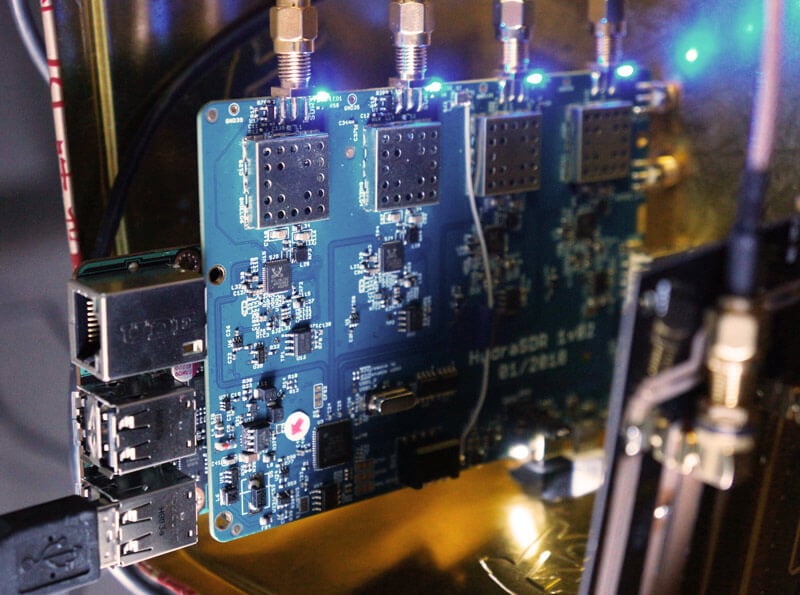
KerberosSDR (formerly HydraSDR) is our upcoming 4-input coherent RTL-SDR. It's designed for coherent applications like RF direction finding, passive radar, beam forming and more, but can also be used as a standard 4-channel SDR for monitoring multiple frequencies. In this post we demonstrate the direction finding application running on the TinkerBoard.
Reminder: If you have any interest in KerberosSDR, please sign up to our KerberosSDR mailing list. Subscribers to this list will be the first to know when KerberosSDR goes on preorder, and the first 100 sales will receive a discounted price.
KerberosSDR Updates
This week we've managed to get the KerberosSDR demo software made by Tamás Peto functioning on a TinkerBoard. The TinkerBoard is a US$60 single board computer. It's similar to a Raspberry Pi 3, but more powerful. We've also tested the app running on the Raspberry Pi 3 and Odroid XU4. The Pi 3 is capable of running the software but it is a little slow, and the Odroid XU4 is a little faster than the TinkerBoard. In the future we hope to further optimize the code so even Raspberry Pi 3's will be smooth.
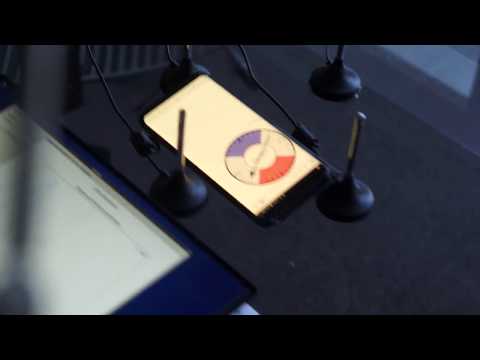
In the video below we used a circular array of four whip antennas connected to KerberosSDR. The TinkerBoard is connected to KerberosSDR and is set up to generate a WiFi hotspot, which we connect to with an Android phone and a Windows laptop. The Windows laptop connects to the TinkerBoard's desktop via VNC, and the Android phone receives an HTML/JavaScript based compass display via an Apache server running on the Tinkerboard. With this setup we can wirelessly control and view information from KerberosSDR and the TinkerBoard.
We've also tested the KerberosSDR system on a real signal, and have found it to work as expected. More demo's of that coming later.
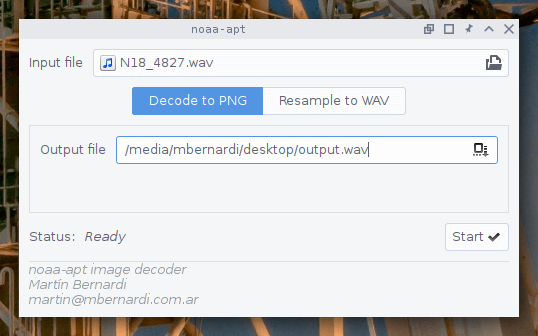
Over on GitHub user martinber has released a new NOAA APT image decoder that can run on both Linux and Windows. The decoder is called noaa-apt and takes a .WAV file of a NOAA satellite pass, and turns it into an image file. The .WAV file can be recorded in any SDR program like SDR#, HDSDR, GQRX etc. The program is programmed in Rust, and has ready to run binaries available for both Linux and Windows available on it's GitHub Releases page.
Compared to the features found in WXtoIMG the software is fairly basic, but as WXtoIMG has been abandoned it's good to see new APT decoders still being worked on. The software can also be used to simply resample the .WAV file into a sample rate required by other more featured decoders like aptdec.
NOAA weather satellites broadcast an Automatic Picture Transmission (APT) signal, which contains a live weather image of your area. With an RTL-SDR and antenna they can be received and downloaded every time one of the satellite's passes overhead. We have a tutorial on using an RTL-SDR with WXtoIMG available here.
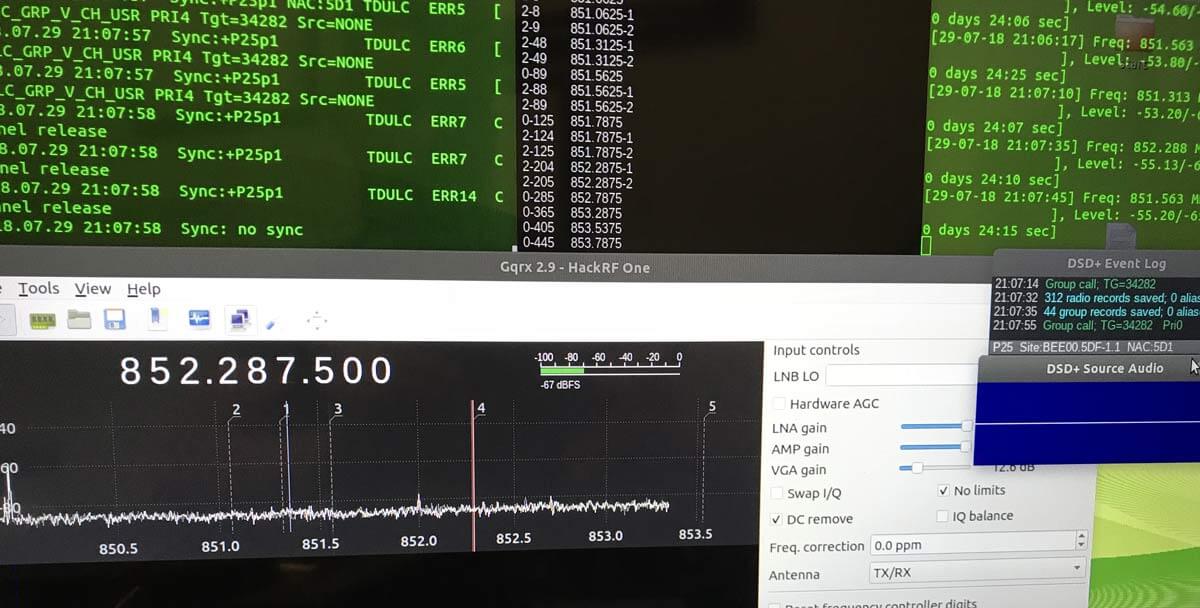
Thanks to Tony C who wrote in and wanted to share a method that he's found to listen to multiple DMR digital voice channels in Linux. DSD+ is a Windows program that can be used to decode DMR. Although for Windows it is possible to use in Linux via the emulator known as Wine, and pipe the digital audio to it from GQRX. In the quote below, DSD+ "FL" is short for "Fast Lane" which is DSD+'s paid beta service that you can join to get newer code with more features. Tony writes:
I believe that can bridge the gap between using Linux with the ease of use programs of windows. As I am sure we both can attest that setting up trunk tracking / anything SDR is not as easy on Linux as it is on windows. For example, DSDplus FL makes it extremely easy to identify/decode DMR networks. There are similar things that can be done on Linux, but as I stated, it isn’t as easy to setup.
So the method that I setup and have been using successfully, using Ubuntu and a HackRF, setting up DSDplus 2.98 on wine, that gets audio piped from GQRX using a virtual sink as outlined in https://www.hagensieker.com/wordpress/2018/04/29/dsd-in-ubuntu-18-04/. It was a great blog, but I felt that it was incomplete when trying to get all the voice traffic passed on a network, as it only works on 1 channel at a time.
So I found the control channel for the network and created 5 bookmarks in GQRX and gave them the tag “DMR”. From there I downloaded gqrx scanner https://github.com/neural75/gqrx-scanner followed the install and setup instructions. From there I activated the scanner and GQRX will cycle through the frequencies and when voice traffic is passed, it will stop, and DSDPLUS via wine will decode and record the audio.
[The screenshot] example was for P25, but it has worked in connect+ as well, the only thing is that you cannot bookmark the control channel. I know other options exist out there such as SDRtrunk / op25 which I have used, but I believe this provides a good alternative to those who have used windows and are comfortable with the ease of use of dsdplus FL but want to be on the Linux OS.
Thanks to a RTL-SDR.COM reader for submitting a tip about radiosondy.info, a weather balloon data aggregation website made by SQ6KXY. Weather balloons carry a sensor and transmitter payload called a radiosonde. These radiosondes transmit their data to a ground station via an RF signal, which is typically at around 400 - 406 MHz in most countries. With an RTL-SDR and decoder software (related tutorial) it is possible to receive and decode their weather data, and also often their GPS location data. The location data can be used to find and collect radiosondes once they reach the ground.
SQ6KXY has created a website called radiosondy.info which aims to aggregate and make weather balloon data received by contributors public. It is similar to sites like flightradar24 which aggregate ADS-B data from aircraft. The main page allows you to view radiosondes that are currently flying, and the archive of previous flights.
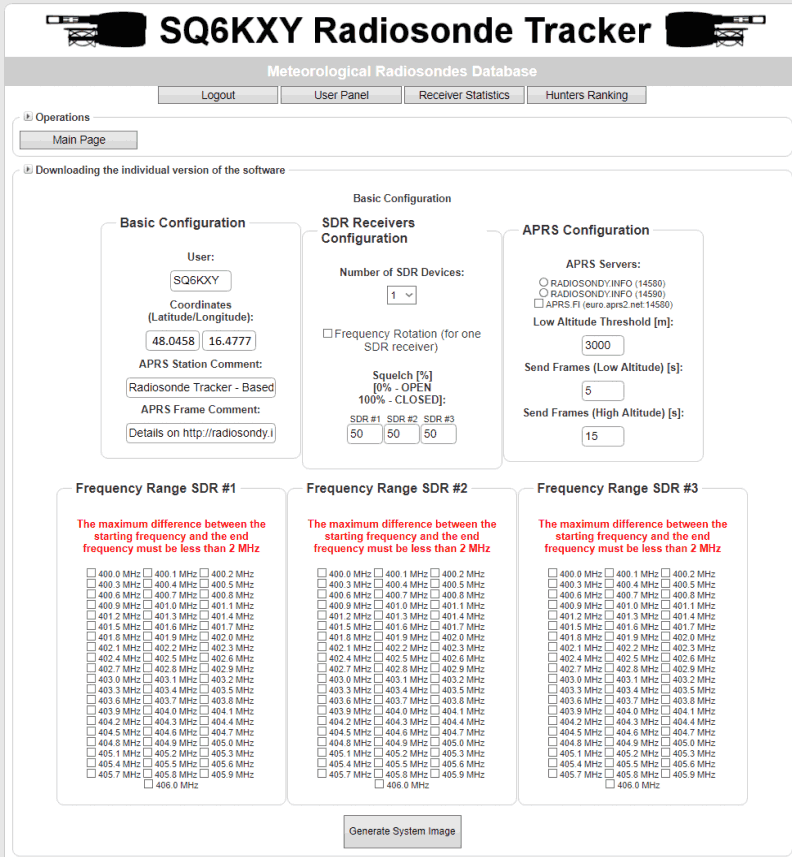
To make contributing to the site as simple as possible, SQ6KXY has created a custom image for the Raspberry Pi, which is automatically generated by the website for your particular user account, local radiosonde frequency requirements, and number of SDRs. They don't specifically mention it, but we assume that contributors are mostly using RTL-SDRs in their receivers. The custom image is available for generation after signing up.
Web tool to generate a custom Raspberry Pi Image for Radiosonde Tracking