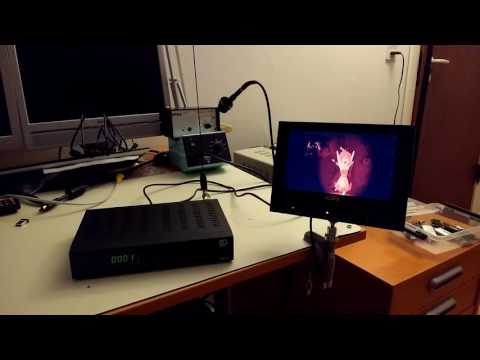
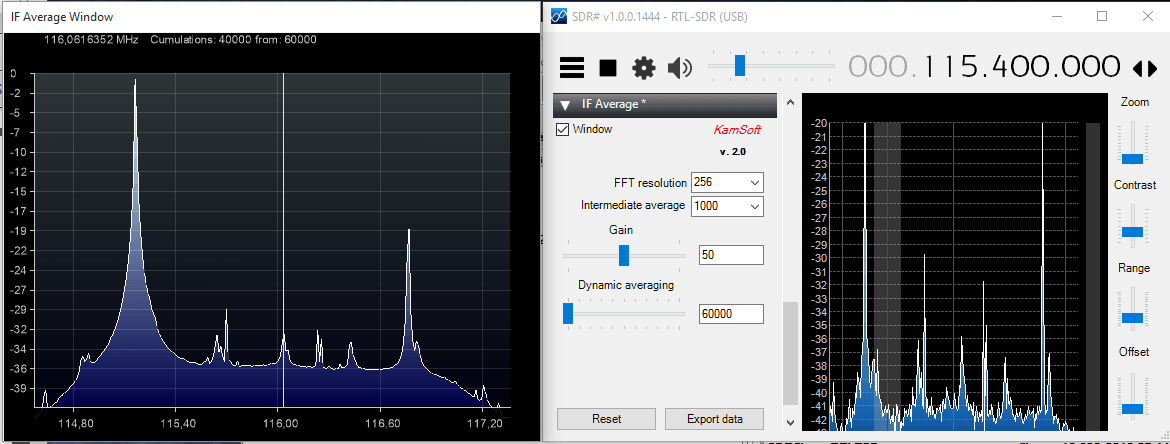
SvxLink is an EchoLink and general purpose voice services system for controlling ham radio repeaters. A repeater is a radio tower that receives a weak transmission from a handheld or remote radio and then repeats the same message with greater power over a wide area. With repeaters radio communications can cover a much further distance.
Ham radio enthusiasts often set up repeaters for their own frequencies, so that they can be heard over a wider range. To control the repeater software like SvxLink is required. In the latest software update of SvxLink they added RTL-SDR support. They write:
The biggest news in this release is the support for RTL2832U based DVB-T USB dongles. This make it possible to use such USB dongles as cheap SDR (Software Defined Radio) receivers. This will open up the world of cheap receiver hardware to all SvxLink users. It will for example be very cheap to set up an extra receiver with local coverage for a SvxLink based repeater, as long as there is a network connection to the repeater. The modulation forms supported are: FM, FM narrow, AM, AM narrow, USB, LSB, CW, CW wide and wideband FM (broadcast). Running multiple receivers on the same dongle is supported as well as using multiple dongles.
On this episode of Hak5 (a popular hacking and security themed YouTube channel) Darren and Shannon discuss OpenWebRX, a SDR web broadcasting and remote control tool that is compatible with the RTL-SDR. OpenWebRX is similar to the WebSDR software in that it allows people to connect to remote SDR’s on the internet and tune them to any station within their currently set bandwidth frequency range. Many already functioning online OpenWebRX receivers can be found in the database at sdr.hu.
In the first part of the video the Hak5 team explore the worldwide SDR’s on the sdr.hu website. Then in the second part they show a demonstration on how to install the OpenWebRX software in order to create a SDR broadcast with an RTL-SDR.
FREE SDR receivers all around the world with OpenWebRX - Hak5 1916
Recently a reader of our blog, Initrd, wrote in to let us know about a new tutorial he created that shows how to set up a dual NOAA APT and Meteor LRPT weather satellite monitoring station with an RTL-SDR dongle. These weather satellites transmit a live image of the portion of the earth that they are currently over, providing a valuable tool for weather analysis. APT transmissions are analogue and are transmitted by the American NOAA satellites, and the newer Meteor M2 satellite transmits a higher resolution image in the LRPT format. We also have posted separate tutorials that show how to set up NOAA APT and Meteor M2 LRPT decoding with an RTL-SDR, but Initrd’s tutorial appears to be a good all in one guide.
His tutorial takes you step by step through a process that involves setting up the satellite tracking software Orbitron, all the required SDR# plugins, the APT decoder WXtoIMG and the LRPT decoder. The tutorial also shows how to connect them all together and set them up so that APT and LRPT decoding can coexist.
QSpectrumAnalyzer is a Linux GUI for rtl_power which allows you to easily do wideband scans that are much wider than the RTL-SDR’s maximum bandwidth. RTL_power works by quickly switching between different frequencies and recording power values in each hop, then stitching them all together. A GUI for rtl_power can be used to display an FFT spectrum and waterfall for easy analysis.
Recently we posted about the release of rtl_power_fftw, which was a modified version of rtl_power. This modified version used a more efficient FFT library and reduces the acquisition time, which for rtl_power was capped at 1 second per scan. Essentially this means that rtl_power_fftw can do frequency scans much faster (though with less integration). In basic terms this means that you can now visualize large spectrum sweeps whilst having the waterfall look near real time.
Now QSpectrumAnalyzer has been updated to support rtl_power_fftw. To use rtl_power_fftw you’ll need to download and compile it yourself from https://github.com/AD-Vega/rtl-power-fftw. The compilation instructions are shown on the Github page, but you’ll also need to install the pkg-config, libtclap-dev and libfftw3-dev libraries first. Then once compiled in QSpectrumAnalyzer you can select the rtl_power_fftw binary in the settings.
Back in August of this year we showed how it was possible to use an RTL-SDR dongle, satellite antenna, LNA and decoding software to receive and decode STD-C EGC signals from Inmarsat satellites. We also showed how it was possible to modify a low cost GPS antenna to use as a satellite antenna.
Now a radio hobbyist called Jonti has released a Windows decoder for the Inmarsat AERO set of signals. AERO is a system that provides a satellite based version of VHF ACARS (Aircraft Communications Addressing and Reporting System). ACARS is typically used by ground control and pilots to send short messages and is also sometimes used for telemetry.
Jonti writes:
JAERO is a program that demodulates and decodes Classic Aero ACARS (Aircraft Communications Addressing and Reporting System) messages sent from satellites to Aeroplanes (SatCom ACARS) commonly used when Aeroplanes are beyond VHF range. Demodulation is performed using the soundcard. Such signals are typically around 1.5Ghz and can be received with a simple low gain antenna that can be home brewed in a few hours in conjunction with a cheap RTL-SDR dongle.
In the advent of MH370, Classic Aero has become a well-known name. A quick search on the net using “Classic Aero MH370” will produce thousands of results. The Classic Aero signals sent from satellites to the Aeroplanes are what JAERO demodulates and decodes.
Unlike the usual VHF ACARS, with SatCom ACARS you can not receive signals from the Aeroplane only the people on the ground talking to the people in the Aeroplane. This means you do not get the airplanes reporting their position. Instead you tend to get weather reports, flight plans, and that sort of stuff. Just like VHF ACARS they usually use cryptic shorthand notation. For example “METAR YSSY 040400Z 08012KT 9999 FEW040 SCT048 23/09 Q1024 FM0500 05012KT CAVOK=” is the weather report for Sydney Airport in Australia in a format called METAR. It tells you the time, when the report was issued, the wind direction and speed, visibility, clouds, temperature, due point and air pressure. Then it says from 5 AM UTC the wind direction and speed and that the weather will be nice. There are sites such as Flight Utilities that can decode such information and display it in a more understandable format.
In his post Jonti also shows how he uses a modified GPS antenna to receive the AERO signals.
Jonti’s modified GPS antenna for receiving Inmarsat AERO
We gave JAERO a test and found that it decoded AERO signals easily, even with low signal strength. To use JAERO tune to an Inmarsat AERO signal in SDR# or a similar program using USB mode. JAERO will listen to the audio from the sound card or from a virtual audio pipe. We recommend setting the AFC (Automatic Frequency Control) setting on on if you find that your RTL-SDR drifts too much.
AERO signals can be found at around 1545 MHz. They only use about 800 Hz in bandwidth. See UHF satcoms page for a list of AERO frequencies.
The JAERO decoder.Some AERO signals.
Remember that some R820T/2 RTL-SDR dongles can have problems when receiving this high, especially when they heat up. If you find that your dongle gets deaf at these L-band frequencies try cooling the R820T/2 chip with a heatsink or fan. The Airspy or SDRplay RSP software defined radios are better choices for decoding signals this high, but the RTL-SDR will work fine if your signal strength is decent and the R820T/2 chip is kept cool.
If you are interested in VHF ACARS as well, then we have a tutorial about decoding that here.
As the RTL-SDR’s maximum usable bandwidth is about 2.8 MHz, programs like rtl_power were written to scan over wider bandwidths by quickly hopping between different swaths of the frequency spectrum and then stitching the data together.
Now a new improved version of rtl_power called rtl_power_fftw has recently been developed and released. This version is designed for radio astronomy use, but also overcomes several issues general users may encounter with rtl_power. One of the authors, Klemen wrote in to us with this information:
I would like to tell you about a program we have been developing at Astronomical Society Vega – Ljubljana, namely one for measuring power spectrum with rtl dongles.
It addresses several shortcomings of the rtl_power program shipped with librtlsdr. The most notable is that it uses a much faster FFT algorithm (from the fftw3 library) and separate threads for acquiring data and FFT processing. This means that even the lowly raspberry pi is capable of processing spectra of sizes up to ~1024 bins in real-time (no slower than data acquisition). This enables the user to sample spectrum continuously and more efficiently.
The other benefit is the output format: data is presented in a gnuplot-friendly way, so plotting is simple, and no data is mangled to make an illusion that spectral hopping is not needed: FFT of each frequency hop is output separately, and user can make and informed decision on how to process data – the program stays out of this, to preserve the accuracy of the gathered data.
The program was developed for use in radio astronomy where all these things matter. Code is available on Github:
Over on YouTube the popular security and hacking themed channel Hak5 have created two videos together with Mike Ossmann (creator of the HackRF and Yardstick One) that give a good introduction and overview on reverse engineering unknown radio protocols. In the video they show how to use a SDR like the RTL-SDR or HackRF to initially capture the radio signal, and then how to use the Yardstick One to reverse engineer and recreate the signal. Using this process they reverse engineer the radio protocol for a wireless liquor cabinet lock.
The Yardstick One is a computer controlled wireless transceiver (but it is not an SDR). The Yardstick One understands many radio protocols by default and can be programmed in Python, lowering the learning barrier for reverse engineering signals.
Mike Ossmann has also been slowly releasing very detailed video tutorials about DSP and radio related topics. If you are interested in reverse engineering radio signals it is a very helpful series to watch.
Radio Hacking: Reverse Engineering Protocols Part 1 - Hak5 1913
Radio Hacking: Reverse Engineering Protocols Part 2 - Hak5 1914
Docker is a Linux based platform which allows you to build and deploy complex applications into a self contained “container” package that contains all the needed applications and dependencies. The container is completely preconfigured to just work as soon as you install the application without the need for any extra configuration.