Category: Security

Australian Teenager Exposes COVID-19 Patient Data via POCSAG Pager Network

A 15 year old Australian teenager has been accused of leaking sensitive COVID-19 patient data such as the phone numbers and addresses of people in quarantine, and conversations between health officials and doctors about COVID-19 patients. The leak occurred via a public web page that he had set up to share decoded POCSAG pager data that he received from his home.

Pagers are still typically used in many parts of the world by hospitals. It is a tried, tested and very reliable system for messaging, however most systems in the world send data out in unencrypted plain text for all to see. Anyone with a cheap scanner radio or $20 SDR and freely available software can decode every single message sent via paging from almost anywhere in a city as the signals are often extremely strong. Pagers are intended to be reserved for urgent infallible messaging, as paging is more reliable compared to mobile SMS since SMS messages do not always get through, or can be delayed by several minutes. Alternative secure communication channels such as SMS should be used for private information, however this protocol is not always followed due to the additional hassle.

The teen appears to have used either a Baofeng or RTL-SDR to receive the POCSAG pager signal available in his hometown in Western Australia. The pager signal was decoded with multimon-ng, and displayed via the PagerMon software. PagerMon creates a web page that displays pager messages in an easily readable format, and the page can be made accessible to the internet if desired. It seems that the teen is a scanner enthusiast, and did not intend to purposely leak patient data, however others found his PagerMon page and brought it to the attention of the media. His site has now been shut down, and officials have decided to shut down the pager system in favour of a double SMS system.

Some of the leaked messages via 9 News Perth
Some of the leaked pager messages via 9 News Perth

This is a story that repeats often all around the world. In the past we've seen whistleblowers report on patient data breaches in VancouverKansas, and via an art installation in New York that continuously printed out pager messages.

Tech Minds: Eavesdropping on Video Monitors with TempestSDR

Over on his latest video Tech Minds' explores the use of TempestSDR to eavesdrop on video monitors with his Airspy Mini. TempestSDR is a program that we've posted about several times in the past. With an RTL-SDR or other compatible SDR like a HackRF it allows you to reconstruct an image from a computer monitor or TV just from the radio waves unintentionally emitted by the screen or cable. SDRs with larger bandwidths like the HackRF or Airspy are better at reconstructing the image as they can collect more information.

In his video Tech Minds shows how to download and setup one of the newer branches of TempestSDR which unlike older versions doesn't require much installation work. Using an Airspy Mini he shows that he is able to view what is on his screen via the emitted RF waves.

Eavesdropping Video Monitors With TempestSDR RTL-SDR

Hak5: Turning a Key Croc into an RTL-SDR Server

The Hak5 Key Croc is a pentesting tool designed for emulating USB devices such as keyboards. It is commonly used by pentesters for keylogging and keystroke injection. It has some advanced features like keyword detection which can be used to detect when a certain word is typed. Under the hood it runs Linux on a quad-core ARM processor.

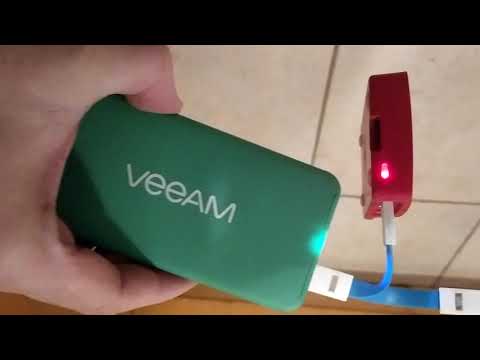
Over on the Hak5 YouTube channel Glytch shows us that he's been using the Key Croc as a remote RTL-SDR server. The server is setup through a payload script, which is then activated by typing "setup" into notepad on a PC. The keystroke logging and keyword detection feature detects the setup keyword, and runs the payload script which installs the RTL-SDR drivers and rtl_tcp server all while using the keystroke injection feature to output the install progress. Then it is a simple matter of plugging in an RTL-SDR, and connecting to the rtl_tcp server on a program like SDR#. 

Glytch notes that this is useful because you can run the entire Key Croc server and RTL-SDR on a portable battery pack, and now you have a remote SDR that you can place anywhere within your WiFi network.

Turning a KeyCroc into an RTL SDR Server w/ Glytch

Derpcon 2020 Talk: Breaking into the World of Software Defined Radio

Derpcon is a COVID-19 inspired information security conference that was held virtually between April 30 - May 1 2020. Recently the talks have been uploaded to their YouTube channel. One interesting SDR talk we've seen was by Kelly Albrink and it is titled "Ham Hacks: Breaking into the World of Software Defined Radio". The talk starts by giving a very clear introduction to software defined radio, and then moves on to more a complex topic where Kelly shows how to analyze and reverse engineer digital signals using a HackRF and Universal Radio Hacker.

RF Signals are basically magic. They unlock our cars, power our phones, and transmit our memes. You’re probably familiar with Wifi and Bluetooth, but what happens when you encounter a more obscure radio protocol? If you’re a hacker who has always been too afraid of RF protocols to try getting into SDRs, or you have a HackRF collecting dust in your closet, this talk will show you the ropes. This content is for penetration testers and security researchers to introduce you to finding, capturing, and reverse engineering RF signals. I’ll cover the basics of RF so you’re familiar with the terminology and concepts needed to navigate the wireless world. We’ll compare SDR hardware from the $20 RTLSDR all the way up to the higher end radios, so you get the equipment that you need without wasting money. I’ll introduce some of the software you’ll need to interact with and analyze RF signals. And then we’ll tie it all together with a step by step demonstration of locating, capturing, and reverse engineering a car key fob signal.

Ham Hacks: Breaking into the World of Software Defined Radio - Kelly Albrink

GNU Radio TEMPEST Implementation Now Available

TEMPEST refers to a technique that is used to eavesdrop on electronic equipment via their unintentional radio emissions (as well as via sounds and vibrations). All electronics emit some sort of unintentional RF signals, and by capturing and processing those signals some data can be recovered. For example the unintentional signals from a computer screen can be captured, and converted back into a live image of what the screen is displaying.

Until recently we have relied on an open source program by Martin Marinov called TempestSDR which has allowed RTL-SDR and other SDR owners perform interesting TEMPEST experiments with computer and TV monitors. We have a tutorial and demo on  TempestSDR available on a previous post of ours. However, TempestSDR has always been a little difficult to set up and use.

More recently a GNU Radio re-implementation of TempestSDR called gr-tempest has been released. Currently the implementation requires the older GNU Radio 3.7, but they note that a 3.8 compatible version is on the way.

The GNU Radio implementation is a good starting point for further experimentation, and we hope to see more developments in the future. They request that the GitHub repo be starred as it will help them get funding for future work on the project.

The creators have also released a video shown below that demonstrates the code with some recorded data. They have also released the recorded data, with links available on the GitHub. It's not clear which SDR they used, but we assume they used a wide bandwidth SDR as the recovered image is quite clear.

Examples using gr-tempest

GR-TEMPEST: GNU Radio TEMPEST Implementation

Running rtl_tcp over the TOR Network

Over on his DragonOS YouTube tutorial channel Aaron has uploaded a video showing how it is possible to run rtl_tcp over the TOR network. TOR is an "anonymity network" which routes your internet traffic through thousands of volunteer nodes in order to make tracing your internet activity more difficult.

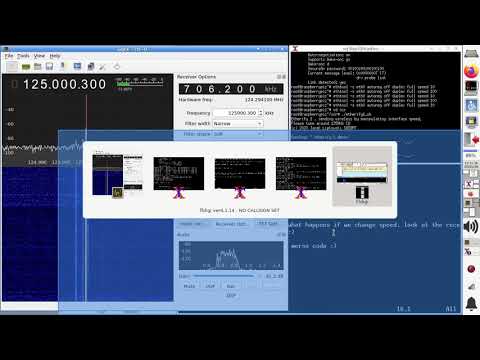
Aaron's tutorial shows how to route rtl_tcp traffic through a TOR connection on his Linux distribution DragonOS (although it should work on any Linux distro), and connect to it with GQRX.

However, a major caveat is that the data streaming result is rather poor with there being lots of data drops, probably due to the slowness of the TOR network. Perhaps running a smaller sample rate, or using a more efficient server like Spyserver might work better.  

DragonOS LTS Remote access RTL-SDR over TOR network (Gqrx, rtl_tcp, OpenWRT)

Performing a Side Channel TEMPEST Attack on a PC

TEMPEST refers to a technique that is used to eavesdrop on electronic equipment via their unintentional radio emissions (as well as via sounds and vibrations). All electronics emit some sort of unintentional RF signals, and by capturing and processing those signals some data can be recovered. For example the unintentional signals from a computer screen could be captured, and converted back into a live image of what the screen is displaying. We have tutorials on how to do this with a program called TempestSDR available on a previous post of ours.

Recently Mikhail Davidov and Baron Oldenburg from duo.com have uploaded a write up about their TEMPEST experiments. The write up introduces the science behind TEMPEST eavesdropping first, then moves on to topics like software defined radios and antennas.

At the end of their post they perform some experiments like constantly writing data to memory on a PC, and putting the PCs GPU under varying load states. These experiments result in clear RFI bursts and pulsing carriers being visible in the spectrum, indicating that the PC is indeed unintentionally transmitting RF. They note that machine learning could be used to gather some information from these signals.

Their write up reminds us of previous TEMPEST related posts that we've uploaded in the past. One example is where an RTL-SDR was used to successfully attack AES encryption wirelessly via the unintentional RF emitted by an FPGA performing an encryption algorithm. Another interesting post was where we saw how a HackRF was used to obtain the PIN of a cyprocurrency hardware wallet via TEMPEST. Search TEMPEST on our blog for more posts like that.

TEMPEST PC Side Channel Setup: RF pulses from writing to memory and a GPU.

YouTube Tutorial: Building a Passive IMSI Catcher with an RTL-SDR

Thank you to M Khanfar for submitting his YouTube tutorial on how to build a passive IMSI catcher with an RTL-SDR. He writes:

In this video im processes of easy step by step building a passive IMSI catcher. The purpose of this video is to be educational - to highlight the ease of which these devices can be built, and to practically show how privacy is already being compromised today ! easy step by step install and running under virtual machine Ubuntu 18.04 and cheap SDR dongle! .

Intro
An IMSI catcher is a device commonly used by law enforcement and intelligence agencies around the world to track mobile phones. They are designed to collect and log IMSI numbers, which are unique identifiers assigned to mobile phone subscriptions. Under certain circumstances, IMSI numbers can be linked back to personal identities, which inherently raises a number of privacy concerns.

The purpose of this video is to be educational - to highlight the ease of which these devices can be built, and to practically show how privacy is already being compromised . Nothing in this video is necessarily new, and those with less than honest intentions are most certainly already using these (or similar) devices.

This video walks through the processes of building a passive IMSI catcher, which is distinctly different from traditional IMSI catchers in that it does not transmit nor does it interfere with cellular networks in any way.

Traditional IMSI catchers are illegal in most jurisdictions due to the fact that they transmit on cellular frequencies (which requires a license), and that they essentially perform a man-in-the-middle attack between a phone and mobile base station (which breaks all sorts of anti-hacking laws). A passive IMSI catcher does neither of these.

How it works
The passive IMSI catcher works by capturing IMSI numbers when a phone initializes a connection to a base station. The IMSI is only disclosed during this initial connection. In an effort to protect privacy, all subsequent communication to that base station is done with a random Temporary Mobile Subscriber Identity (TMSI) number.

This means you will only collect IMSI numbers for devices as they move between base stations. Traditional IMSI catchers work differently, by spoofing a legitimate base station and forcing subscribers to connect to itself. They have the added ability to collect data about stationary devices, and can potentially have a more targeted range.

The only hardware required is a PC and SDR receiver that supports GSM frequencies. Generally this means 850/900/1,800/1,900 MHz. Most of the inexpensive RTL2832U based receivers have an upper-frequency range of about 1,700 MHz. You can get by with one of these, but of course, you won't be able to listen to stations at 1,800 or 1,900 MHz.

--- you can easy search GSM towers around you and show its frequencies then select specific tower then access its HLR data, then you can locate tower location in google map when you have specific data collected from SDR in terminal like :
MCC,MNC,LAC,CELLID , then you can easy add these data in this website: https://cellidfinder.com/cells  then locate it on map, and you can use IMSI number that you sniff to collect details info from database that have access with subscription to full database from this website :https://www.numberingplans.com

Building a Passive IMSI Catcher