Receiving VOR Radio Navigation with an RTL-SDR and GNU Radio

Over on YouTube user hpux735 has uploaded a video where he explores the feasibility of receiving VOR radio navigation signals using GNU Radio and an RTL-SDR. VOR is an acronym for VHF Omni Directional Radio Range and is an older method of navigation used by aircraft which is quickly being made redundant due to GPS navigation. VOR uses two signals, one master omnidirectional signal and one rotating directional signal. By doing some calculations on the received phase of these two signals it is possible to determine the angle of the aircraft from the transmitter.

In the video hpux735 explains and discusses the VOR signal and also shows how to use these signals for navigation with an RTL-SDR and GNU Radio flowchart. To receive the VOR signal he uses an RTL-SDR to record the VOR signal while he drives around with a car. Then later he uses his GNU Radio program to generate a plot that shows when he is moving and in which direction.

hpux735 has also uploaded some supplemental material over on his blog. In the future he hopes to correlate his VOR results with GPS coordinates that he will take whilst actually flying around.

VORs and SDRs part 1: Playing with angles

Analyzing Radar Pulses with Baudline and an RTL-SDR

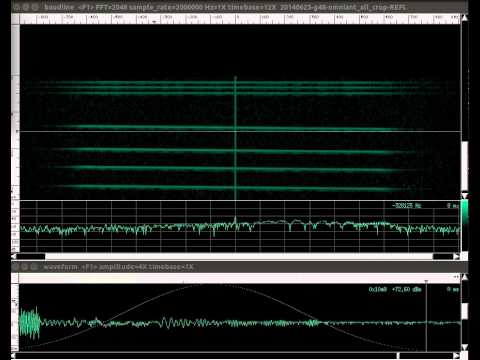
Over on YouTube user Albert Schäferle has uploaded a short video showing his reception of some radar pulses and their corresponding echoes. He uses rtl_fm and pipes the output into Baudline which is used to display the radar waveform. On the video description he writes:

Receiving direct and (supposedly) reflected pulses from an L-band radar in Učka, HR (Lockheed Martin AN/FPS-117). The receiving station was 83 km away, with clear LOS.
Center frequency is 1258 MHz (one out of four that this frequency-agile radar head is using).
The receiver is a RTL-SDR dongle (R820T tuner IC) with a 2-dipole collinear array (tuned for 403 MHz) and approx 7 m of Belden 1694A RG-6 coax.

rtl_fm output was piped to baudline, which is the software shown in the video. The IQ sampling rate is 2 MHz; the transform is a complex STFT (size=2048 samples, Blackman window).
This is a 0.008x speed playback of 15 ms of recording.
The (again, supposedly) reflected pulses are obviously more time-local with a shorter transform window size, e.g. 512 samples http://i.imgur.com/sAHWhwD.png

The effect of pulse compression is quite evident http://www.radartutorial.eu/08.transm…
The direct-reflected delay is approx 278 µs (~42 km from receiver, in a simple 2D, along beam, normal incidence model). I should add that this “reflection delay” effect does not usually show up.
There’s another fainter echo closer to the pulse, but I suspect that it could be a time-sidelobe of the main pulse: a side effect of pulse compression. Anyway, I must state that I have no formal knowledge on radar topics. So you’d better take all this with a grain of salt 😉

Link to recording: https://db.tt/Lxe67Ig3 (save destination as…)

Video recorded with VLC, audio piped to stdout and saved, then synced in Blender.

Radar WGS84 coordinates: 45.286757,14.202732 http://www.panoramio.com/photo/26952908

Analyzing radar pulses with Baudline and RTL-SDR.

Compiling and using DSD 1.7 for D-STAR on Linux

Amateur Radio hobbyist George Smart has recently written a tutorial showing how to compile and install DSD v1.7 on a Linux computer in order to receive D-STAR digital voice. D-STAR is a digital voice protocol used by hams at a frequency of 145.670 MHz.

The tutorial shows the entire set up process from installing the required dependencies to running DSD 1.7 with GQRX by piping audio through UDP into DSD. He also shows how to run DSD 1.7 on a Raspberry Pi.

Note that DSD v1.7 also runs on Windows, and this previous post links to a precompiled Windows binary file.

GQRX Receiving D-STAR

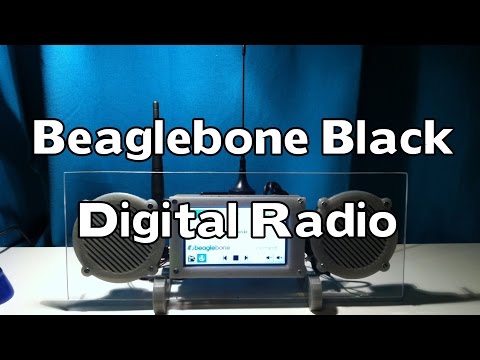
Beaglebone Black FM/Internet Radio Combo Receiver using an RTL-SDR

Last year we missed this interesting project by Frederick Vandenbosch where he created a FM/internet radio combination receiver using a BeagleBone Black mini embedded PC and an RTL-SDR dongle.

The idea is that the system will receive FM radio through the RTL-SDR normally, but when reception is poor or unavailable you can switch to internet radio which is received through WiFi. The radio is controlled through an LCD screen attached to the BeagleBone Black.

Frederick used Linux on the BeagleBone and created a custom GUI that allows for easy tuning using rtl_fm as the RTL-SDR back end, setting channel presets and for switching between internet and live FM radio.

BeagleBone Blade FM/Internet Radio Combo Receiver
Beaglebone Black Digital Radio with RTL-SDR and Wifi

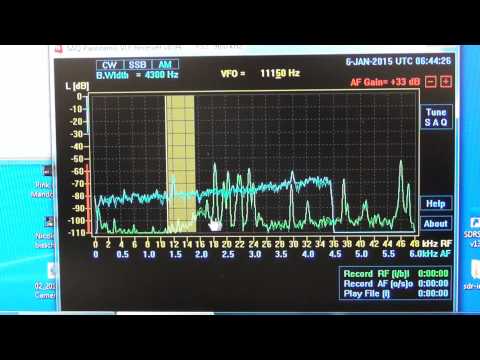
Receiving VLF with a PC sound card, Miniwhip Antenna and SAQrx

Over on YouTube user Mile Kokotov has uploaded a video showing how he is able to receive Very Low Frequency (VLF) signals between 300 Hz to 30 kHz using just his PC, a Miniwhip antenna connected to his sound card input port and a program called SAQrx Panoramic VLF Receiver. This allows reception of signals between 0-48 kHz with a sound card that can sample at 96 kHz.

Using this set up he is able to receive the Alpha navigation system beacons which are at around 10-12 kHz and some other Navy navigation system beacons between 18 and 48 kHz from his home in Macedonia.

Receiving VLF with PC and software only

Monitoring a Trunked P25 LSM Simulcast System with OP25 and an RTL SDR

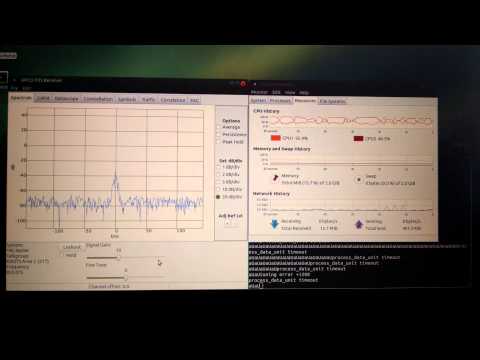
Over on YouTube user jdlucas78 has uploaded a video showing a P25 LSM modulated digital voice signal being decoded by the Osmocom OP25 software for Linux. Although DSD and DSD+ can decode P25 voice, it seems that the Osmocom OP25 software is better at decoding P25 signals as it implements better error correction algorithms.

Over on the RadioReference forums there is a thread discussing the use of the OP25 decoding software which can be found here. There is a post in the thread that shows an easy Linux install procedure for the OP25 software.

Monitoring a Trunked P25 LSM Simulcast System w/ OP25 and RTL SDR Dongle

Take 2: Monitoring a Trunked P25 LSM Simulcast System w/ OP25 and RTL SDR Dongle

Decoding Oregon Scientific Weatherstation Messages using Gnuradio

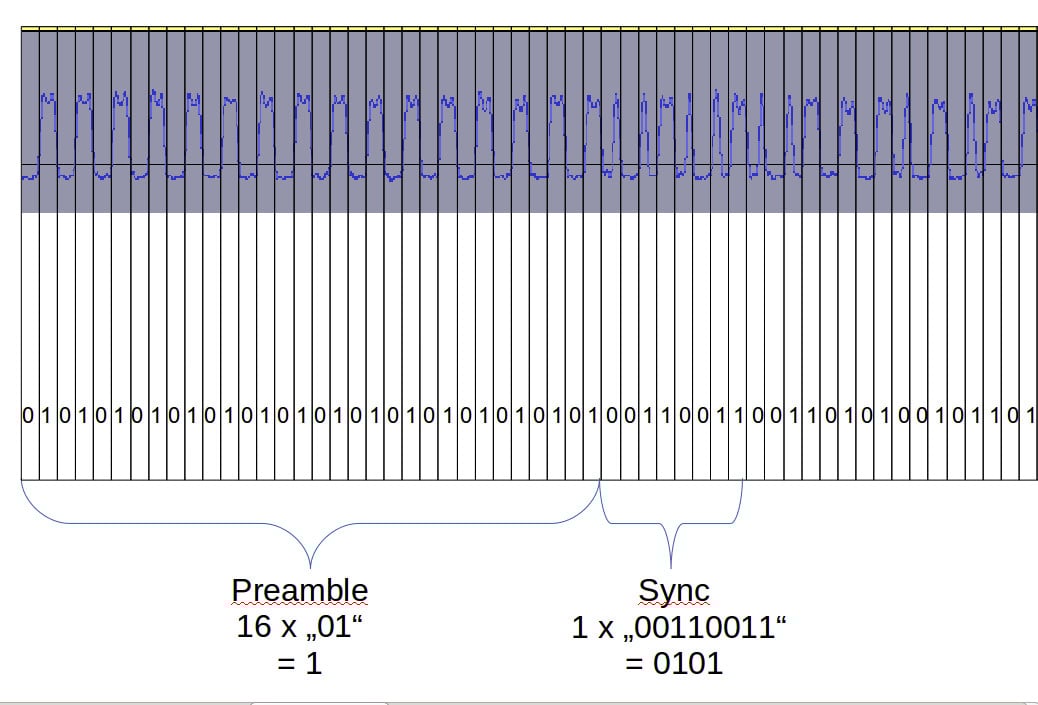
Recently a reader of rtl-sdr.com, DO2BJK wrote in to let us know about his project where he used GNU Radio to decode Oregon Scientific V1 and V2 weather station messages. To receive the weather station messages which are sent in the ISM band at 433 MHz, DO2BJK used a USRP B210, but he writes that other SDRs such as an RTL-SDR or HackRF will also work. To decode the signal, DO2BJK took the usual steps of recording the signal and looking at the audio waveform in Audacity. From the waveform he was able to determine the bit string and discover the preamble, sync and data parts of a packet. He then used GNU Radio and wrote a Python program to receive the signal and automatically detect the preamble and extract the temperate data. His code is available on GitHub at https://github.com/bkerler/OregonDecoder/.

Bit string signal interpretation

Listening to EPIRB Distress Beacons with the RTL-SDR

Over on YouTube user Tom Mladenov has recently been using his RTL-SDR to listen to EPIRB distress beacons transmitted by the SARSAT payload carried by the NOAA 18 satellite. To do this he uses a 6.5 turn helix antenna that is resonant on 1.5 GHz.

An EPIRB is a maritime device that is used to send out a distress beacon for vessels in serious trouble. The EPIRB beacon transmits data that contains GPS coordinates of the vessel at 403 MHz to the satellite. The data is then retransmitted to a mission control centre at 1.5 GHz.

Note that the professional version of MultiPSK can be used to decode EPIRB signals.

(YouTube Videos Removed)