Every year the Chaos Computer Club hold the Chaos Communication Congress (CCC) which is a conference that aims to discuss various topics related to technology and security. This year was the 34th conference ever held (34C3) and there were several interesting SDR and radio related talks which we post below. Further links and video downloads are available in the YouTube description.
SatNOGS: Crowd-sourced satellite operations
An overview of the SatNOGS project, a network of satellite ground station around the world, optimized for modularity, built from readily available and affordable tools and resources.
We love satellites! And there are thousands of them up there. SatNOGS provides a scalable and modular platform to communicate with them. Low Earth Orbit (LEO) satellites are our priority, and for a good reason. Hundreds of interesting projects worth of tracking and listening are happening in LEO and SatNOGS provides a robust platform for doing so. We support VHF and UHF bands for reception with our default configuration, which is easily extendable for transmission and other bands too.
We designed and created a global management interface to facilitate multiple ground station operations remotely. An observer is able to take advantage of the full network of SatNOGS ground stations around the world.
Spy vs. Spy: A Modern Study Of Microphone Bugs Operation And Detection
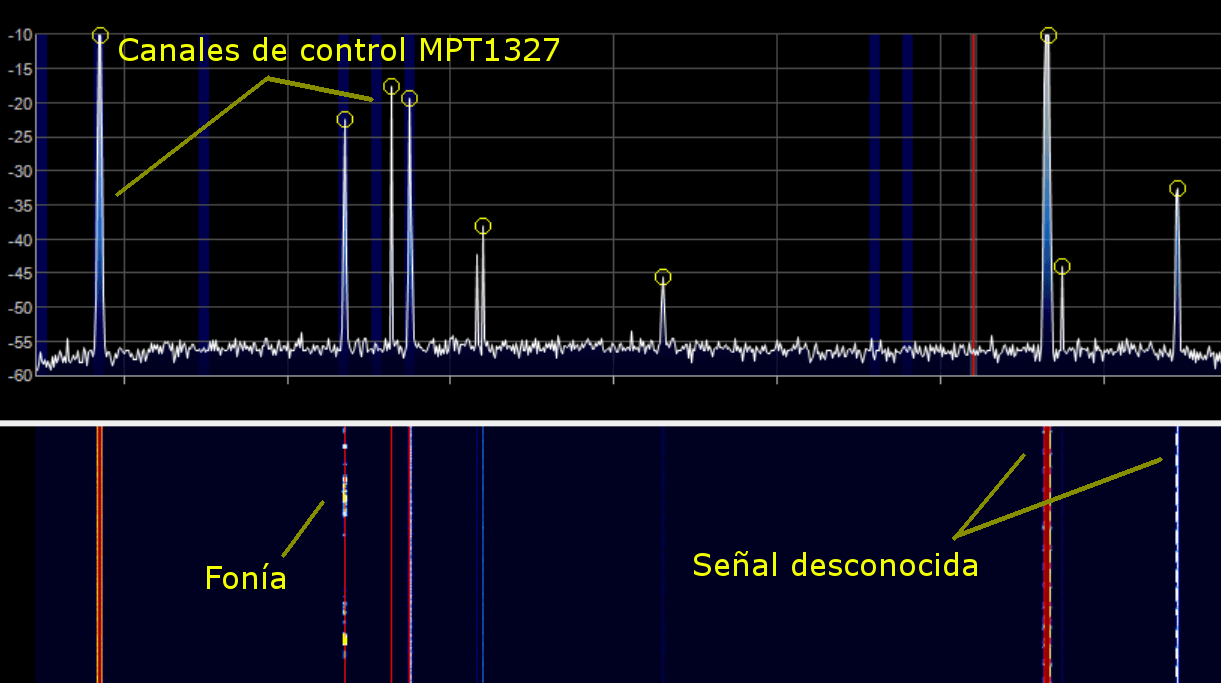
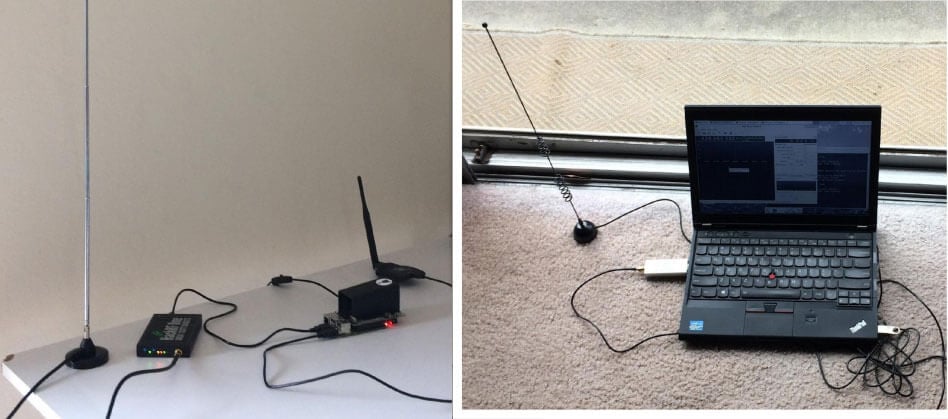
In 2015, artist Ai Weiwei was bugged in his home, presumably by government actors. This situation raised our awareness on the lack of research in our community about operating and detecting spying microphones. Our biggest concern was that most of the knowledge came from fictional movies. Therefore, we performed a deep study on the state-of-the-art of microphone bugs, their characteristics, features and pitfalls. It included real life experiments trying to bug ourselves and trying to detect the hidden mics. Given the lack of open detection tools, we developed a free software SDR-based program, called Salamandra, to detect and locate hidden microphones in a room. After more than 120 experiments we concluded that placing mics correctly and listening is not an easy task, but it has a huge payoff when it works. Also, most mics can be detected easily with the correct tools (with some exceptions on GSM mics). In our experiments the average time to locate the mics in a room was 15 minutes. Locating mics is the novel feature of Salamandra, which is released to the public with this work. We hope that our study raises awareness on the possibility of being bugged by a powerful actor and the countermeasure tools available for our protection.
Running GSM mobile phone on SDR
Since SDR (Software Defined Radio) becomes more popular and more available for everyone, there is a lot of projects based on this technology. Looking from the mobile telecommunications side, at the moment it's possible to run your own GSM or UMTS network using a transmit capable SDR device and free software like OsmoBTS or OpenBTS. There is also the srsLTE project, which provides open source implementation of LTE base station (eNodeB) and moreover the client side stack (srsUE) for SDR. Our talk is about the R&D process of porting the existing GSM mobile side stack (OsmocomBB) to the SDR based hardware, and about the results we have achieved.
There is a great open source mobile side GSM protocol stack implementation - OsmocomBB project. One could be used for different purposes, including education and research. The problem is that the SDR platforms were out of the hardware the project could work on. The primary supported hardware for now are old Calypso based phones (mostly Motorola C1XX).
Despite they are designed to act as mobile phone, there are still some limitations, such as the usage of proprietary firmware for DSP (Digital Signal Processor), which is being managed by the OsmocomBB software, and lack of GPRS support. Moreover, these phones are not manufactured anymore, so it's not so easy to find them nowadays.
Taking the known problems and limitations into account, and having a strong desire to give everyone the new possibilities for research and education in the telecommunications scope, we decided to write a 'bridge' between OsmocomBB and SDR. Using GNU Radio, a well known environment for signal processing, we have managed to get some interesting results, which we would like to share with community on the upcoming CCC.
UPSat - the first open source satellite
During 2016 Libre Space Foundation a non-profit organization developing open source technologies for space, designed, built and delivered UPSat, the first open source software and hardware satellite.
UPSat is the first open source software and hardware satellite. The presentation will be covering the short history of Libre Space Foundation, our previous experience on upstream and midstream space projects, how we got involved in UPSat, the status of the project when we got involved, the design, construction, verification, testing and delivery processes. We will also be covering current status and operations, contribution opportunities and thoughts about next open source projects in space. During the presentation we will be focusing also on the challenges and struggles associated with open source and space industry.
Holography of Wi-Fi radiation
Can we see the stray radiation of wireless devices? And what would the world look like if we could?
When we think of wireless signals such as Wi-Fi or Bluetooth, we usually think of bits and bytes, packets of data and runtimes.
Interestingly, there is a second way to look at them. From a physicist's perspective, wireless radiation is just light, more precisely: coherent electromagnetic radiation. It is virtually the same as the beam of a laser, except that its wavelength is much longer (cm vs µm).
We have developed a way to visualize this radiation, providing a view of the world as it would look like if our eyes could see wireless radiation.
Our scheme is based on holography, a technique to record three-dimensional pictures by a phase-coherent recording of radiation in a two-dimensional plane. This technique is traditionally implemented using laser light. We have adapted it to work with wireless radiation, and recorded holograms of building interiors illuminated by the omnipresent stray field of wireless devices. In the resulting three-dimensional images we can see both emitters (appearing as bright spots) and absorbing objects (appearing as shadows in the beam). Our scheme does not require any knowledge of the data transmitted and works with arbitrary signals, including encrypted communication.
This result has several implications: it could provide a way to track wireless emitters in buildings, it could provide a new way for through-wall imaging of building infrastructure like water and power lines. As these applications are available even with encrypted communication, it opens up new questions about privacy.