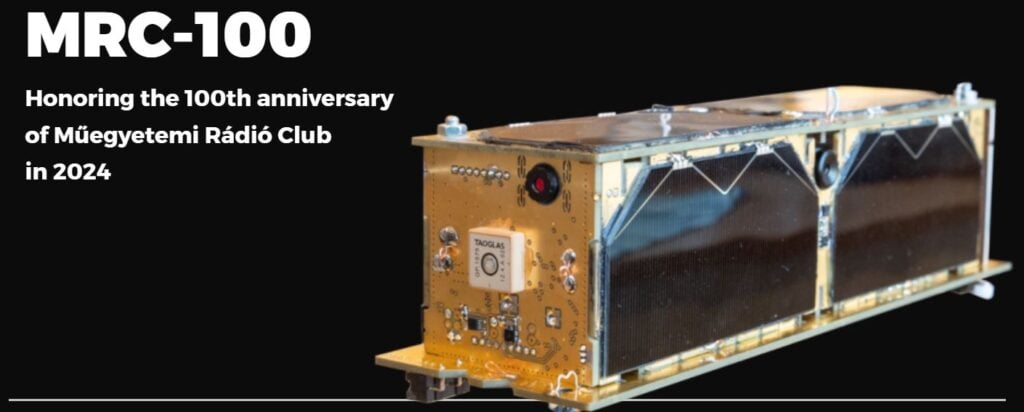
Thank you to Zoltan Doczi (HA7DCD) for submitting news about the MRC-100 Hungarian PocketQube Satellite that is scheduled to launch on a Falcon 9 on June 12. A PocketQube is smaller than a standard CubeSat as it is sized at only 5x5x15cm. Zoltan notes that the MRC-100 is the successor to the SMOG-1 satellite which we posted about back in March 2021. The satellite is named to honoring the 100th year anniversary of the HA5MRC Ham Radio Club at the Budapest University of Technology.
To help with decoding the Telemetry on the satellite an RTL-SDR based telemetry receiver was created by Peter and Miklos, and Levente HA7WEN has created an installation script for Raspberry Pi's and Linux PC's which installs OpenWebRX along with the satellite receiver software.
The satellite should be receivable with a simple satellite antenna, such as a handheld Yagi, Turnstile, Dipole or quadrifilar-helix antenna. It will be transmitting telemetry at 436.720 MHz. If you have a dish and tracking equipment for it, there is also a high speed downlink at 2267.5 MHz. Like SMOG-1 the satellite carries a sensor that is designed to measure human caused electromagnetic pollution. It also carries a camera and an AIS receiver for tracking marine vessels.
GreenCube is a CubeSat by the Sapienza University of Rome, and it is designed to demonstrate an autonomous biological laboratory for cultivating plants onboard a CubeSat.
While this is an interesting mission in itself, for amateur radio operators there is another interesting facet to the satellite. Unlike most CubeSats which are launched in Low Earth Orbit (LEO), GreenCube was launched higher in Medium Earth Orbit (MEO) which provides a larger radio reception footprint over the earth. The satellite also contains a digital repeater (digipeater) at 435.310 MHz, which allows amateur radio operators to transmit digital radio packets up, and have the satellite repeat the packet back over a wide area footprint on earth.
Over on his latest video, Matt, from the TechMinds YouTube channel shows us how to receive and decode the packets from the GreenCube digipeater. In his demonstration Matt uses an SDRPlay RSPdx as the receiver, SDR++ as the receiver software, SoundModem as the packet decoder, GreenCube Terminal for displaying the messages, and GPredict for tracking the satellite and compensating for the doppler effect. He also notes that while a directional antenna on a motorized tracker is recommended, he was able to still receive packets with his omnidirectional terrestrial antennas without much issue.
Recently we came across a new project called DeFli and DeSky, which appears to be plans for a decentralized network of RTL-SDRs. The goal of the project is to provide decentralized access to ADS-B and satellite data through the use of RTL-SDR ground stations. The RTL-SDR ground stations upload their data to the DeFli servers and in return ground station hosts receive compensation in DEFLI tokens via the DeFli blockchain.
From the website it appears they are focusing on selling the data to UAV and satellite operators, but there seems to be no reason why it couldn't be used for other purposes too.
The use of crowd sourced RTL-SDR data is nothing new, with successful ADS-B aggregators like FlightRadar24.com and adsbexchange.com already in operation. Projects like SatNOGs also exist which crowd source satellite data. Not to mention other RTL-SDR and radio data aggregators like marinetraffic.com for Marine AIS, amateur.sondehub.org for Amateur Radio Balloons, aprs.fi for APRS, and airframes.io for ACARS, VDL, HDFL and SATCOM data. However, this is probably the first radio data aggregator to incorporate blockchain concepts for host rewards.
In a Reddit Post (now removed but cached on Google), the creators wrote:
There is clearly an appetite from a large number of Helium Hotspot owners to utilize their hotspots for other projects with a view to getting a better ROI on their investment. That being said, I believe it is absolutely just and fair for Nova & the Foundation to take steps to prohibit the LoRa specific hardware from being used by competing projects both from a commercial perspective and also regulatory. Our personal belief is that Nova/Foundation should operate Helium Network as a NaaS and allow these newer "players" to piggyback on the equipment without compromising the regulatory side of things.
From an industry perspective there is of course a frustration at an awful lot of under-used/under-utilized hardware, specifically the CPU modules that remain in short supply, thus limiting the expansion capabilities of a hardware based network.
Likewise whilst Helium IoT paved the way for decentralized networks to become a "thing" there is also the counter-argument now that actually it is incredibly difficult to build a hardware based network because of the growing disdain. Now obviously part of that is linked to failed projects like MXC, Planetwatch and WeatherXM as well as dubious projects like RevoFi.
That brings me on to our project- DeFli (defli.org). I am not going to extol the virtues of the project, all I am going to give is a very brief "blurb". We are building a decentralized network of ground stations for unmanned aircraft to communicate with (to satisfy new legislation) and which will form the basis of an advanced traffic management system.
A "ground station" can be built from any Helium Hotspot without affecting the performance, nor do we utilize the LoRa Concentrator (ADS-B is broadcast over the 1090MHz frequency). To achieve dual "mining" it is simply a case of running DeFli in a Docker Container (can be viewed on our Github) and adding a USB RTL-SDR receiver.
WARNING: As with anything cryptocurrency related, do your own research first before putting any of your own money in. This project could very well be a scam, or it could just be a project in the early stages of getting started.
On his Medium.com blog, Mohsen Tahmasebi has posted an article about his journey into listening to satellites which started with his acquisition of an RTL-SDR Blog V3 dongle. The article begins by explaining his motivations for receiving satellites and how difficult hobbies like this are to get into in his home country of Iran. Despite the challenges he tasted success when he was able to receive NOAA APT signals on his second attempt using the included portable dipole antenna in a V-dipole configuration. Shortly after Mohsen was also able to receive Meteor-M2 LRPT.
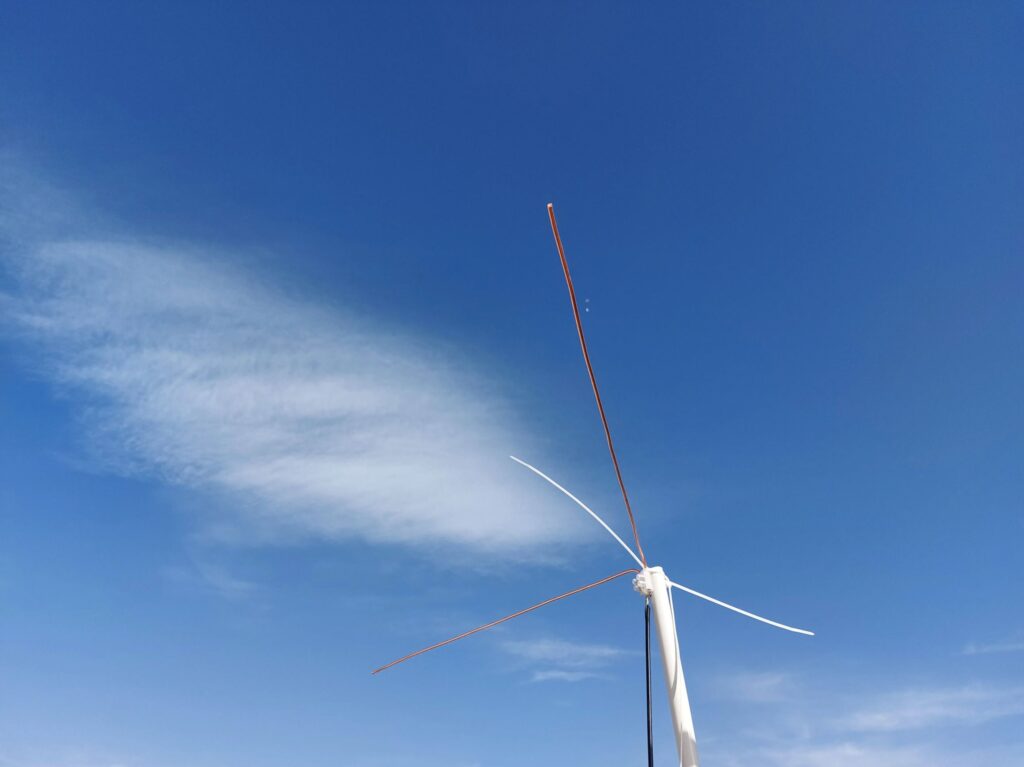
Mohsen then built a more permanent V-dipole out of copper rods and optimized his antenna using NEC simulation software, finding that adding a reflector significantly improved reception. He then moved on to building a slightly more complex Turnstile antenna, which yielded even better results and allowed him to explore CubeSats at 435 MHz and contribute to SatNOGS. Finally, Mohsen ordered a Bullseye LNB and using a homemade bias tee, he received the QO-100 amateur radio transponder.
Overall, Mohsen's journey demonstrates that there is a lot of fun and learning available from internationally available satellites even in a country where equipment is hard to come by.
Mohsen's First Permanent V-Dipole for NOAA APT Reception
Since the Russian invasion of Ukraine, the EU has banned the broadcast of Russian TV channels. This is caused Russia to move their satellite broadcasts from internationally owned satellites, to their own "Express AM8" geostationary satellite.
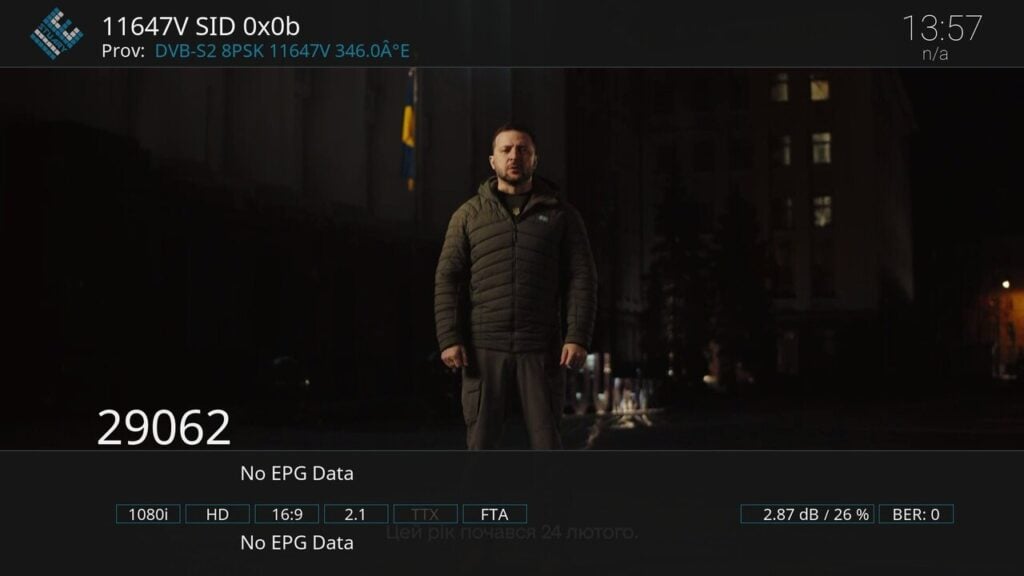
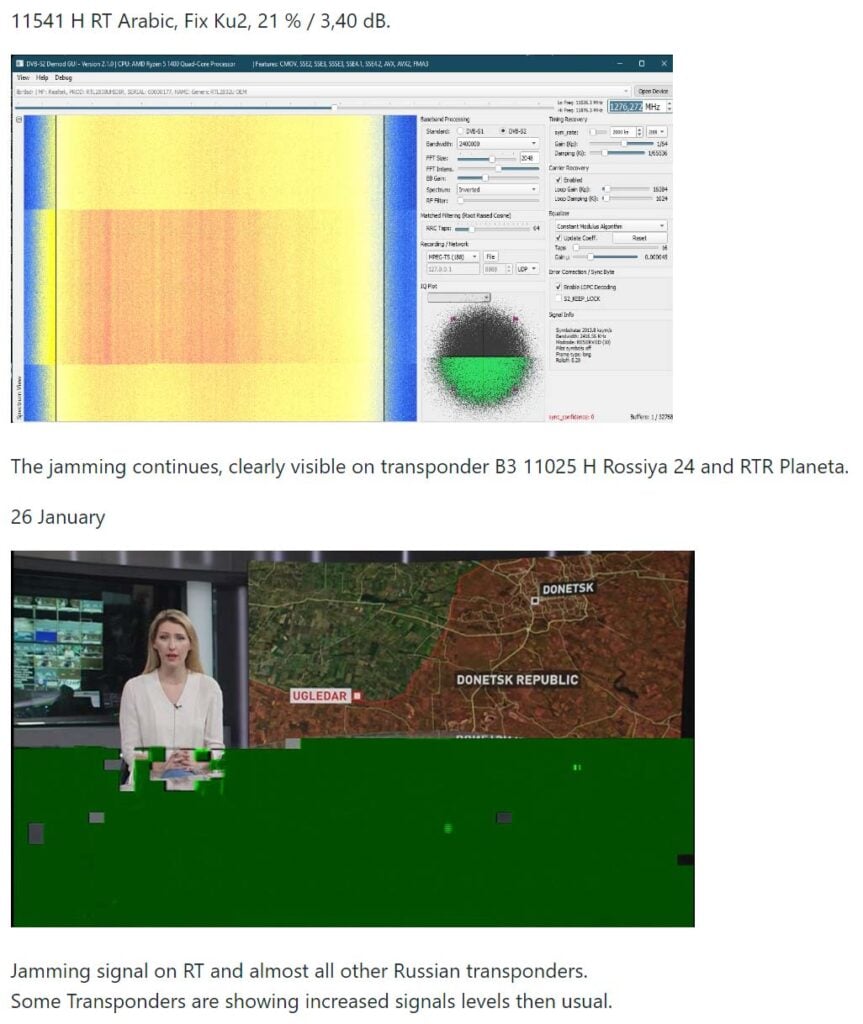
The Russian satellite can be received from Europe and parts of South America. What's interesting in particular is the hacking and jamming attempts going on on this particular satellite. These breaches are likely to be from individual people or by the Ukrainian Ministry of Strategic Communication. An example of a hack by Ukrainian Ministry of Strategic Communication on 5 January 2023.
Express AM8 transponder 11647V was hacked today at 6:30 PM by Ukrainian Ministry of Strategic Communication. A New Year's address by Ukrainian President V. Selensky was shortly broadcast in Ukrainian on all program positions of the T2-MI transponder.
Express AM8 hacked by Ukraine to broadcast the New Years address by Ukrainian President V. Selensky
Alex 'Happysat' has written to us with the following information. The full guide to receiving TV from the satellite, and information about the satellite and signals and modulations used on the satellite is on GitHub at https://github.com/happysat/Express-AM8.
You may know that here in Europe a number of controversial Russian, Syrian and Iranian (news) channels are not allowed to be broadcast due to sanctions against Russia (everything) and Iran (Press TV).
The Russians moved most of the channels (Rossiya 24, RTR Planeta, NTV Mir, Perivy Kanal, Press-TV) to their own satellite Express AM8 some time ago.
Since it is not a normal DTH satellite such as Astra or Hotbird, everything happens there (jamming / hacks) which is interesting for many (dx) viewers.
Because it is relatively easy to receive in Europe and parts of South America, I have created a GitHub website with some useful tips and tricks.
Not only in terms of content, but also the technical side of it, the different modulations broadcast techniques T2-MI (unfortunately gone for a while after the hacks…) but also just old-fashioned DVB-S signals, Telemetry and some transponders (only symbol rate lower than >2000ks) are even without the need for a satellite receiver.
For example with an SDR radio and the AM-SAT program what the radio amateurs use on Eshail2.
And that a '14 west setup' can easily be made, which does not have to be expensive at all.
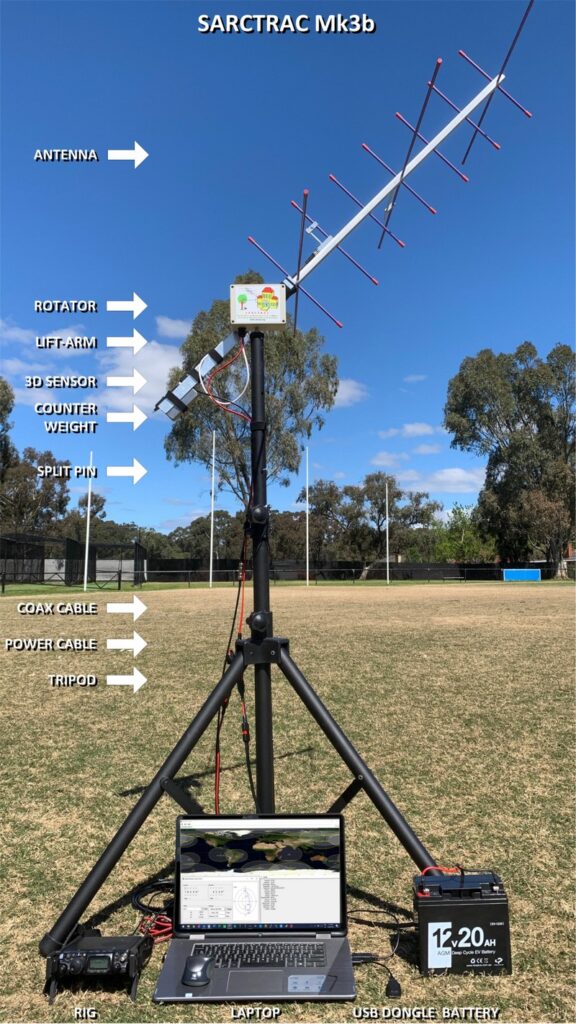
In January we posted about the AntRunner, which is a $325 (incl. shipping) satellite antenna rotator shipped from China. Recently we've come across another low cost satellite rotator from Australia called the "SARCTRAC Mk3b" which was developed as part of a school amateur radio educational program. This rotator fully assembled comes in at AU$400 + AU$50 worldwide shipping (US$290 + US$40 = US$330), making it's price comparable with the AntRunner. SARCTRAC can be purchased from the sarcnet products page. Currently only the fully built unit is available, but in the future they plan to offer a cheaper kit option.
We're yet to test the SARCTRAC Mk3b, but based on an overall review of it's advertising, it appears that the SARCTRAC has some superior specifications and a superior design when compared to the AntRunner.
Unlike the AntRunner, SARCTRAC comes with all its components enclosed in a waterproof IP65 rated enclosure. Its design also makes use of a 3D position sensor with magnetometer, allowing the unit to know its orientation at all times, meaning that it should be able to automatically position itself from startup. The design also makes use of DC motors with a built in worm gear drive, so the the motors back driving is not possible.
The system is controlled via a built in Raspberry Pi 3B+ and can communicate with the controlling PC via WiFi. Raspberry Pi's have stable WiFi connections, so we shouldn't see the connection problems that we had with the ESP32 based AntRunner.
Just like the AntRunner, SARCTRAC is only a lightweight rotator with torque specs of 50kg.cm static and 25kg.cm dynamic. So it should be able to handle counterbalanced Yagi beams, and lightweight dish antennas.
The SARCTRAC Mk3b. An Australian designed and made light duty antenna rotator.
SARCTRAC Mk3 Satellite Antenna Rotator Controller and TRACker
Meteor M2 is a Russian meteorological satellite whose LRPT transmissions at 137 MHz were relatively easily received by anyone with a simple satellite antenna and an RTL-SDR and computer. Meteor M2 was launched in July 2014, and it should not be confused with Meteor M2-1 which failed on launch in 2017 due to an upper stage deployment issue, or Meteor M2-2 which suffered a micrometeorite strike in 2019.
Unfortunately it appears that Meteor M2 has permanently failed on 24 December 2022. Problems with the Meteor M2 satellite losing orientation stability have occurred several times in the past, and have always been fixed within a few days after the event. There was initially hope that after the holidays when the engineers returned to work that the problem would be fixed. However @Serge, a Russian radio amateur who talks with Meteor engineers on Russian amateur radio forums has recently mentioned on Twitter that recovery seems unlikely.
As well as @Serge's twitter, Happysat keeps track of Meteor M2 satellites on his Meteor M2 status page so keep an eye there for any updates. At the moment all LRPT transmissions have been turned off.
In 2019 the Meteor M2-2 (the third M2 satellite) also failed in December due to a micrometeorite strike. Meteor M N2-2 was partially recovered, and while it can no longer transmit LRPT, it can still transmit HRPT in the L-band, when in sunlight.
The good news is that Meteor M2-3 is due to be launched in 2023, and this will hopefully bring back LRPT reception. Currently the only weather image satellites transmitting at 137 MHz are NOAA-15, NOAA-18 and NOAA-19. NOAA-15 still lives, but may be slowly failing. NOAA-18 and NOAA-19 are also aging satellites but show no signs of wear so far.
If you are interested in satellite reception and want to future proof your setup against more 137 MHz band satellite failures, we recommend looking in LRIT/HRIT or HRPT satellite reception which is a little more complex, but has become significantly easier to get started with in recent times.
Meteor M2 Failure: One of the last LRPT images received by Happysat before it was turned off.
Over on YouTube @dereksgc has been putting together a comprehensive video series on weather, amateur and other satellite reception. His series starts with receiving images from NOAA APT satellites, then Meteor M2, as then goes on to talk about low cost V-Dipole satellite antennas, how satellite dishes work, and recently how to use Ku-band LNBs with a satellite dish.
If you're getting started with RTL-SDR and satellite reception, this video series may be a good introduction for you.