gorizont linux 1.0 is a live, USB bootable or VM .iso image, and my first attempt at sharing a project like this. It's built specifically for rtl_sdr/ RTL2832U family dongles, no other devices will be supported in the future (although drivers can be installed if required). It's meant for the cheapest, most available hardware out there.
I think there's a useful niche for this distro, Skywave Linux is getting a bit long-in-the-tooth and un-updated, and the recently reviewed DragonOS, whilst good, is a little complicated for beginners to use. gorizont concentrates on purely terrestrial HF/VHF/UHF analogue and digital signal exploration and decoding, hence the name. It also provides instant DAB+ and FM radio reception for emergency information using RTL V3 stock antennae.
It's built for customisation and compilation of evolving software, hence it's rather portly size. A pretty full suite of dev libraries and repos come as included. Users can also create a bootable USB image or .iso of an updated system using Systemback if gorizont is run as a VM.
We didn't see a list of programs preinstalled, but from the Readme it appears to have at least GNU Radio, GQRX, multimon-ng, DSD+, welle.io, PyBOMBs, wine32, sox, as well as a preset Virtual Audio sync set up through pulseaudio for piping audio between programs. We expect that many more programs will also have been preinstalled.
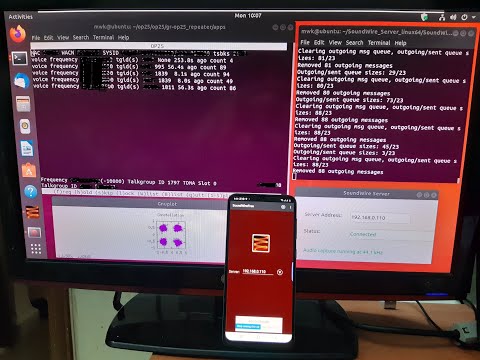
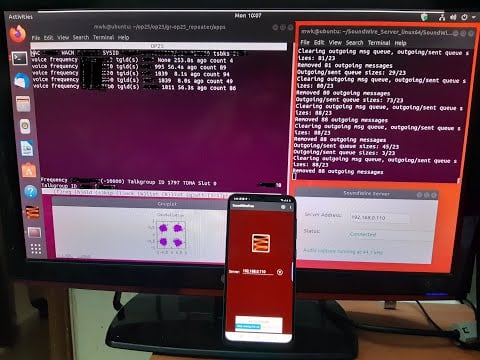
Thank you to M Khanfar for submitting another video where he demonstrates and explains how to easily send audio from your Linux PC over to an Android phone. This can be used to monitor the audio output of SDR programs like OP25 and GQRX remotely. The main piece of software used in his setup is the SoundWire Server and SoundWire Android App. SoundWire is described below:
Turn your Android device into wireless headphones / wireless speaker. Stream any music or audio from your PC to your Android phone, tablet, or other PCs. SoundWire does audio mirroring (audio cast). You can use any music player on your PC or laptop like Spotify, YouTube, or iTunes and stream low-latency live sound over WiFi directly to your Android device. Also works over 3G/4G cell networks or WAN.
M Khanfar's full tutorial on how to setup SoundWire can be found in the description of the video.
Piping Op25-GQRX Audio Through LAN to Android Phone
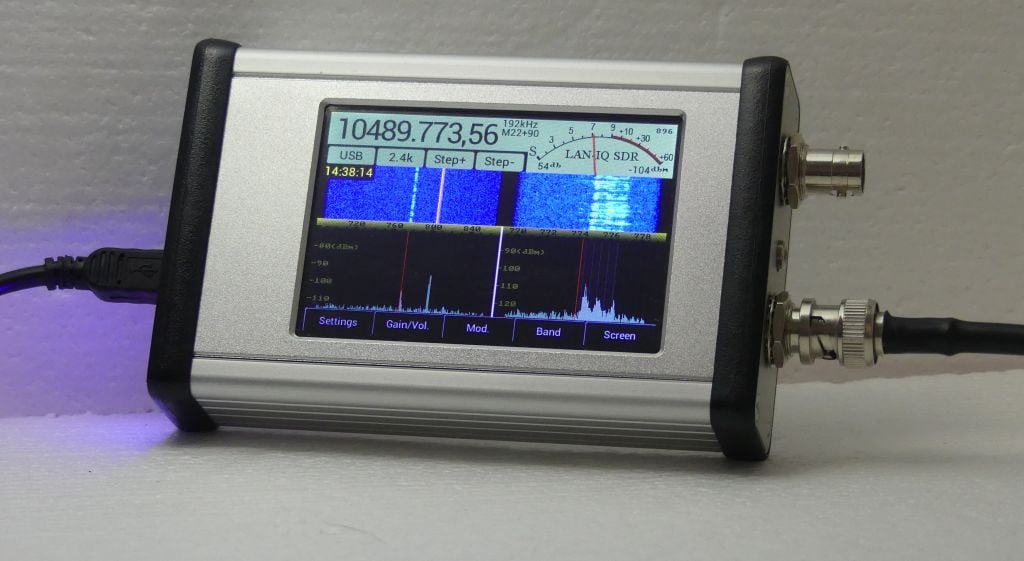
AFEDRI have recently begun shipping their new software defined radio called the "LAN-IQ". The LAN-IQ is a full standalone SDR with good advertised specifications and a very decent price of only US$339. The advertised specs from the Afedri LAN-IQ website are pasted below:
LAN-IQ SDR is stand-alone, direct sampling Software Defined Receiver (see picture above) it has ability to send it's received I/Q stream in three different modes:
Stand-Alone (Digital processing, filtering , decoding is implemented inside SDR)
Network (LAN)
USB
LAN-IQ SDR has the following specification:
Frequency Coverage: 0.03MHz-35MHz & 35MHz-1700MHz
Noise Figure: ~11dB (for 1MHz-35Mhz range and maximum RF gain 35dB)* *input VGA (Variable Gain Amplifier) has variable Gain from -10dB up to +35dB
Noise Figure: ~3.5dB (for 50MHz-435Mhz range and maximum LNA/MIX gain )
MDS: -136 dBm at 500Hz bandwidth (0.03MHz-35MHz)
MDS: -143.5 dBm at 500Hz bandwidth (50MHz-435Mhz)
Output data format: two 16-bit I/Q channels (audio stereo stream emulation)
Maximum Receiving Bandwidth:
BW = up to 2200kHz (for 2400kHz sample rate) - using Network connection
BW = up to 706kHz (for 768kHz sample rate) - instand-alone mode
BW = up to 230kHz (for 250k samples/s sample rate) - using USB connection
RF ADC sampling rate: 76.800 MHz
Power Supply Voltage Requirements:
5V (supplied from the PC's USB bus or from external) or from external power supply able to provide 5VDC +/-0.2V).
7.0-10V DC to the DC power connector.
Power Supply Current Requirements:
up to 850mA (max. LCD brightness, network cable connected, VHF/SHF band)
The LAN-IQ SDR is designed to be used in stand-alone mode , i.e. without need to use any additional computer and software.
In same time the SDR can be connected and used with Personal Computer (PC) by two interfaces:
1. Ethernet Network connection.
This can now provide up to 2400 kHz sample rate
2. Full Speed USB
From PC point of view, the SDR-Net can be used alternatively as:
1. Network device using two IP protocols: TCP and UDP.
TCP protocol is used to control the SDR parameters.
UDP protocol is used to send received I/Q stream from SDR to PC
2. Or exactly like the AFEDRI SDR-Net -USB Composite Device, that contains two USB functions:
Generic USB Audio device - to transfer baseband I/Q signal, as an audio stereo stream
From the Afedri Groups.io forum we've learned that by default the unit will come without the tuning knob, but a knob can be requested if preferred, although it comes with some limitations.
Ordering of the LAN-IQ is done via email only, and the email address can be obtained at the end of their ordering page. They accept PayPal, and shipping costs anywhere from $18 - $32 depending on the country. Also regarding shipping they note that deliveries may be delayed due to COVID-19 which is of course the case for every global delivery right now.
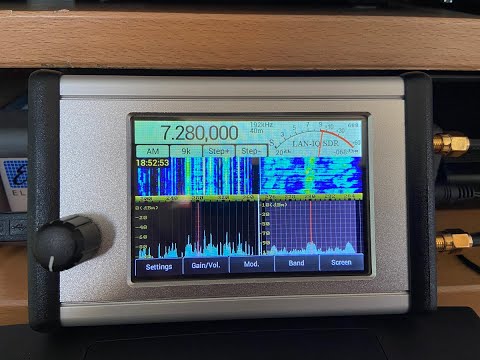
From the SWLing Post blog post we've also learned of a short demonstration video created by Fenu-Radio which is shown below. We are also awaiting his full review which will be posted on fenu-radio.ch.
Afedri LAN-IQ in Action
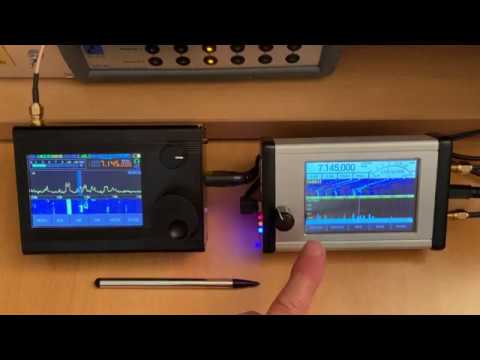
In a second video Fenu-Radio compares the LAN-IQ against the Malahit-DSP which is another similar low cost standalone SDR which we posted about back in November 2019.
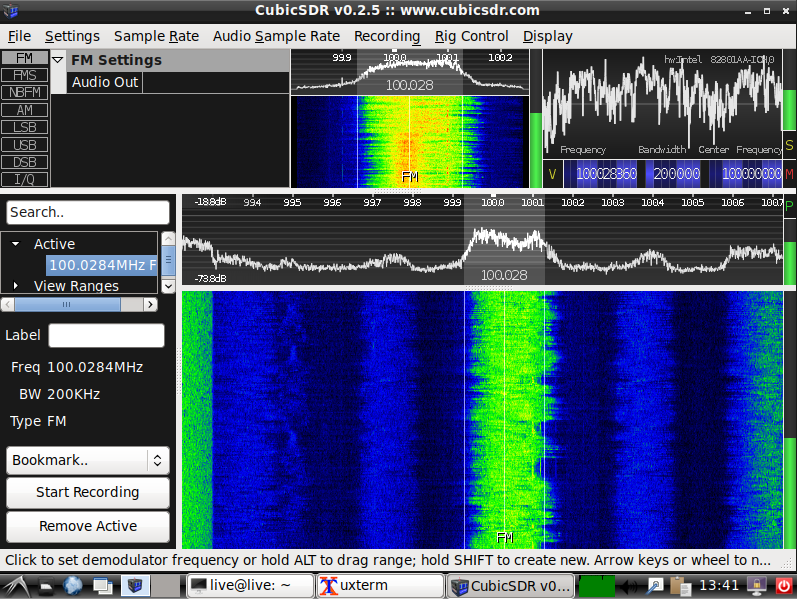
Last month we posted about Aaron's "DragonOS" project, which is a ready to install Linux ISO aimed to make getting started with SDR software easy by providing several programs preinstalled, as well as providing multiple video tutorials. Recently he's updated the build, this time basing it on Lubuntu 18.04 allowing for Legacy and UEFI support, along with disk encryption. The OS supports RTL-SDRs as well as the HackRF and bladeRF and probably supports most other SDRs via the SoapySDR interface.
In terms of software he's also added OP25 and bladeRF support. Other programs pre-installed include rtl_433, Universal Radio Hacker, GNU Radio, Aircrack-ng, GQRX, Kalibrate, hackrf, wireshare, gr-gsm, rtl-sdr, HackRF, IMSI-catcher, Zenmap, inspectrum, qspectrumanalyzer, LTE-Cell-Scanner, CubicSDR, Limesuite, ShinySDR, SDRAngel, SDRTrunk, Kismet, BladeRF.
His DragonOS YouTube tutorial channel is also growing fast, with several tutorials showing you how to use DragonOS to perform tasks like listen to trunked mobile radios, use QSpectrumAnalyzer with a HackRF, receive NOAA APT weather satellite images, retrieve cellular network information via a rooted Samsung Galaxy S5, create a ShinySDR server with rtl_433 and how to capture and replay with a HackRF.
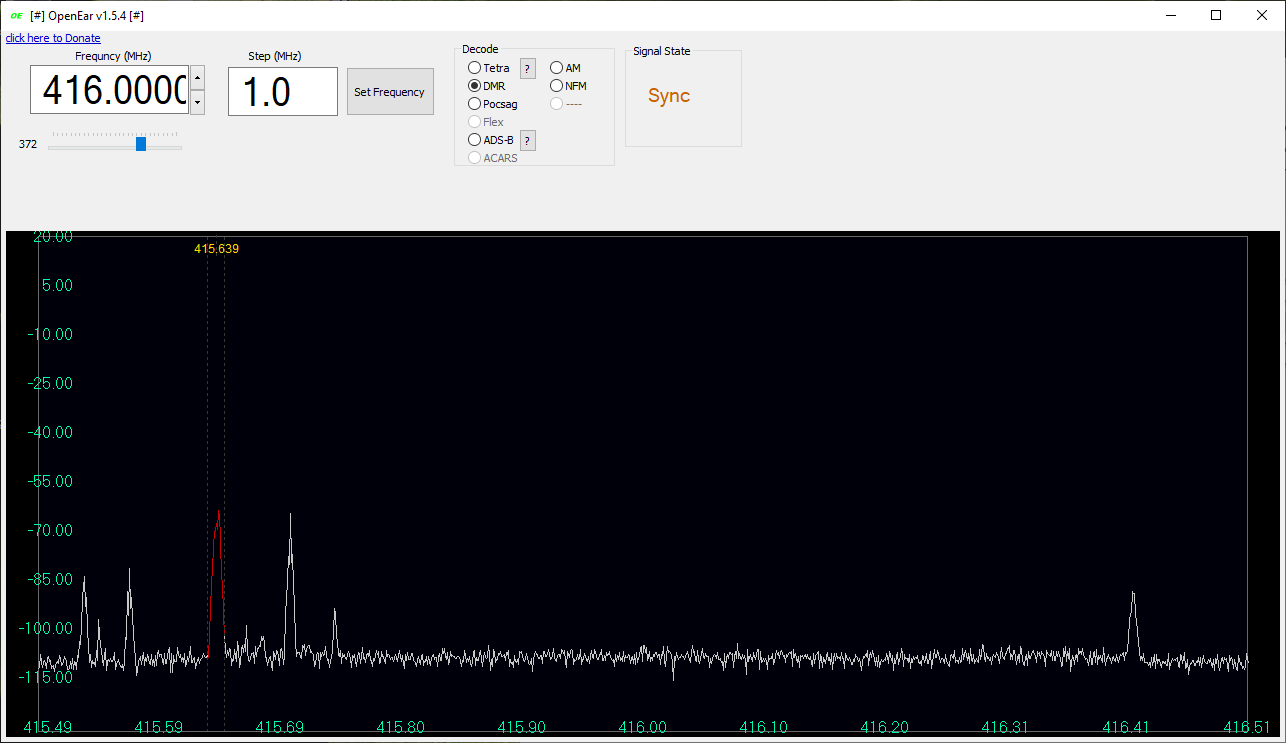
Back in March we posted about "OpenEar" which was a newly released Windows TETRA decoder for RTL-SDR dongles. Back then the author "moneriomaa" noted that he planned to add several new modes. In the release that is currently available, OpenEar now supports TETRA, DMR, Pocsag, ADS-B as well as standard AM and NFM modes. We tested the software, and all modes appear to decode as advertised. In the future the author plans to add more modes such as MPT-1327 and AERO.
In the previous post we added an update noting that OpenEar appeared to be violating the GPL licence of OsmocomTETRA, and the author noted that he would remove the TETRA functionality until licencing was resolved. As TETRA decoding is back in the recent releases we assume these legal issues have been solved.
In the current release you also need to provide your own rtlsdr.dll file, which can be obtained from your SDR# folder, or directly from the Osmocom windows release (rename librtlsdr.dll to rtlsdr.dll).
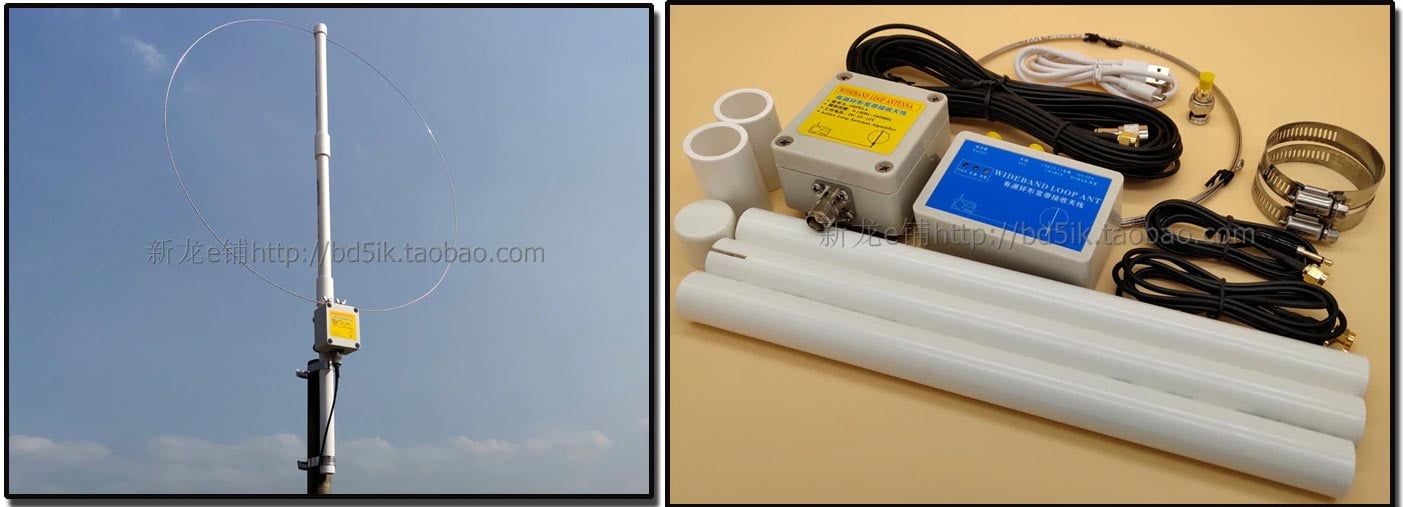
We've recently seen a few submissions about a new low cost active magnetic loop antenna called the K-180WLA which sells for around US$50 - US$60 over on eBay and Aliexpress. While it appears to be very similar to the well known MLA-30 loop, it's main defining feature is that it's power feeder is battery powered via a built in Lithium ion cell which would make it useful for portable operation. It also advertises a wide usable frequency range of 0.1 - 180 MHz with an amplified gain of 20 dB. They note it can also be pushed up to 450 MHz with reduced gain of 8.9 dB. The battery run time or power draw is not advertised. They write:
The P.BOX feed box has a built-in 3.7V 18650 flat-head lithium battery with integrated power supply module. It is the only active antenna that does not require an external power supply and integrates a charge management chip. The MICRO USB charging port is compatible with the 5V charging head of Android phones. And charging cable, very easy to use.
UHF low-noise preamplifier is used. The gain flatness is very good within the ultra-wide operating frequency of 0.1-180MHZ. It provides a gain of about 20DB, even when working to 450MHZ gain, there is still about 8.9DB.
The receiving frequency covers long wave, medium wave, short wave, FM broadcasting band and VHF aviation band. The small ring diameter 55CM is simple to set up. It can be set up outside the window, balcony, terrace and roof. Lovers erected.
All the screws of the antenna are made of 304 stainless steel, and the preamplifier box is fully waterproof, which can be used for long-term outdoor wind and rain.
Suitable models include Desheng S-2000 PL-660 PL-880 ICOM R71E YAESU FRG-8800 and all short-wave receivers, especially for SDR receivers.
Note:
The antenna is equipped with a dual SMA male adapter cable, an SMA to 3.5 plug adapter cable, and an S2000 BNC adapter, which means that your radio can be used with SMA female, BNC, and 3.5 jacks. Requires additional accessories. Receivers and radios with other interfaces need their own adapters.
We've ordered a unit and plan to compare it against the MLA-30, Wellbrook and YouLoop (with optional HF amplifier that is to be released soon) in a future post. This loop is also being discussed over on the SWLing Post Blog.
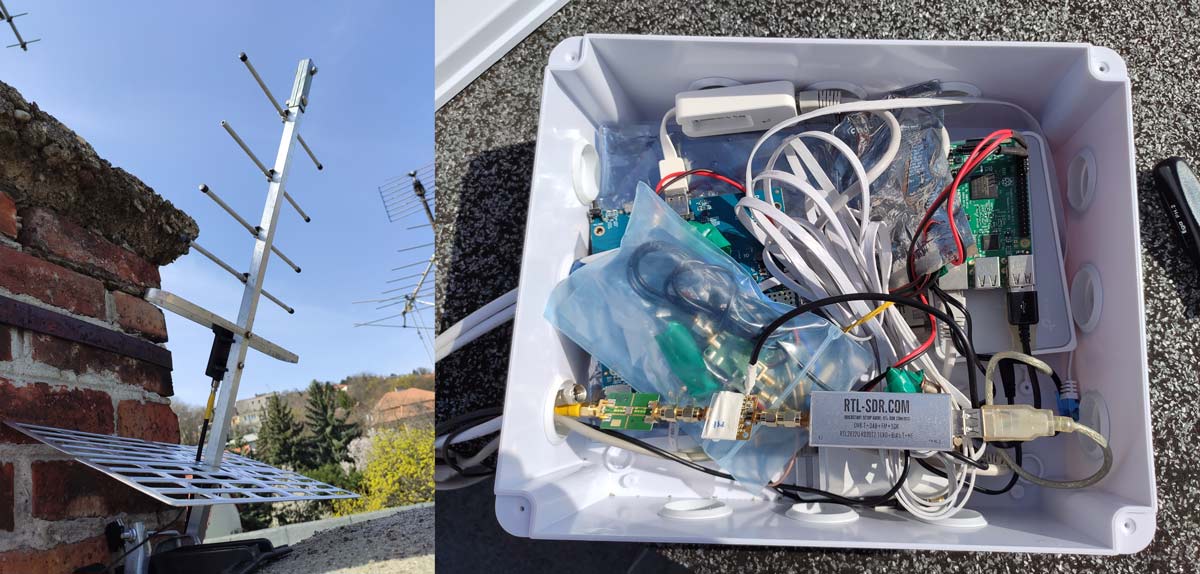
SMOG-P is a Hungarian nano satellite developed by BME University. It's payload consists of an on board spectrum analyzer that is designed to measure electromagnetic pollution (electrosmog) from space, and to also monitor the DVB-T spectrum. It currently holds the title of the world's smallest satellite in operation. ATL-1 is another Hungarian satellite this time developed by ATL Ltd. Its mission is to test a new thermal isolation material in space and to monitor the DVB-T spectrum.
To receive telemetry from these satellites you can use a Raspberry Pi, RTL-SDR, Yagi, and optionally an LNA and filter. In his post Zoltan shows how to install the SMOG-P decoder, and provides a script that automatically decodes, uploads packets to the BME University server, and archives old IQ files and packets.
We note that if you wish to receive these satellites, now is the time to do so as these nano satellites are in a very low orbit and only have an orbital lifespan of only 6-8 months total.
SMOG-P and ATL-1 Satellite Ground Station Receiver Setup
Thank you to M Khanfar for submitting his YouTube tutorial on how to build a passive IMSI catcher with an RTL-SDR. He writes:
In this video im processes of easy step by step building a passive IMSI catcher. The purpose of this video is to be educational - to highlight the ease of which these devices can be built, and to practically show how privacy is already being compromised today ! easy step by step install and running under virtual machine Ubuntu 18.04 and cheap SDR dongle! .
Intro An IMSI catcher is a device commonly used by law enforcement and intelligence agencies around the world to track mobile phones. They are designed to collect and log IMSI numbers, which are unique identifiers assigned to mobile phone subscriptions. Under certain circumstances, IMSI numbers can be linked back to personal identities, which inherently raises a number of privacy concerns.
The purpose of this video is to be educational - to highlight the ease of which these devices can be built, and to practically show how privacy is already being compromised . Nothing in this video is necessarily new, and those with less than honest intentions are most certainly already using these (or similar) devices.
This video walks through the processes of building a passive IMSI catcher, which is distinctly different from traditional IMSI catchers in that it does not transmit nor does it interfere with cellular networks in any way.
Traditional IMSI catchers are illegal in most jurisdictions due to the fact that they transmit on cellular frequencies (which requires a license), and that they essentially perform a man-in-the-middle attack between a phone and mobile base station (which breaks all sorts of anti-hacking laws). A passive IMSI catcher does neither of these.
How it works The passive IMSI catcher works by capturing IMSI numbers when a phone initializes a connection to a base station. The IMSI is only disclosed during this initial connection. In an effort to protect privacy, all subsequent communication to that base station is done with a random Temporary Mobile Subscriber Identity (TMSI) number.
This means you will only collect IMSI numbers for devices as they move between base stations. Traditional IMSI catchers work differently, by spoofing a legitimate base station and forcing subscribers to connect to itself. They have the added ability to collect data about stationary devices, and can potentially have a more targeted range.
The only hardware required is a PC and SDR receiver that supports GSM frequencies. Generally this means 850/900/1,800/1,900 MHz. Most of the inexpensive RTL2832U based receivers have an upper-frequency range of about 1,700 MHz. You can get by with one of these, but of course, you won't be able to listen to stations at 1,800 or 1,900 MHz.
--- you can easy search GSM towers around you and show its frequencies then select specific tower then access its HLR data, then you can locate tower location in google map when you have specific data collected from SDR in terminal like : MCC,MNC,LAC,CELLID , then you can easy add these data in this website: https://cellidfinder.com/cells then locate it on map, and you can use IMSI number that you sniff to collect details info from database that have access with subscription to full database from this website :https://www.numberingplans.com