Over on YouTube user Jane feverlay has uploaded a video showing a new AIS decoder called AISRec for Windows that he has developed.
AIS is an acronym for Automatic Identification System and is a system used by ships to broadcast position and vessel information. By monitoring AIS transmissions with the RTL-SDR we can build a boat radar system. We have a tutorial on this here.
The new software is not free, but he offers a trial version that limits the run time to 20 minutes and 5000 max messages. The paid version removes these limits and also decodes both AIS channels simultaneously. The program monitors data from the RTL-SDR and sends decoded data out via UDP. Software such as OpenCPN can then be used to display the AIS data on a map.
We tested the trial version on our machine and found that it worked well at decoding AIS messages. To download the trial go to http://pan.baidu.com/s/1pJiEzEV and enter the code kn44. The download site is in Chinese, but it is obvious where to enter the code. We found the software to be virus free, but remember to always scan unknown software like this yourself. The full price of the software is unknown, but purchasing instructions are given in the trial download readme. The author also writes that his software now supports the Airspy, but not in the trial version.
Note that we discovered that the software doesn’t use a PPM correction setting as expected. Instead it uses a frequency shift setting. To set the shift in the AISRec.ini file, we had to calculate freqshift = 162.025 MHz – frequency of the second AIS channel as shown in SDR# with no PPM correction set.
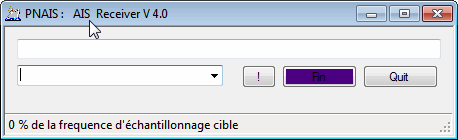
Over on our Forums xynium has told us about his recently released an AIS decoder called PNAIS which appears to directly connect to the RTL-SDR and decode AIS data. After decoding it then outputs the decoded NMEA data via UDP, which could then be received and used in map plotting software such as OpenCPN.
AIS is and acronym for Automatic Identification System and is a system used by ships to broadcast position and vessel information.
Hak5, a popular YouTube technology show has recently been dedicating a bunch of episodes to RTL-SDR projects. Recently we posted about their efforts with ADS-B, and some GNURadio tutorials. Their most recent video discusses AIS (Automatic Identification System) which is a system similar to ADS-B which ships use to transmit their location to create a modern GPS based radar system.
The Hak5 video discusses how AIS works and also shows how to use an RTL-SDR to receive it. In their tutorial they use SDR#, VBCable and ShipPlotter to receive and view AIS data on map. Note that we also have an AIS tutorial here.
Identify And Locate Ships Via AIS Transmissions!, Hak5 1610
AIS is an acronym for Automatic Identification System and is a type of modern GPS based radar system similar to ADS-B used by mariners to help avoid collisions at sea.
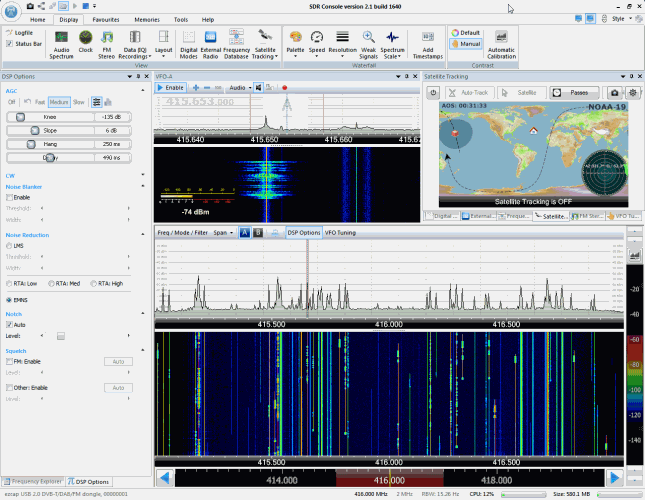
YouTube user k2nccvids has posted a video showing him decoding and plotting both AIS channels simultaneously on a Windows PC with free software. To do this he uses SDR Console and two AISMon instances. SDR Console is a general purpose SDR GUI that supports the RTL-SDR. One of it’s major advantages over other SDR software is that it can tune to multiple signals in the same swath of tuned bandwidth simultaneously and output their audio to different virtual audio cables.
k2nccvids used two AISMon instances, each one connected to a separate virtual audio cable outputting AIS audio from SDR Console. He set AISMon to output decoded UDP packets on two different ports. Then he created two UDP listeners in OpenCPN for plotting, one for each port.
There are now dozens of software defined radio packages that support the ultra cheap RTL-SDR. On this page we will attempt to list, categorize and provide a brief overview of each software program. We categorize the programs into general purpose software, single purpose software, research software and software compatible with audio piping.
If you know of a program that is missing please leave a comment in the comments section at the bottom of the page.
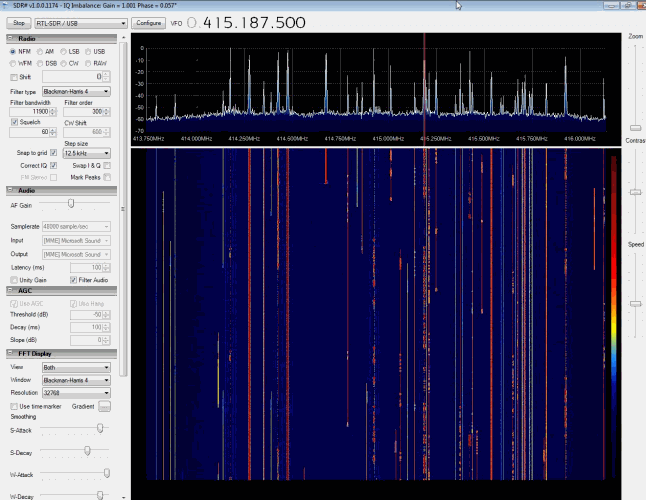
SDR# (pronounced "SDR Sharp") is the most popular free RTL-SDR compatible software in use at the moment. It is relatively simple to use compared to other SDR software and has a simple set up procedure. We have a full overview of the installation procedure on our Quick Start Page. SDR# is designed to be use with the $199 Airspy SDR, but works just fine with the RTL-SDR.
SDR# is a simple to use program that also has some advanced features. It has a useful modular plugin type architecture, and many plugins have already been developed by third party developers. The basic SDR# download without any third party plugins includes a standard FFT display and waterfall, a frequency manager, recording plugin and a digital noise reduction plugin. SDR# also decodes RDS signals from broadcast FM.
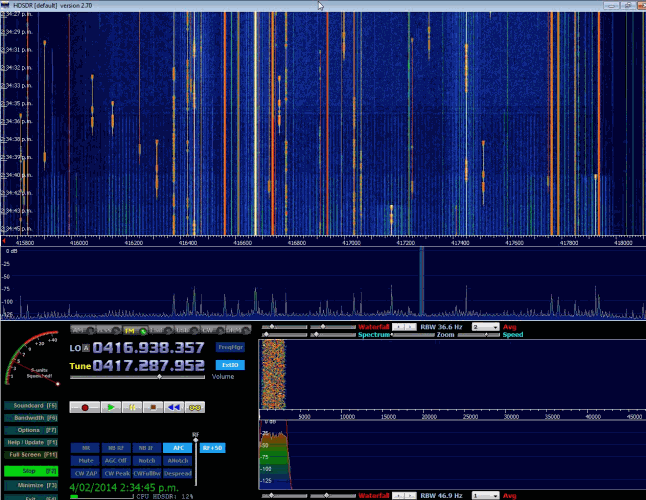
HDSDR is based on the old WinRAD SDR program. HDSDR supports the RTL-SDR through use of an ExtIO.dll module. To install HDSDR, download the program from the link on the main HDSDR page, then to use the RTL-SDR you will need to download the ExtIO_RTL2832.dll file an place it into the HDSDR folder. When opening HDSDR, select the newly copied ExtIO_RTL2832.dll. The other dlls that come with HDSDR will not work with the RTL-SDR, even though they have RTL-SDR in their filename. The official installation instructions can be found here.
Along with a FFT display and waterfall, HDSDR has some extra advanced features. Users will also find an Audio FFT and waterfall display on the bottom of the screen. The output audio can also be bandpass filtered by dragging the filter borders on the display. Bandpass filtering the audio can really help clean up a noisy signal. The audio processing also supports placing of notch filters either manually or automatically. There are also noise reduction and noise blanker features and an automatic frequency centering algorithm which will automatically center the signal, so you don't need to click exactly in the center of a signal. Traditional ham radio users will also enjoy the S-units signal strength meter and the built in frequency manager.
SDR-RADIO.COM V2 and the newer V3 is a popular SDR program with many advanced features. As such is it a fair amount more difficult to learn and use compared to SDR# and HDSDR. Be sure you install version 2 and not V1.5 as only V2 has RTL-SDR support.
Once sdr-radio is installed, to get it working with the RTL-SDR you will need to compile or download three .dll files (SDRSourceRTL2832U.dll, rtlsdr.dll and libusb-1.0.dll) and place them into the sdr-radio folder. To compile your own dlls see the instructions here, otherwise download the dlls directly from the bottom of this link. If the dlls were placed in the correct folder you will be able to add your RTL-SDR as a receiver by clicking on the +Definitions button, and then finding and adding the RTL SDR (USB) option under the search drop down menu.
Like HDSDR, not only does sdr-radio have a RF FFT signal and waterfall display, but also an optional audio spectrum FFT and waterfall display. Built in are also several DSP features like a noise blanker, noise reduction filter, notch filter and squelch options. The EMNS noise reduction filter is particularly good at automatically cleaning up and clarifying voice signals.
To add to the feature list, sdr-radio also has built in PSK, RTTY and RDS decoders, and also comes with a satellite tracker. Furthermore, sdr-radio V2 (not V3 yet) has an excellent remote server which will allow you to easily set up and connect to a remote RTL-SDR server over a network or the internet. Finally, sdr-radio is capable of listening to up to 6 signals in the same chunk of visible spectrum at a time.
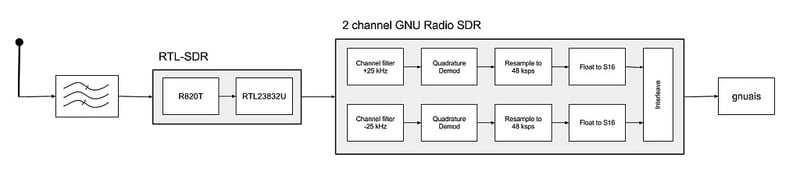
Blogger OZ9AEC has written a post on his blog showing how he made a 2-channel AIS receiver using the RTL-SDR, GNU Radio and GNUAis. AIS is a radio protocol used by boats to broadcast their position and speed which is then used to create a type of radar system to help avoid collisions. AIS signals are transmitted periodically on one of two channels. Two channels are used to improve capacity and help avoid interference if two signals from different boats are broadcast at the same time.
Before this, most AIS receiver implementations we’d seen that used the RTL-SDR received only on a single channel. OZ9AEC’s GNU Radio program receives on both channels simultaneously like a commercial AIS receiver does and is thus a better receiver. He eventually plans to get this receiver to run on a Beaglebone.
See his post for instructions and to download the GRC files.
He reviews the performance of multiple homemade AIS antennas with his RTL-SDR, and finds that a Monopole antenna with two radials gave the best value/performance trade off.
He has also written a hardware guide article, explaining some of the most common antennas adapters and cable ends that might be found.